Ask most sales teams what Clay is and they’ll call it a lead generation tool. That’s a misconception. Clay is really a blank spreadsheet you turn into a custom go-to-market engine, pulling from over 150 data providers, running AI, and automating enrichment and outreach in one place. The payoff is significant for technical operators. The price, unpredictable credit costs, setup time, and complexity, can bury smaller teams. This review breaks down how Clay works, what it really costs in 2026, and who it’s actually built for.
Clay review: what it does, who it’s for, and key trade-offs
Clay is a spreadsheet-focused B2B go-to-market, or GTM, and data automation platform built for outbound, enrichment, and lead workflow orchestration. It can sync with a CRM, but it is not a traditional CRM itself: it is a customizable workspace for turning prospect and account data into GTM workflows.
Let’s be clear, Clay does not sell you lists. Instead, it gives you a highly flexible grid where you can pull in, enrich, and automate outbound processes using data from over 150 live providers.
If your team knows its way around complex workflows and has real technical chops, Clay can be a seriously powerful engine for building intricate, data-driven prospecting setups.
But that level of power brings trade-offs: unpredictable costs, a sharp learning curve, and real operational overhead if your resources are limited.
Clay’s upside only shows up if you’ve got technical talent, bandwidth for workflow setup, and strict cost control.
Small teams and solo founders who mainly want to upload a list, add contact data, personalize, and send outbound quickly run into trouble. Configuration time, dual-meter pricing, and ongoing complexity all eat away at time and margin.
This review walks through how Clay works, its feature set, workflow, signals, and AI automations, 2026 pricing and total cost of ownership, including how the dual-credit system actually burns credits, core pros and cons, and how it stacks up against leaner tools focused on speed and predictable costs, such as Apollo, Airscale, and Cockpit.
How Clay works
Clay acts as a workflow builder inside a familiar spreadsheet interface.
Every process in Clay runs through the same core cycle:
Clay’s core workflow: import, enrich, refine, and activate
Import → Enrich → AI → Refine → Output.
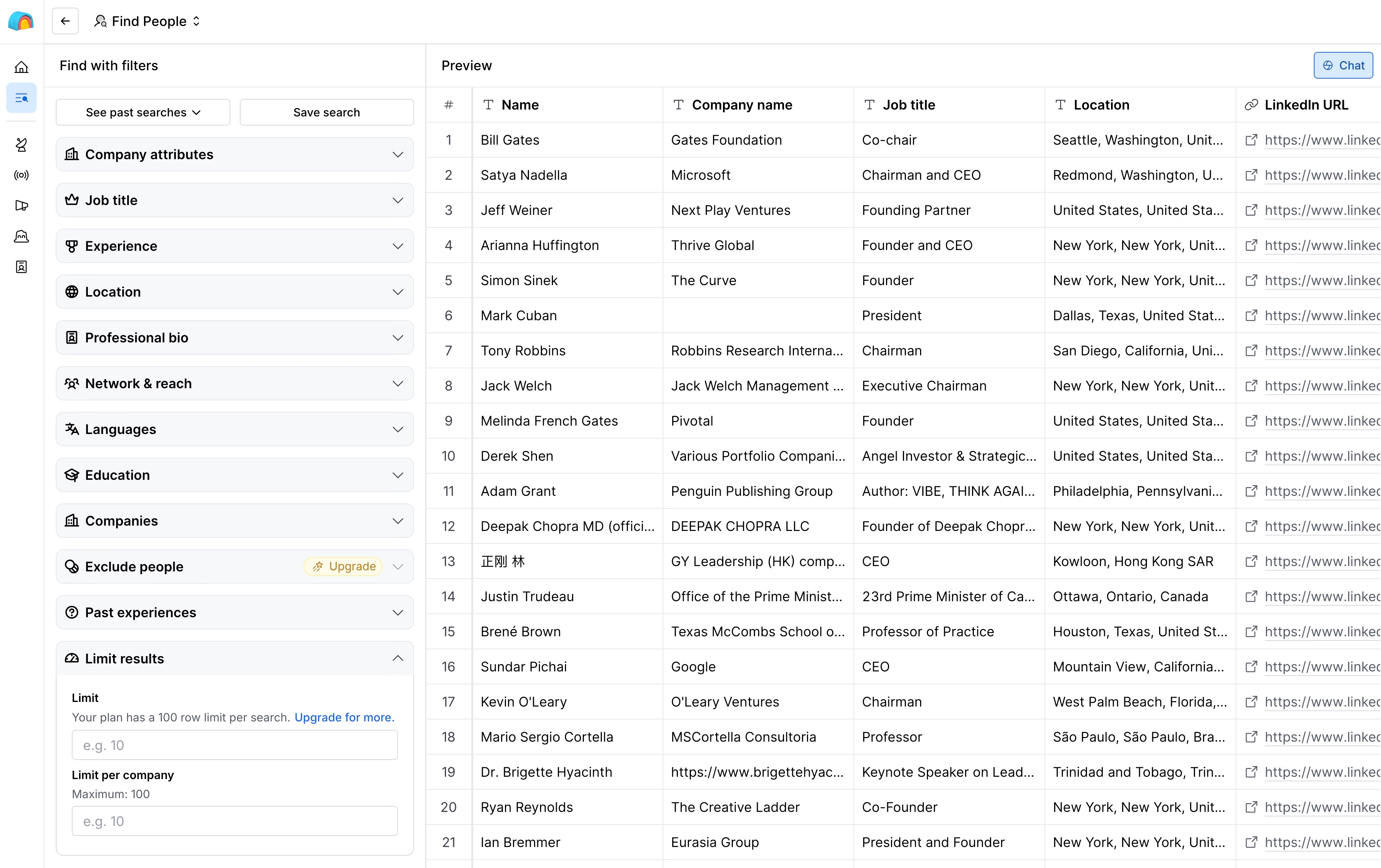
- Import companies or contacts:
Kick things off by bringing in data.
You can import lists using CSVs, sync with your CRM, or search right inside Clay across sources like LinkedIn, Google Maps, job boards, and lookalike company lists.
- Add enrichment columns:
Each row is a lead or account.
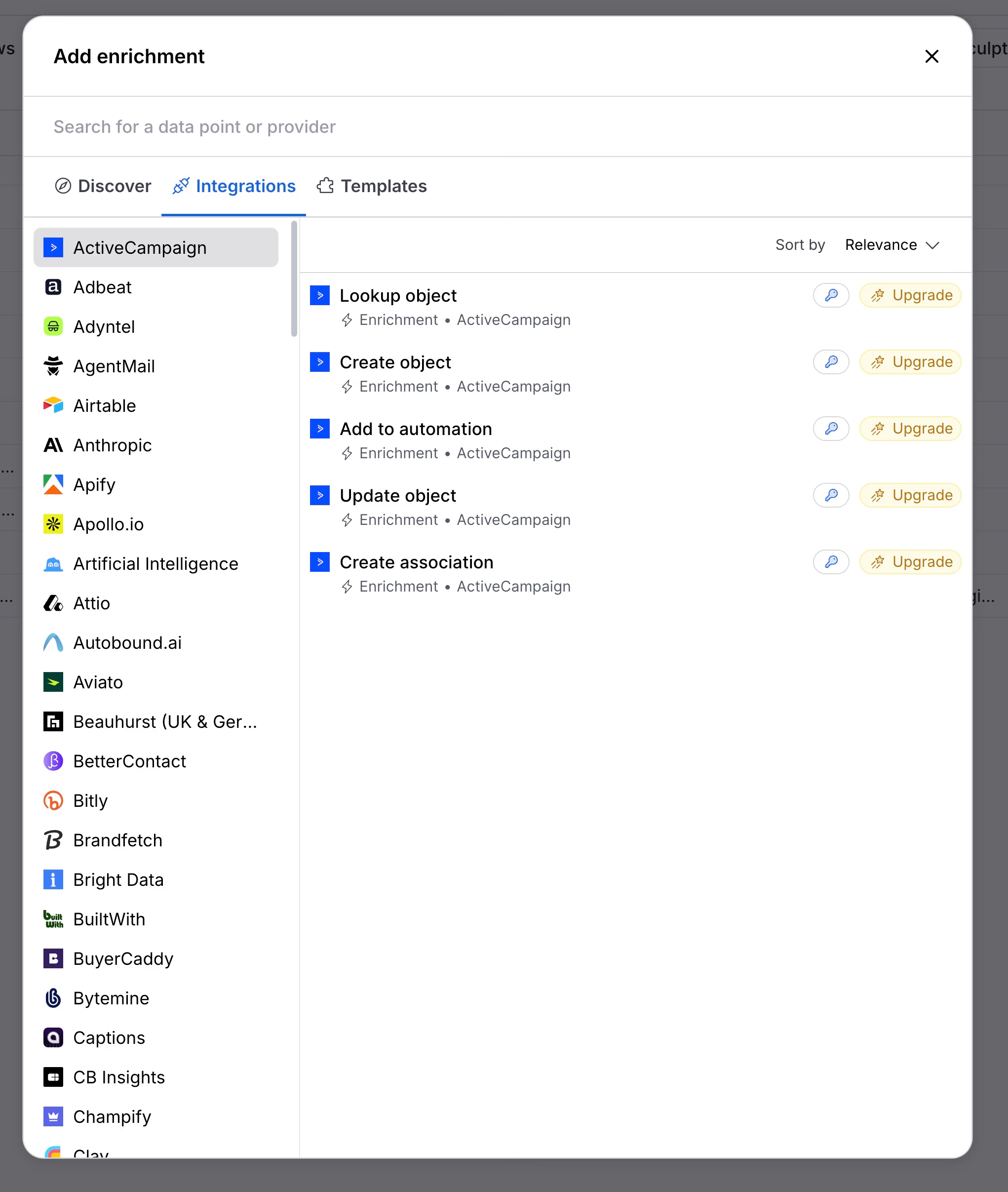
The columns are the enrichment data, think work emails, phone numbers, LinkedIn URLs, company size, tech stack, funding rounds, and intent signals.
You can plug in marketplace integrations or use your own API keys.
- Run AI on top:
Now you can layer on AI.
Use columns to scrape websites, summarize company value props, generate email openers, tag industries, or score ICP fit.
Everything references other columns as needed.
If you find yourself doing the same thing again and again, Claygent lets you package up the logic and reuse it across tables.
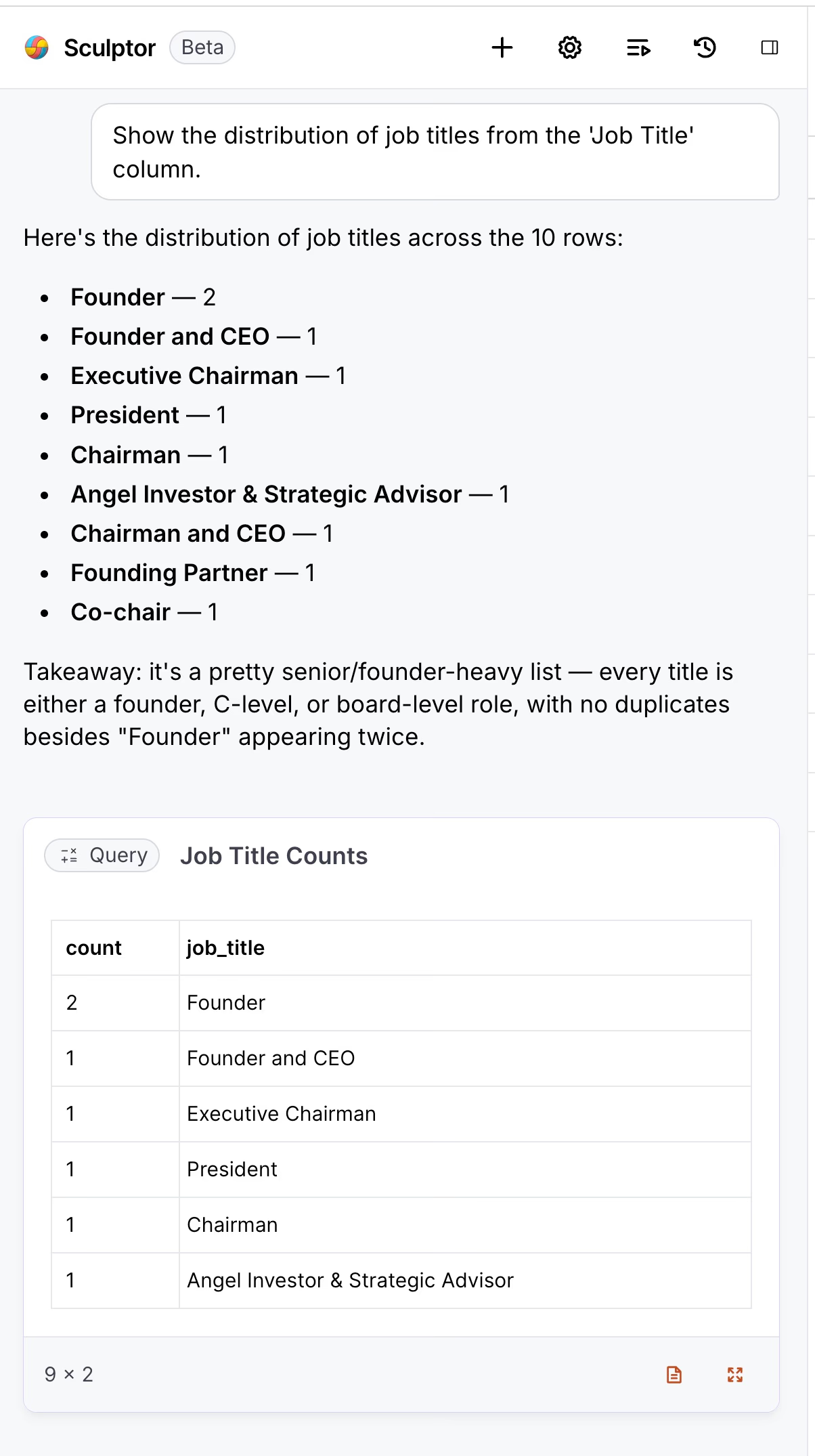
- Refine with filters, formulas, and scores:
Clean up by filtering out bad data, flagging top prospects, removing duplicates, tidying job titles, or scoring leads.
Clay gives you dropdown rules, formulas, conditional logic, and custom functions for this step.
- Push to action:
Move your final segments directly into email campaigns, sync to your CRM, trigger webhooks, export to CSV, or send straight to ad platforms.
You can save your workflows to run them again later.
From no-code workflows to programmable GTM automation
Dropdown menus make it easy for non-technical folks.
Just pick the enrichments, AI tasks, and destinations you want.
But if you’re a technical GTM operator, you can go deep.
Use Clay as a programmable engine for branching logic, custom enrichment flows, AI agents, and more, powered by Model Context Protocol (MCP) to run complex LLM prompts.
Clay isn’t a database.
It’s an automation builder that organizes your data for action.
Clay’s fit for lean teams: flexibility versus overhead
If your main need is to grab contacts fast and launch quick campaigns, Clay will feel like way too much.
But for technical operators building automated data pipelines to import, enrich, personalize, and route leads, Clay gives you far more flexibility than any standalone tool.
Clay features: lead generation, enrichment, AI, and outreach
Clay lead search and list building
When you subscribe to a paid plan, you get access to full search across people and companies, but every action is gated by Data Credits.
Lists open in a spreadsheet layout. You can filter by company or people attributes, use AI to define your criteria, or pull contacts from tables you’ve already built, like employee lists from target accounts.
Clay helps you save credits by skipping contacts you’ve already enriched. Most discovery work leans on LinkedIn and Google Maps.
But if you want to filter by details not found on LinkedIn, like web traffic, ad spend, or offline intent signals, you’ll have to run enrichment across your entire list first. That burns through more credits.
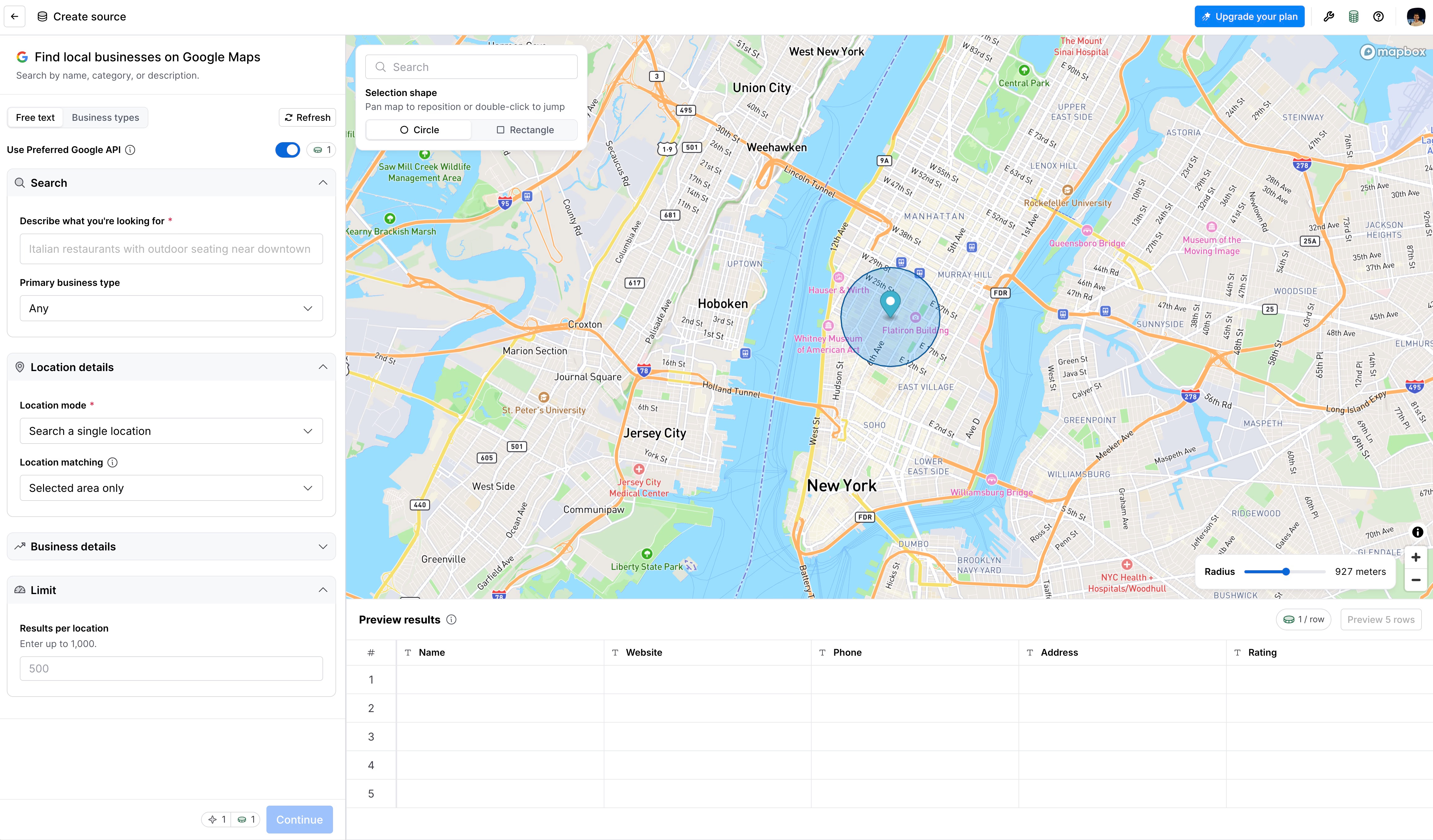
Google Maps integration helps with local prospecting. You can pull company data straight from Google Maps, setting filters right at import.
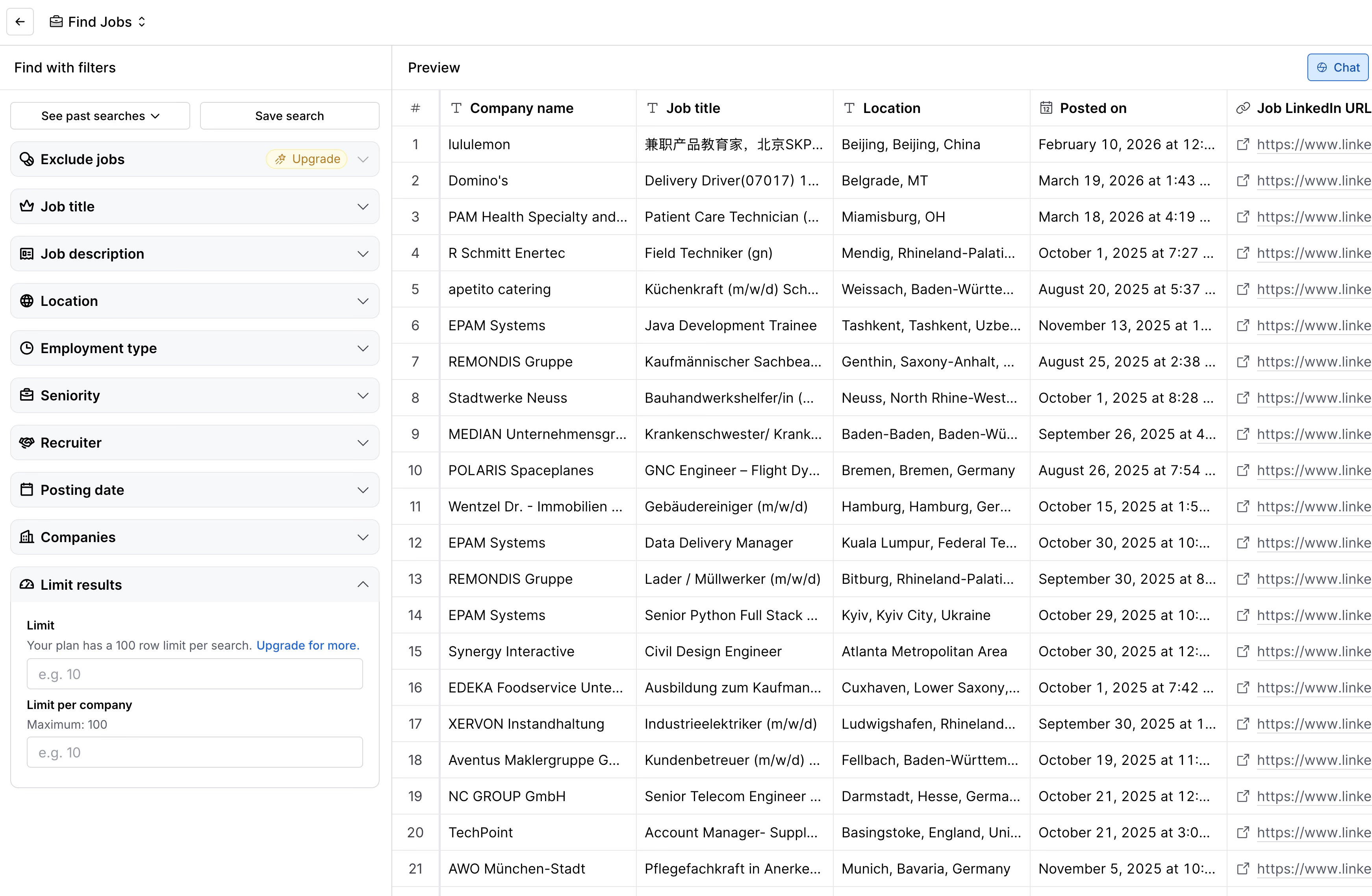
If you’re searching for hiring signals, Clay taps straight into LinkedIn Jobs data.
Need to expand a seed list? The lookalike search grows your account lists one row at a time. Each new match costs credits.
Clay enrichments and waterfall lookups
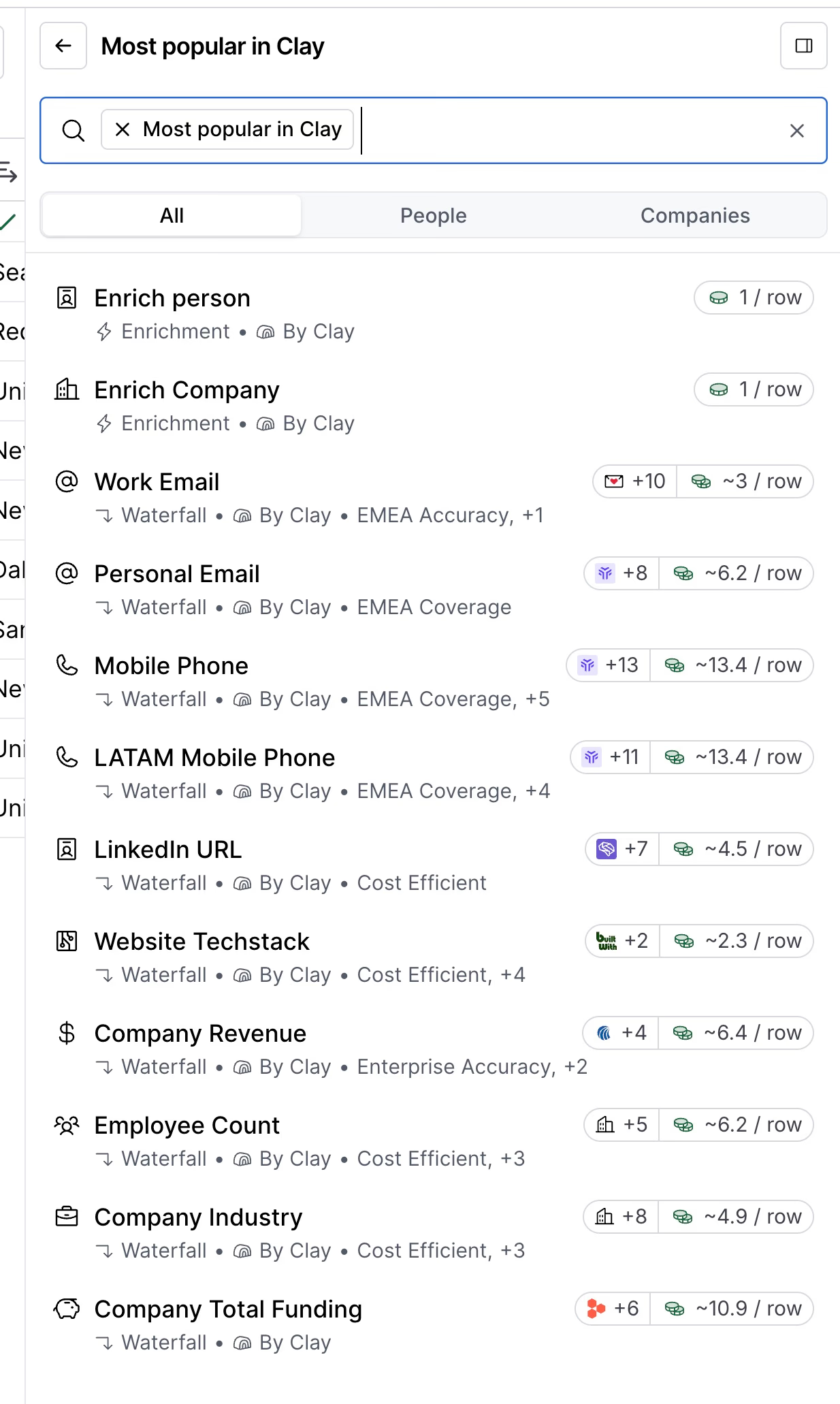
Clay pulls from over 150 data providers, all using a waterfall approach.
Want to enrich a list? Add columns for contact finders, company databases, tech stack sources, third-party APIs, or your own API keys.
You only spend Data Credits when a provider returns real data. By default, the waterfall stops at the first match it finds, unless you tell it to keep going for verification or to blend results.
You can map firmographics, emails, phone numbers, social links, intent signals, and custom formulas into individual columns, all within your table.
FullEnrich is one of the most common waterfall providers plugged into Clay. If contact data is all you need, our FullEnrich vs Clay comparison shows when the standalone tool is enough.
Clay signals: automated account and contact monitoring
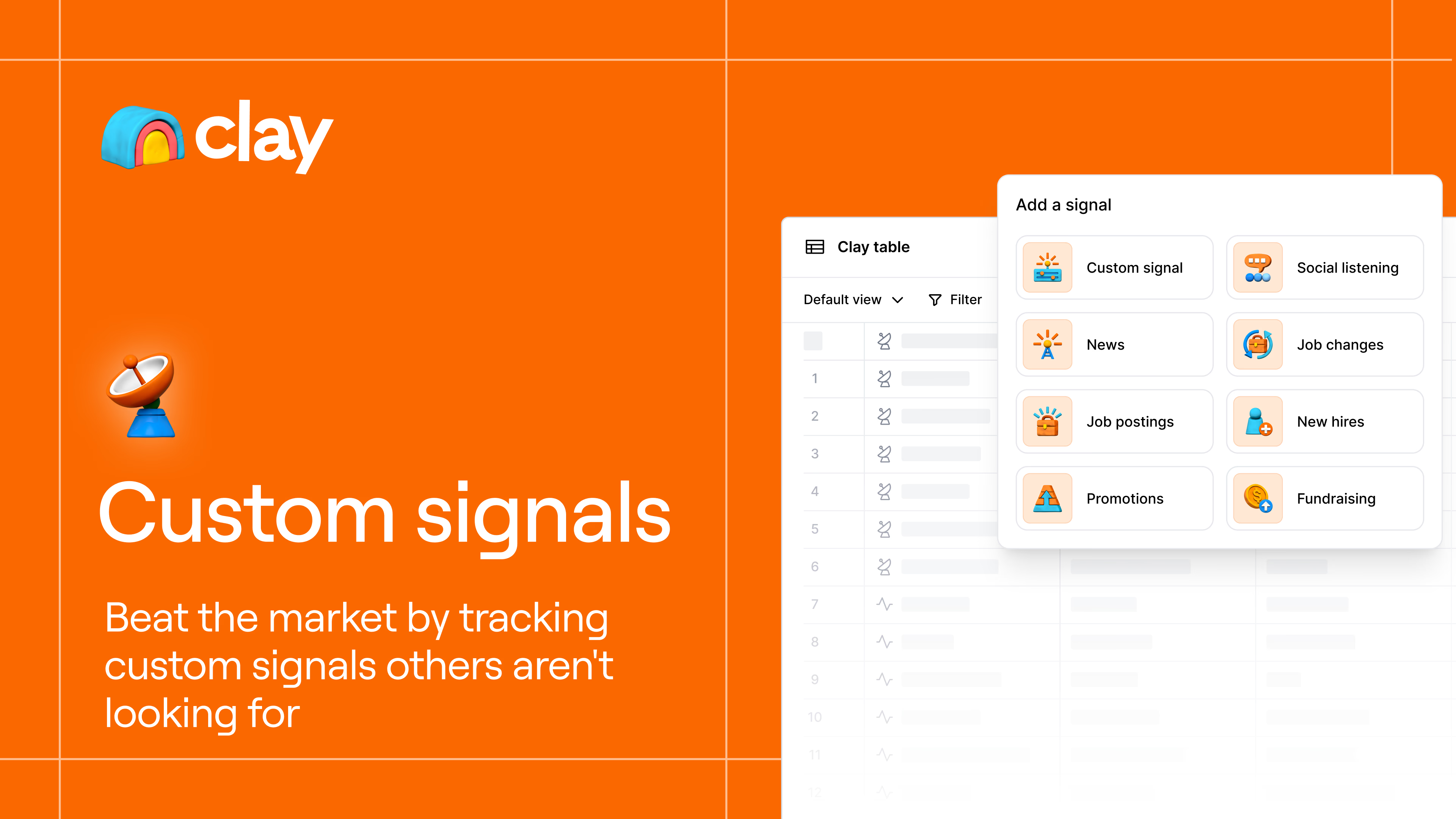
Signals track changes to accounts and contacts automatically.
You can set up alerts for things like job changes, promotions, funding rounds, new hires, or any custom event you need. They can run daily, weekly, or monthly.
Setting up looks like this:
- Pick a signal template, such as job change or intent event.
- Target your list using company or contact IDs.
- Define filters, like title, location, or account fit, and set how often to check.
- Attach enrichment steps so triggered alerts get extra context, like email or phone.
Once set, results can go to new tables, update current ones, or send straight to Slack, webhooks, Salesforce, or HubSpot.
Claygent and Sculptor: Clay’s AI workflow tools
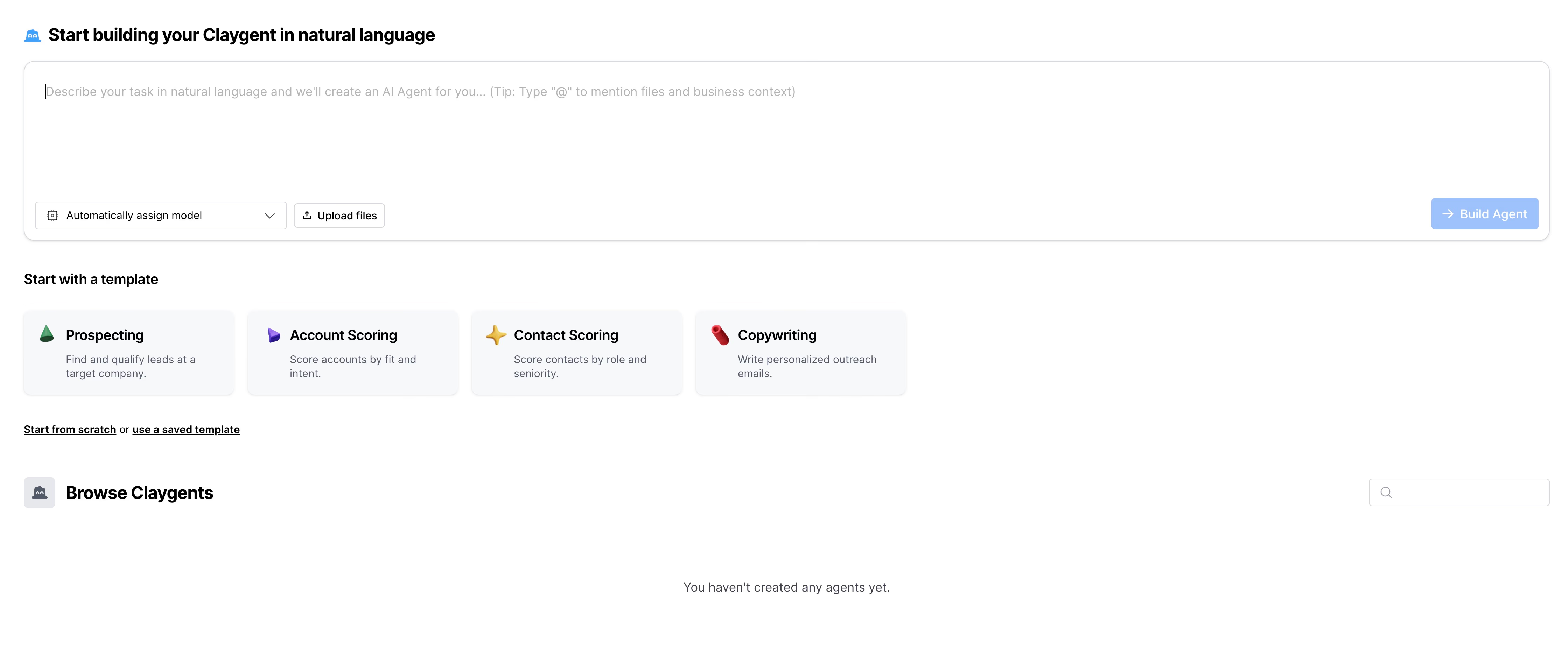
Claygent Builder lets you set up specialized agents for research, scoring, or copywriting, all based on your ICP and target fields.
Sculptor helps you draft prompts, test variables across rows, and update your agents across tables. This is especially useful for reducing AI hallucinations.
You can use web search, switch between LLM models, reference table cells inside prompts, or connect your own OpenAI API key right from Clay.
Clay Sequences: personalized email campaigns
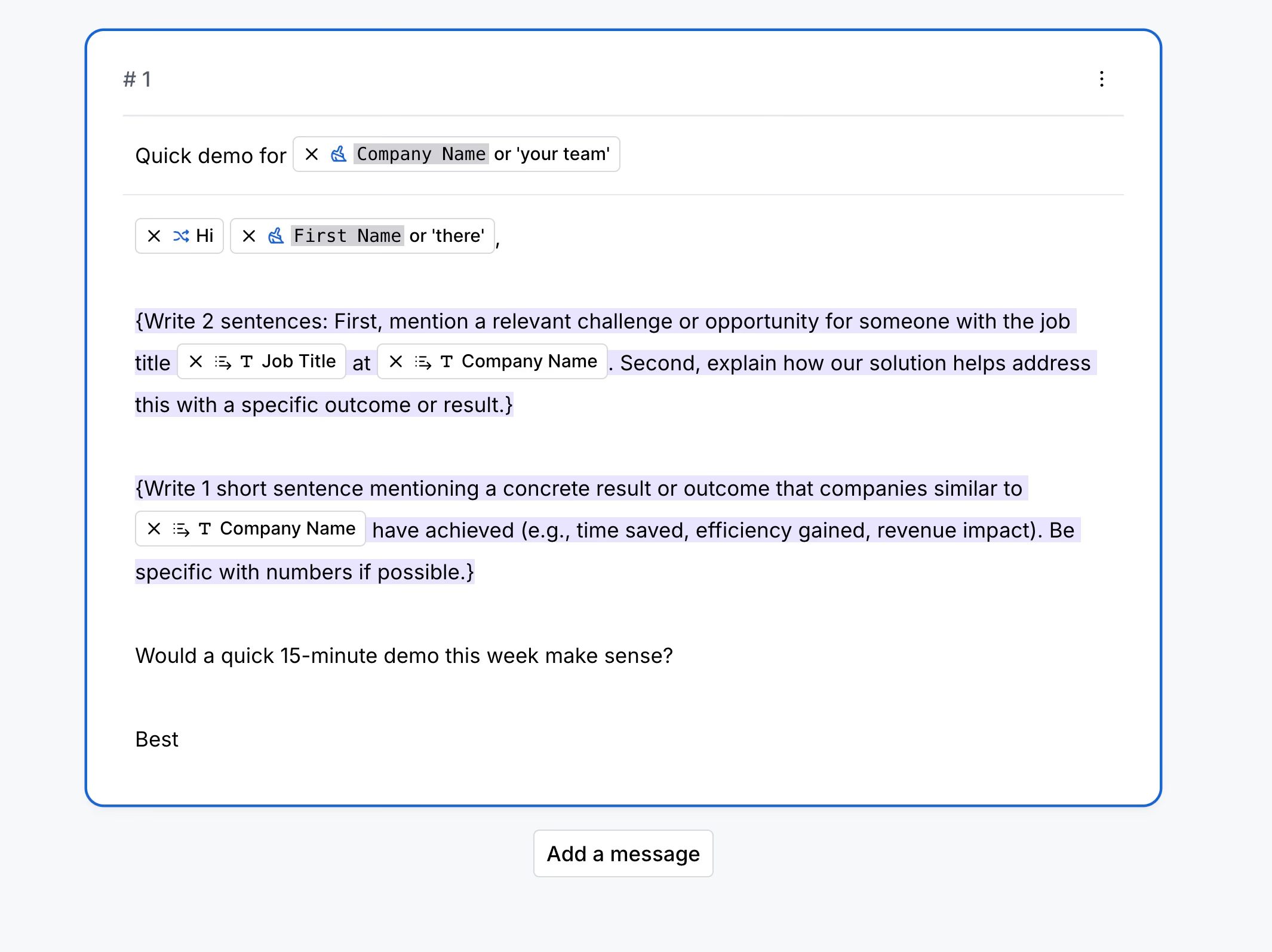
Clay’s Sequences feature lets you build email campaigns directly from your tables.
You can personalize each email with variables from your enrichment columns.
Before sending, you get campaign previews to check all generated messages.
Built-in analytics track opens, replies, and deliveries.
But there are tradeoffs: Sequences stick with email only. No LinkedIn, SMS, or true multi-channel flows. And after your first outreach, there’s no automated follow-up.
Clay Ads Audiences: sync segments to ad platforms
Clay pushes table-based segments straight to ad platforms, including LinkedIn, Meta, Google, Bing, Vibe, and Reddit.
It works behind the scenes to match personal emails, boosting your match rates. That can improve audience coverage without extra manual work.
Usage looks like this:
- Segment leads using all your table data and enrichments.
- Connect your ad accounts for the whole workspace.
- Schedule recurring syncs.
- Track segment status, such as Ready, Match Rate, and Audience Size, directly in the platform.
Clay integrations, automation, and recent platform updates
Clay keeps rolling out advanced features: support for Model Context Protocol (MCP) for Claude and ChatGPT, agent plugins, customizable Account Research Agents, and improved automation tools.
Integrations cover everything from CRM sync and data warehouse connectors to webhooks, API access, and workspace-level controls for managing credit limits.
The platform keeps expanding, which is great news for technical RevOps teams. Non-technical folks may need time to keep up.
Clay pricing in 2026: Data Credits, Actions, and total cost
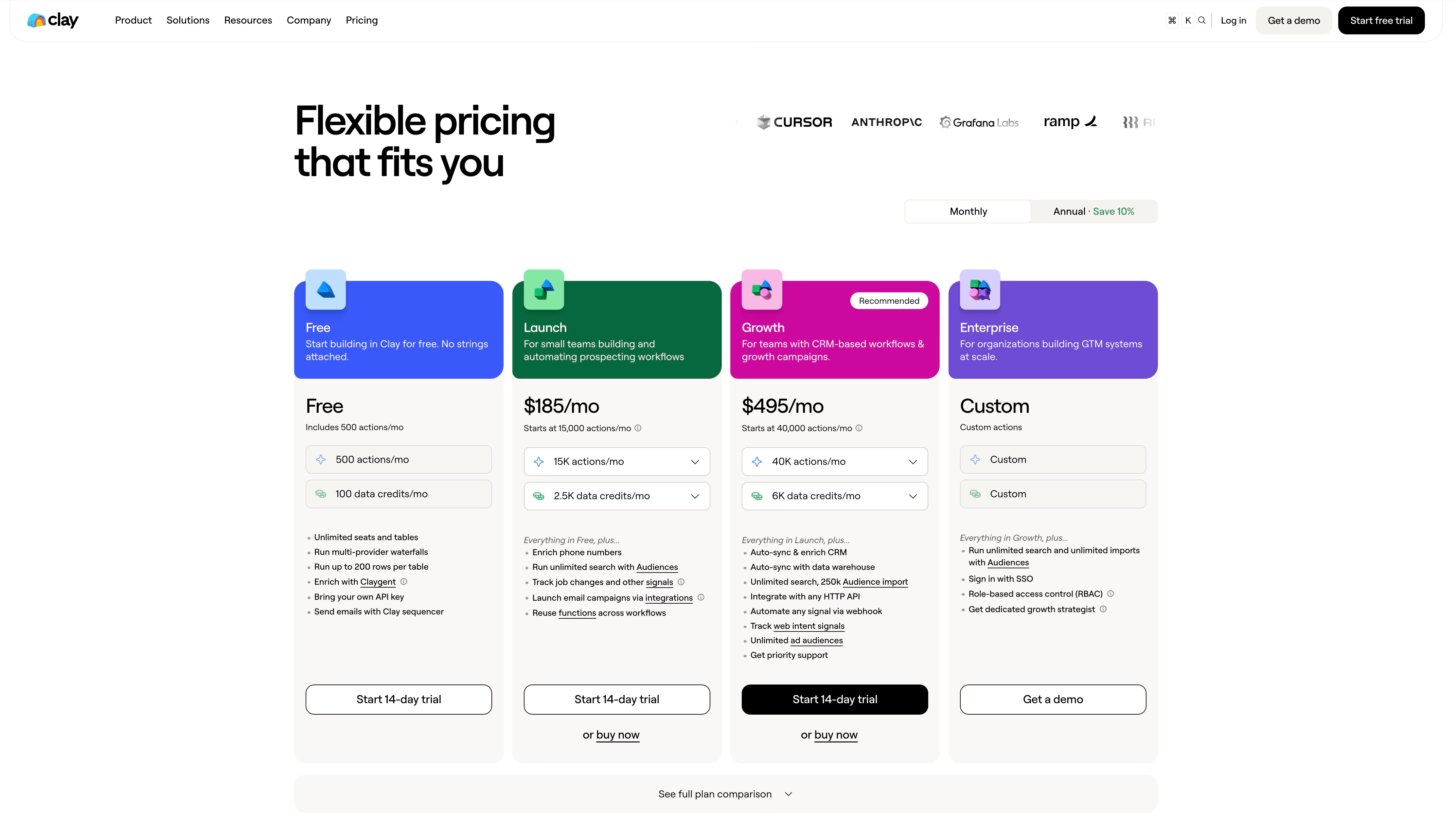
Clay’s pricing is based on two counters, Data Credits and Actions. Both get used up during workflows, so the actual cost depends largely on how you set up those workflows. The Launch plan is the first paid tier; Growth adds CRM sync, API access, ad push, and web intent.
Clay pricing tiers, included credits, and feature gates
| Plan | Monthly Price | Data Credits (included) | Actions (included) | Key feature unlocks | Data Credit effective rate | Notes |
|---|---|---|---|---|---|---|
| Free | $0 | 100/mo | 500/mo | 200 rows/table, basic enrich, no phones/signals, no rollover | — | Testing only. |
| Launch | $185 ($167/yr) | ~2,500/mo | 15,000/mo | Phones, signals, basic integrations, ~50k rows | ~$0.067–0.074 | Slider floor at $54/mo for small loads. |
| Growth | $495 ($446/yr) | ~6,000/mo | 40,000/mo | CRM sync, API/webhooks, ads push, web intent | ~$0.074–0.083 | Most teams land here. Recommended. |
| Enterprise | Custom (~$30.4k median) | 100k+/mo | 200k+/mo | Warehouse sync, SSO/RBAC, 50k+ bulk, CSM | Negotiated | Wide range, $12–154k/yr. |
- Actions are cheap, below $0.01 per run, and almost never the limiting factor.
- Actions don’t roll over. Data Credits can roll over up to 2x your monthly allowance or 15% annually.
- Credit top-ups are about 30% more expensive than normal plan rates.
- BYOK, Bring Your Own Keys, lets you skip Data Credit charges with direct API calls, but Actions are still used.
- Failed lookups don’t cost you credits.
- Unlimited seats are included in all paid plans.
- Subscription Data Credits cost $0.067–0.083 each. Key features like CRM sync, API access, signals, and ad integrations require the Growth plan or above.
Clay’s real enrichment cost: worked total-cost examples
Total Clay costs go beyond just the base plan. Credits get burned as you enrich leads, depending on your workflow.
Data Credits required for common enrichment tasks
| Enrichment type | Data Credits (DC) | Cost @$0.05/DC | Comment |
|---|---|---|---|
| Email (single provider) | 2–3 | $0.10–0.15 | Find only |
| Email waterfall (3 providers) | 4–8 | $0.20–0.40 | Higher find rates |
| Phone (direct dial) | 3–5 | $0.15–0.25 | |
| Phone (mobile) | 5–8 | $0.25–0.40 | Less common |
| Full contact (email+phone+title) | 14–34 | $0.70–1.70 | Each run adds up |
| Full record + company data | 41–75 | $2.05–3.75 | Premium sources only |
Example: the cost of enriching 500 accounts
Let’s break down the real numbers.
Say you enrich 500 accounts with LinkedIn search, email waterfall (4–8 DC), verification, direct dials (3–8 DC), and basic firmographics (2–4 DC). That’s 13–24 DC per contact, or 6,500–12,000 DC total.
At $0.05 per DC, you’re paying $325–$600 just in credits.
The Growth plan’s 6,000 included Data Credits get you about 250–460 fully enriched contacts a month. If you need to do 1,000 enriched contacts monthly, expect to spend $1,295–$2,395, subscription plus credit top-ups, before even thinking about premium data.
What increases Clay credit usage
- Adding too many AI columns or excessive waterfalls racks up credit usage fast.
- BYOK avoids Data Credits, but you’ll still need to pay API vendors and Action fees.
- Sandbox Mode lets you test workflows without burning credits.
- No overage fees. When you run out of credits, execution just stops.
What Clay enrichment can cost in practice
Clay pulls from 150+ data sources, and your total cost always depends on how deep you go with enrichment and how your workflow is built.
When you combine signals, phone data, and waterfalls, you’ll typically pay $1–2 per lead, sometimes more.
If you need straightforward enrichment and predictable pricing, Cockpit offers a clearer approach. See the Clay vs Cockpit cost comparison for common enrichment actions, or the cheaper Clay alternatives compared by cost per credit.
Clay pros and cons
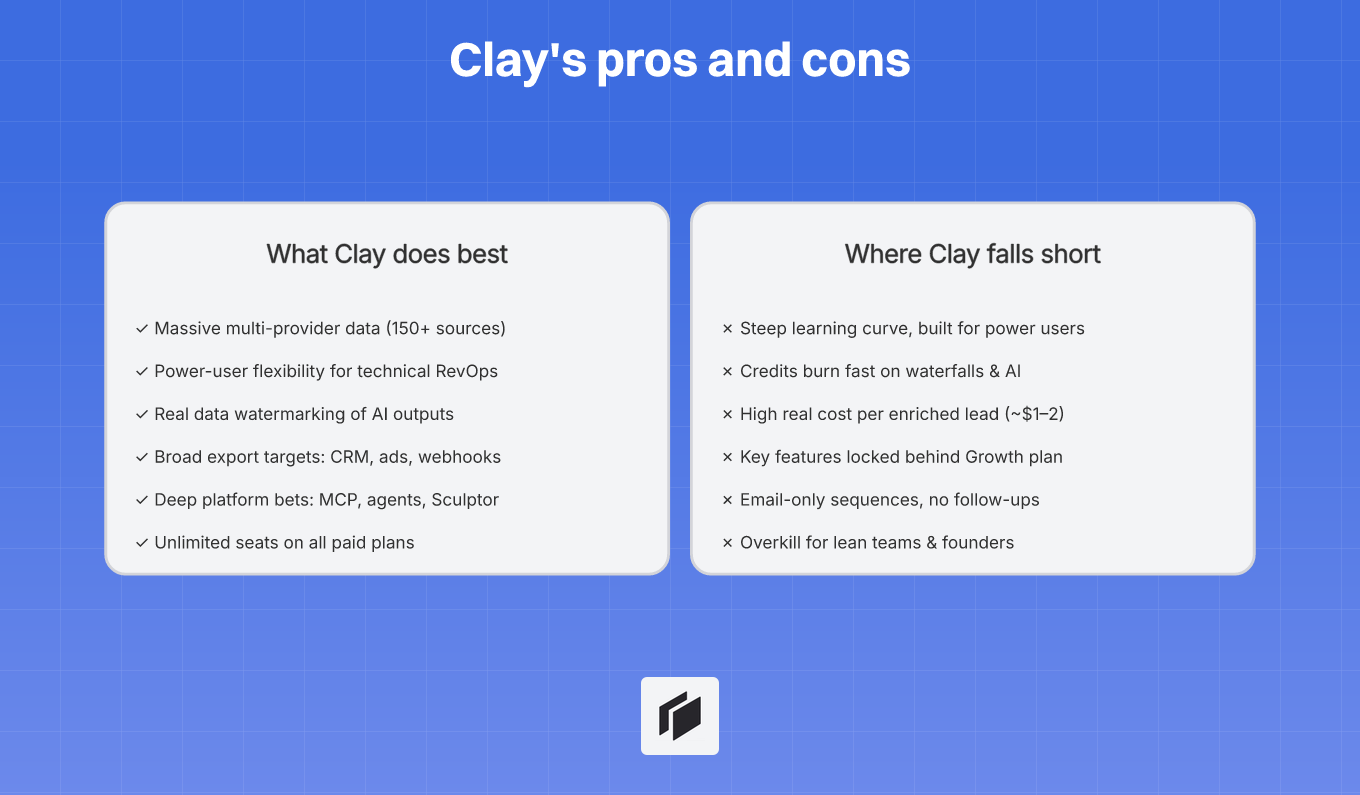
Clay’s strengths: flexible enrichment and GTM automation
Clay lets teams pull data from a huge mix of sources, over 150 providers, into one customizable grid. Its biggest win is modularity, which makes complex workflows easier to build and manage. You can chain together different providers using waterfall logic.
If one source does not return a result, Clay automatically moves to the next. This setup tends to boost your fill rates and helps prevent wasted spend.
But Clay is not just about enrichment. Signals and ad audience sync go further.
They let you automate things like tracking contact job changes, monitoring funding events, and updating ad audiences automatically. With built-in tools like Claygent, you can do AI research, lead scoring, and personalized messaging right inside the table.
For large teams or operators with RevOps experience, Clay stands out by replacing a patchwork of data vendors and homegrown scripts. One technical user can set up and maintain pipelines to process, deduplicate, and route leads at scale.
Clay’s weaknesses: complexity, variable costs, and setup overhead
Clay’s power has a price: it is complex, especially if you are not technical. Getting up and running means investing time to configure tables, waterfalls, and AI agents.
Usually, you will need someone dedicated to RevOps or outside consulting help. That setup time can be a real barrier for smaller teams that want fast results.
And then there is pricing. Clay uses a dual-credit system, so every API call and AI run eats into your Data Credits.
If you are running multi-provider enrichment or a lot of AI, you can burn through your credits quickly. Campaign costs can jump past your base subscription.
Lead discovery also leans heavily on LinkedIn data. If you are targeting people outside LinkedIn, you will need to build your own scrapers or set up more involved workflows.
Plus, essentials like CRM integrations, webhooks, and ad audience sync are only available on the Growth plan or higher. That means the full platform can become expensive before you even reach scale.
So, what is the tradeoff? Time and operational complexity. Clay is a powerhouse for experienced operators.
But solo founders or small teams who want something quick and simple can find the setup and cost overkill compared with streamlined alternatives.
Who should use Clay—and who should choose another tool
Clay is designed for companies that treat GTM workflows like engineering problems.
If you have a RevOps manager or GTM engineer building complex sequences from different sources, Clay gives you serious automation with a flexible interface.
Teams that benefit most from Clay
RevOps and data engineering teams:
When someone in your org owns GTM automation, Clay replaces a bunch of disconnected point solutions.
RevOps teams get detailed control over lead cleaning, deduplication, routing, stitching data across tables, and managing webhooks.
Outbound teams juggling multiple channels:
If you are running cold email, LinkedIn, intent signals, and paid ads together, you need Clay’s dynamic audience updates and real-time CRM sync.
Otherwise, you will be updating lists manually.
Agencies and consultants:
Templates, shared workspaces, and reusable blocks let agencies deliver the same workflow across clients.
That means they do not have to build everything from scratch every time.
Account research superusers:
If you are piecing together rich buyer graphs using web data, intent, triggers, and custom enrichment flows, Clay gives you the control and flexibility you need.
Teams that should avoid Clay
Solo founders and small teams caring about speed and predictable costs:
If your main goal is to launch a campaign quickly without getting bogged down, Clay’s pricing model and onboarding curve are more pain than help.
Teams just running a simple database and sequencer:
If all you need to do is search a database, add a few filters, and hit launch, Clay’s setup steps become busywork.
There are simpler tools for that job.
Teams handling basic linear enrichment:
When you only need to enrich a list with standard contact info and export it, you do not need Clay’s automation stack.
Bottom line: Clay shines when your data flows and GTM complexity call for automation you can customize. If your process is simple, Clay just adds overhead and slows you down.
And for leaner teams that want enrichment and outreach, Cockpit handles it without the operational maze.
Clay alternatives: Apollo, Airscale, and Cockpit compared
When you’re comparing GTM platforms, what usually matters most is how fast you can execute workflows, how much setup you need, and what you’re really paying for each verified lead.
This section covers three options. For what practitioners actually switched to, see the Clay alternatives Reddit recommends .
Apollo: all-in-one contact database and engagement
Apollo brings together its own contact database, sequencing, CRM sync, dialer, and a Chrome extension. It gives you one package for finding, revealing, and sequencing contacts.
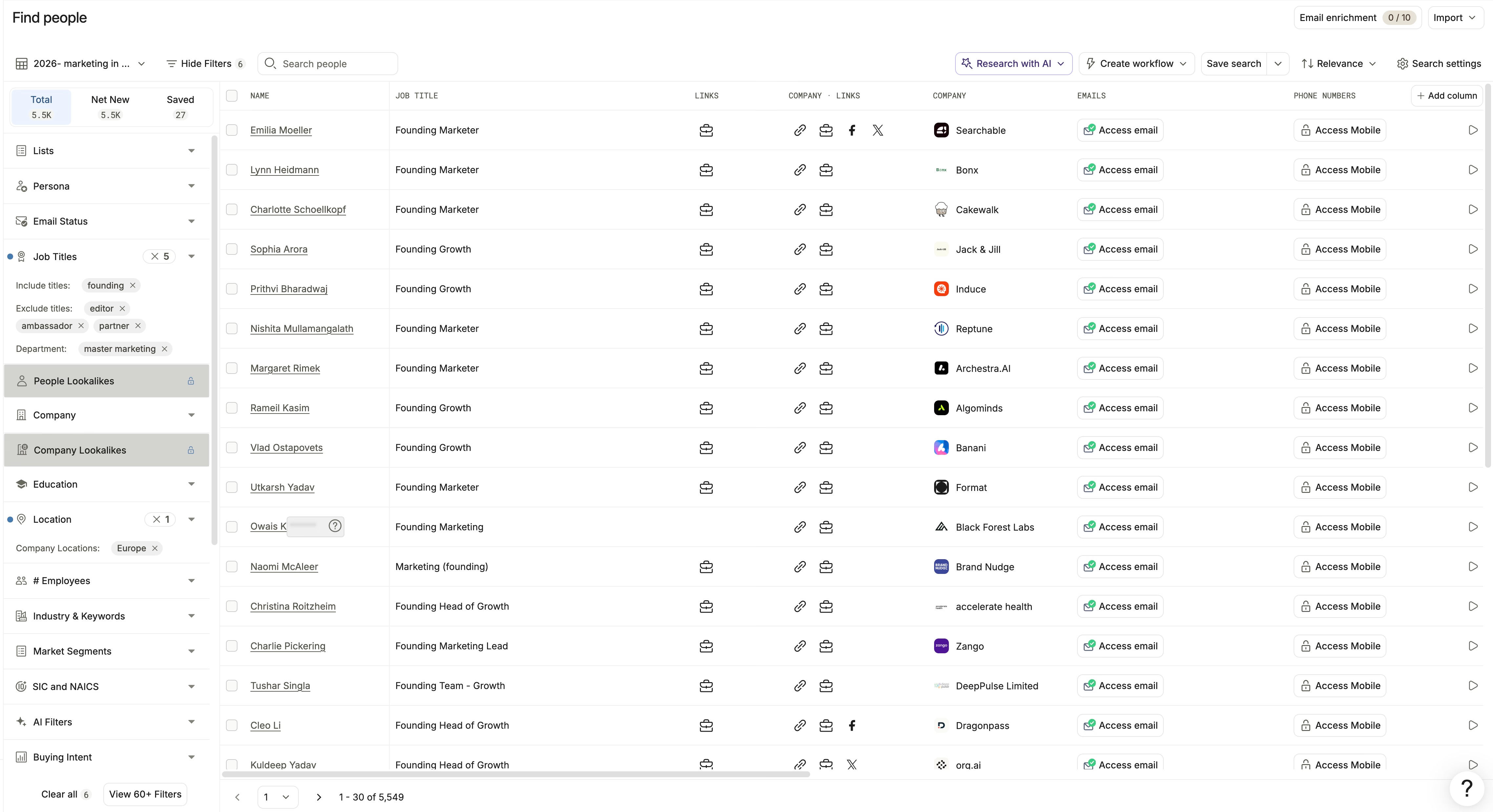
The big draw is a single flow for finding, revealing, and sequencing contacts under a per-user subscription. Pricing is $49–$99/month, with minimum seats on Organization plans, and data credits are included.
But here’s where you trade off:
- Apollo only accesses its own database, so there are no multi-provider lookups or fallback enrichment.
- If Apollo’s enrichment misses, it does not check secondary sources.
- AI is limited to email templates and basic CRM work, so there is no custom, multi-source research.
- Email accuracy is solid, but phones are less reliable, especially outside the US and SaaS.
- Mobile numbers use 8+ credits, and if you go over, it is $0.20 per extra credit.
So, Apollo fits teams that are fine staying inside one database and outreach platform. It works best when you do not need much enrichment customization.
Airscale: low-cost enrichment and exports
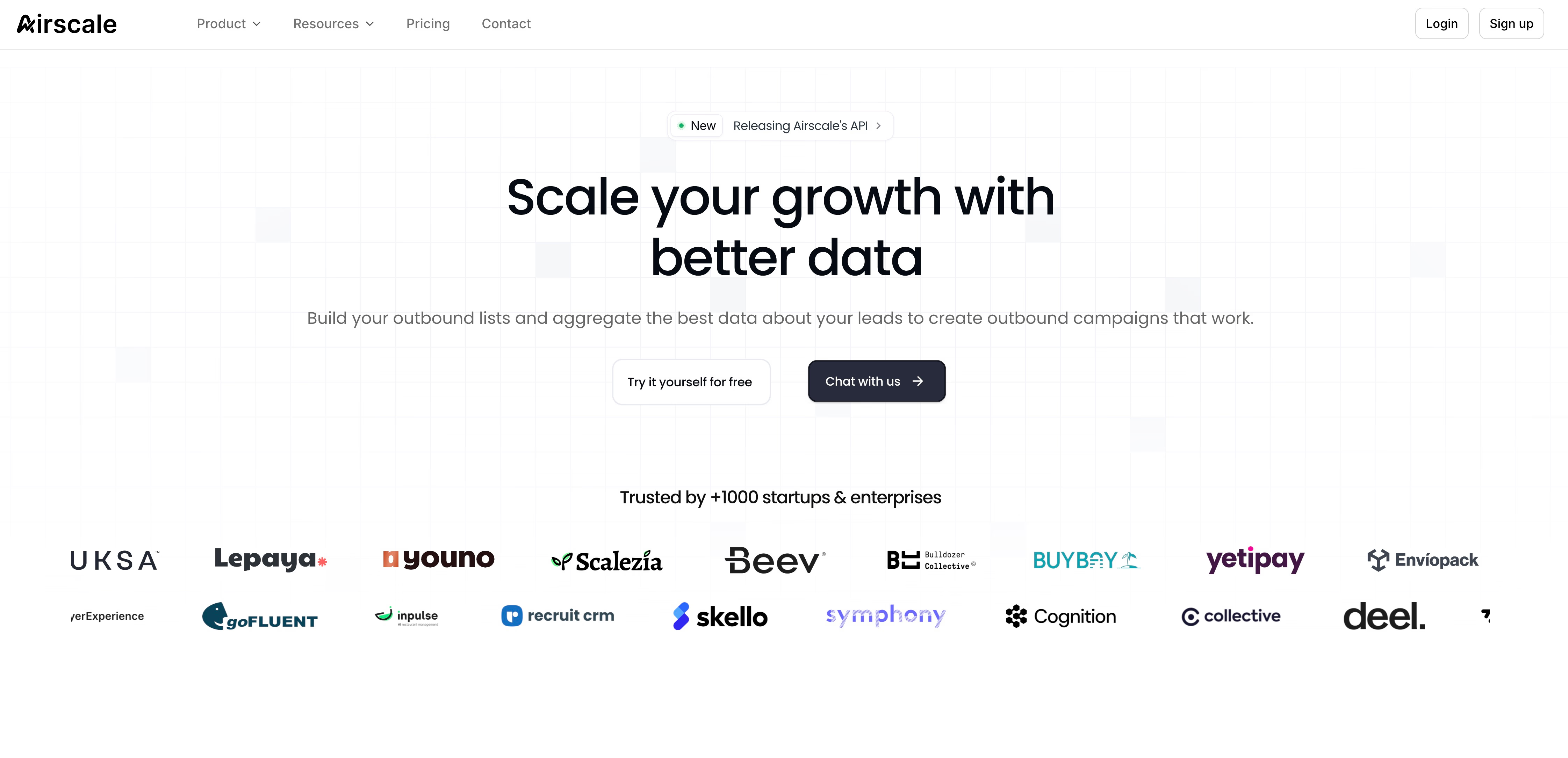
Airscale is more about lightweight enrichment. You can pull leads from LinkedIn, run enrichment waterfalls across 20+ providers, export to other sequencers or CRMs, and prompt simple AI research on each row.
Perks:
- Unused credits roll over.
- You do not pay for failed enrichments.
- Pricing is around $0.008–$0.012 per verified email and $0.15–$0.20 per phone number.
- There are no seat limits.
What you do not get:
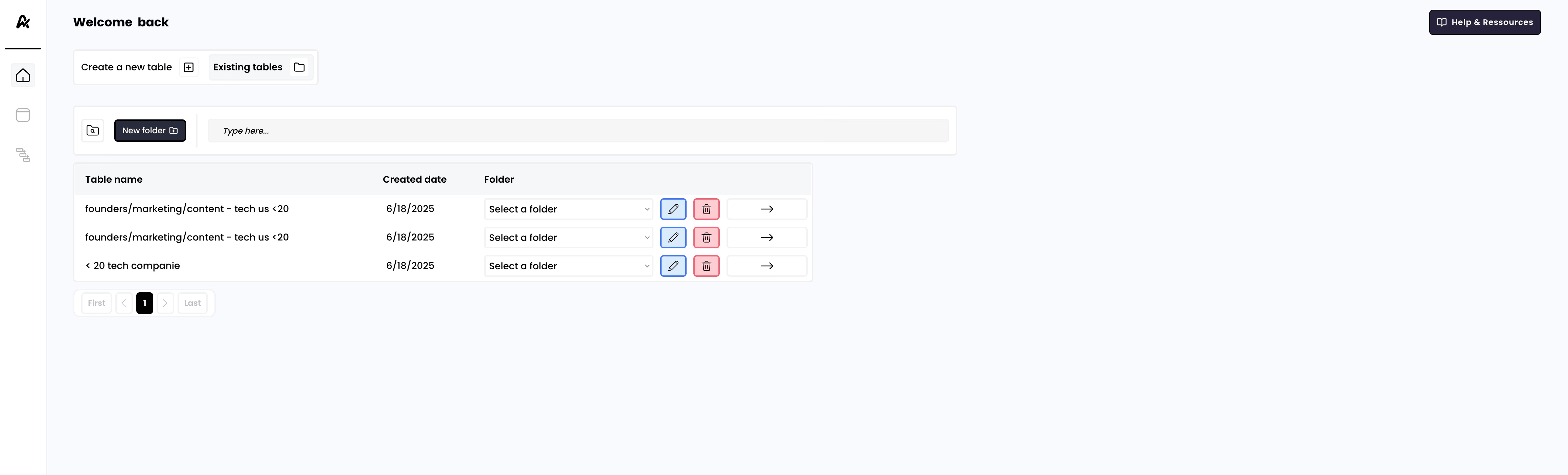
- The interface is pretty barebones, with no advanced bulk controls, triggers, or custom connectors.
- There is no built-in sequencing, so you will need to export lists elsewhere for campaigns.
- AI only covers simple row prompts, and it cannot fully automate research or enrichment.
- Analytics and filters are also basic.
- Limited number of integrations
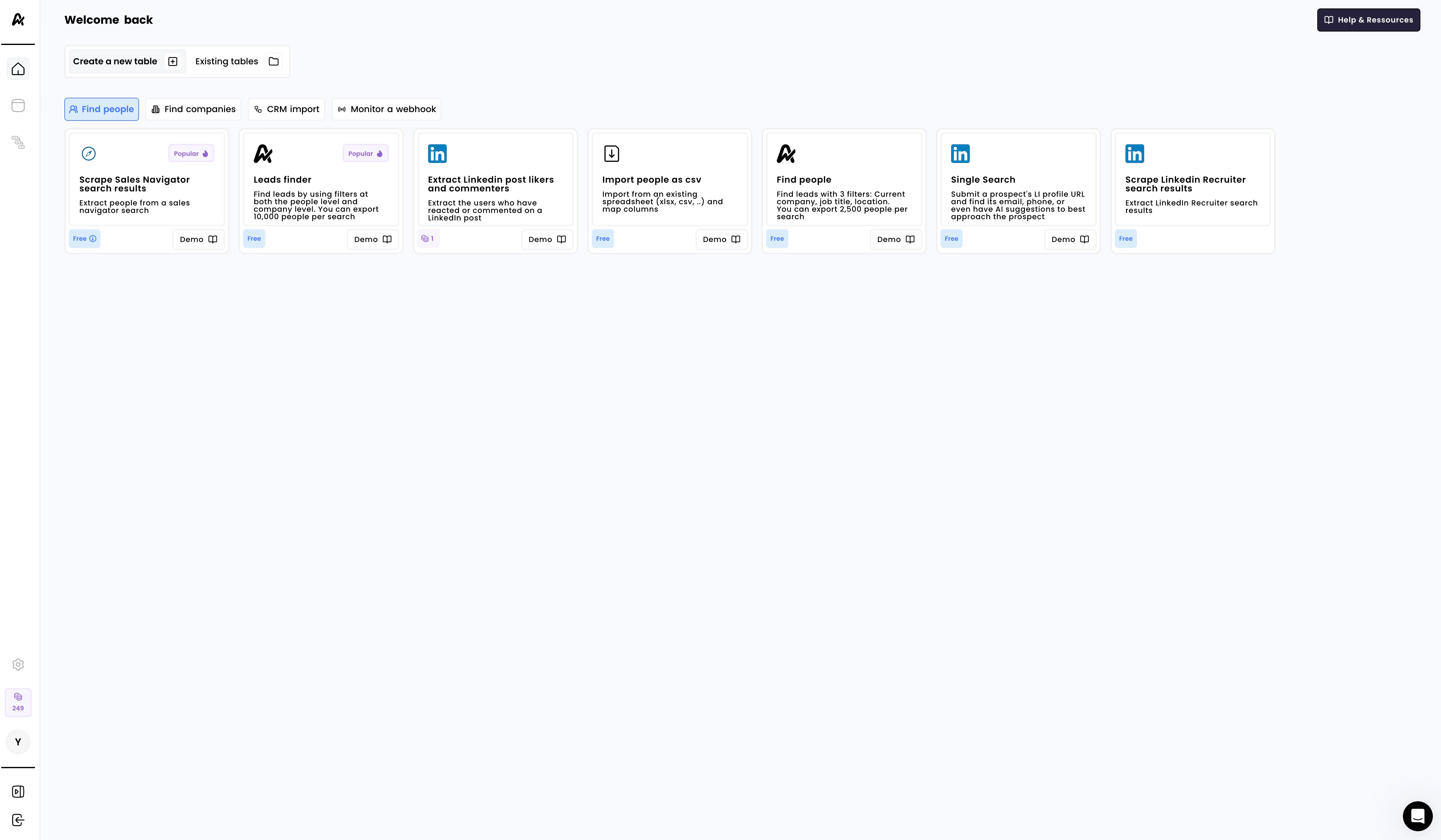
Airscale works best for straightforward enrichment and exports, especially when keeping per-row costs down is the main goal.
Cockpit: simpler Clay alternative for lean teams
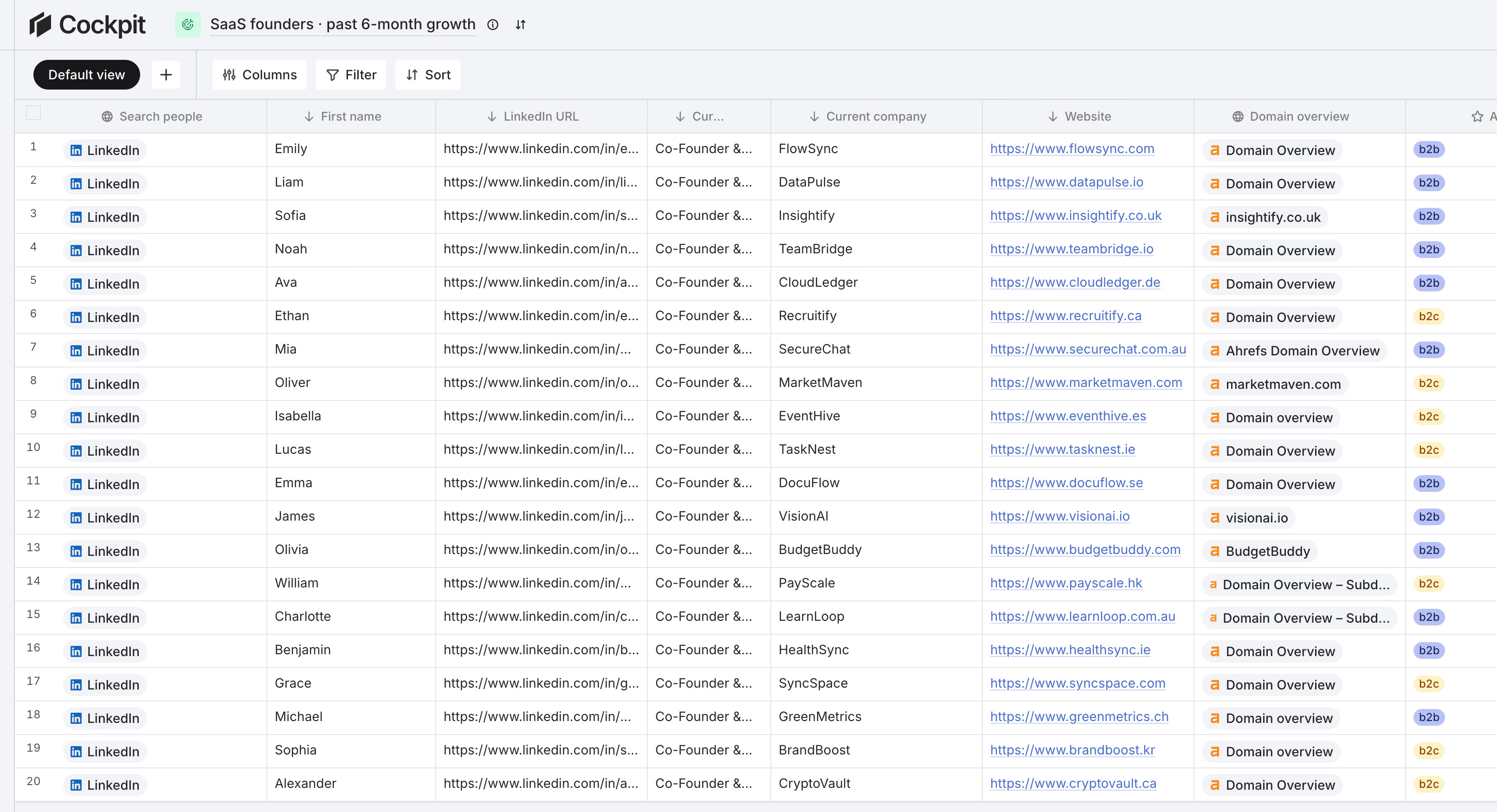
Cockpit puts lead search, multi-provider enrichment, AI personalization, and outreach all in one spreadsheet. You do not need a technical background to get started.
It pulls together 26+ data sources, including Sales Navigator, Google Maps, CRMs, and the web, plus 27+ enrichment services like Icypeas, MillionVerifier, tech stack, SEO, and social data inside one grid. Pricing is dead simple: $29/month for 3,000 credits, with 1 credit per successful reveal, and every tier includes every feature.
| Feature/Job-to-be-done | Clay | Airscale | Cockpit | Apollo |
|---|---|---|---|---|
| Multi-provider enrichment (waterfall) | Yes, complex and costly | Yes, basic UI | Yes, simple and cheap | No, single provider |
| Cheapest per-row cost (emails) | No, about $0.11–$0.16 | Yes, about $0.008–$0.012 | Yes, about $0.008–$0.010 | No, bundled and variable |
| Import/export flexibility | Enterprise features | Limited | Full, entry tier | Bundled, limited |
| Personalized multi-step sequences | Email-only, basic | No | Yes, multi-channel and AI | Yes, email-focused |
| Fastest time-to-first campaign | No, steep learning | Maybe, if basic | Yes | Yes |
| UX simplicity | Complex | Basic, buggy | Clean | Simple |
| CRM sync and API | Expensive plans | None | All tiers | Most plans |
Cockpit brings together multi-provider enrichment, AI personalization, and multichannel sequences without the need for dedicated RevOps help or expensive plans.
Who is Cockpit a fit for? Founders, small sales teams, and agencies who want to skip confusing credit models and complicated setups. They can launch personalized outreach straight from a spreadsheet.
The Bottom Line:
- Go with Apollo if you want everything under one roof and are okay with standard data coverage.
- Use Airscale when you need basic list enrichment and exports at the lowest cost per row.
- Pick Cockpit for an all-in-one spreadsheet workflow: enrichment, AI personalization, and multi-channel sequencing, with flat, predictable pricing.
- Stick with Clay only if you’ve got a dedicated RevOps team ready to architect complex data pipelines across lots of tools.
Clay review verdict: Is Clay worth it for GTM automation?
Clay stands out as a solid pick for programmable GTM enrichment and automation. It’s built for technical operators, think RevOps or GTM engineers, who want deep control to build outbound engines, custom research pipelines, and AI workflows across multiple data sources.
But there’s a catch. That flexibility comes with higher cost and complexity. Clay’s dual-meter pricing means your monthly spend can jump around, especially if you’re layering enrichments and AI tasks.
And if you don’t have technical skills in-house, you’ll spend more time setting up workflows and fixing table issues than actually running outbound campaigns.
Here are the core points:
- Pick Clay if you’re a dedicated GTM operations team and you need programmable workflows, signal triggers, and multi-source enrichment.
- Go with Cockpit if you’re a founder or a lean team and want fast execution, clear pricing, and multi-channel outbound, without the operational headaches.
| Buyer Type | Best Choice | Rationale |
|---|---|---|
| GTM-engineered orgs | Clay | Programmable workflows, waterfall enrichment, and RevOps flexibility. |
| Lean teams and founders | Cockpit | Predictable per-lead cost, clean UX, AI personalization, and built-in multi-channel outreach. |
| High-volume built-in database | Apollo | Direct database access and sequencing in one platform. |
| Basic enrichment export | Airscale | Low-cost email enrichment, but no engagement tools included. |
The takeaway is simple, Clay is right if you need custom GTM infrastructure and have the technical resources to support it. Cockpit is the choice when speed, predictable pricing, and simplicity matter most.