Most LinkedIn users believe a carefully written message is the key to higher acceptance rates. The data from over 96,000 connection attempts tells a different story. Blank requests get accepted up to 68% of the time. Personalized notes max out at 60%. The counterintuitive truth? Your best connection note might be no note at all.
The Counterintuitive Truth: When No Note Beats a Personalized One
Why blank connection requests get higher acceptance rates according to data
Blank connection requests usually work better than carefully written ones.
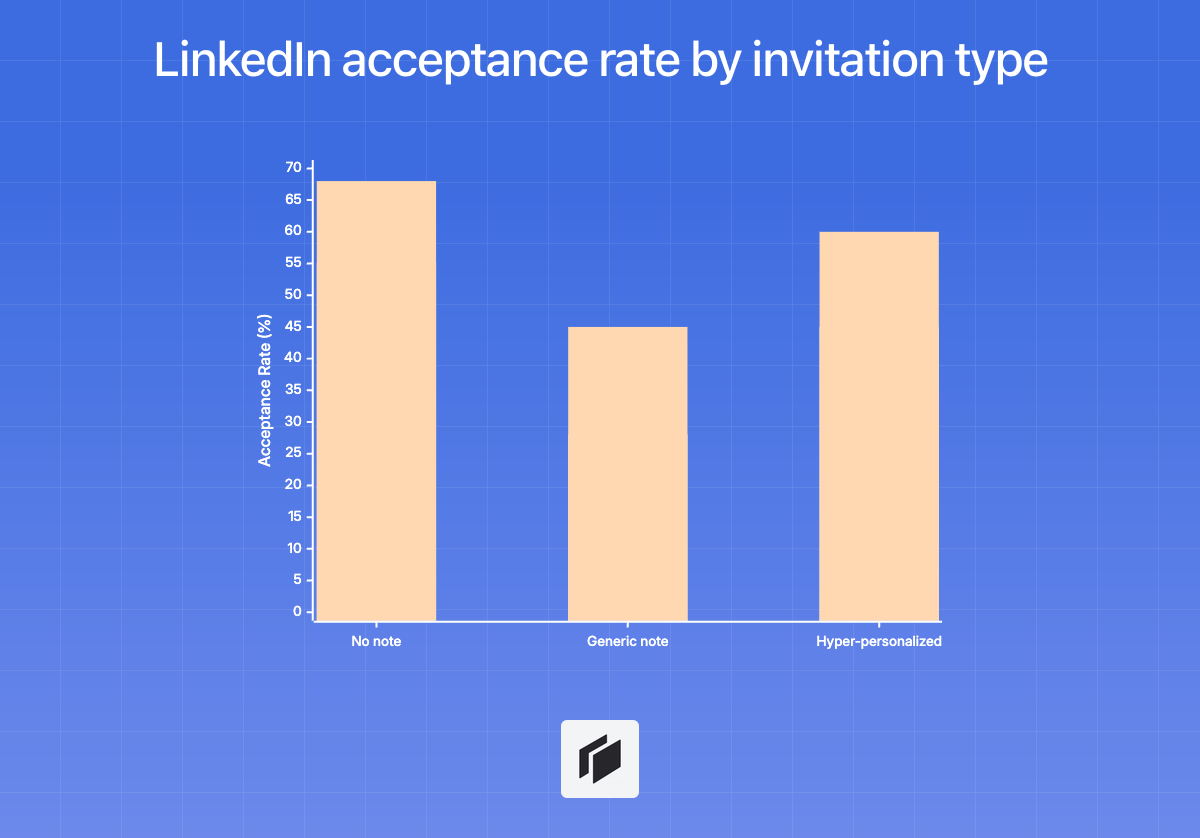
Data from over 96,000 connection attempts shows that requests sent with no message get accepted 55% to 68% of the time. Add a generic note, and acceptance drops to 28% to 45%. Even when you make the message highly personalized, your best-case acceptance tops out around 45% to 60%.
So, what’s behind this? Friction. A blank invite is easy for the recipient to deal with. There’s nothing to overthink, and it doesn’t feel automated or salesy. For most people, real conversation comes after you connect, not before.
The only times a LinkedIn connection note actually improves results
A connection note pays off only in a few situations where your intent is obvious:
- You’ve interacted with them recently, maybe you commented on their post, attended the same event, or you both belong to a small group.
- You reference a direct, shared context, such as “Your recent post on [Topic] was spot on.”
- The message is short, under 200 characters, and completely pitch-free.
In these scenarios, a note can perform as well as, or sometimes a little better than, a blank invite.
Most of the time, though, including a note hurts your chances. A short, relevant note only works when the connection already feels natural.
Profile optimization matters more than any message
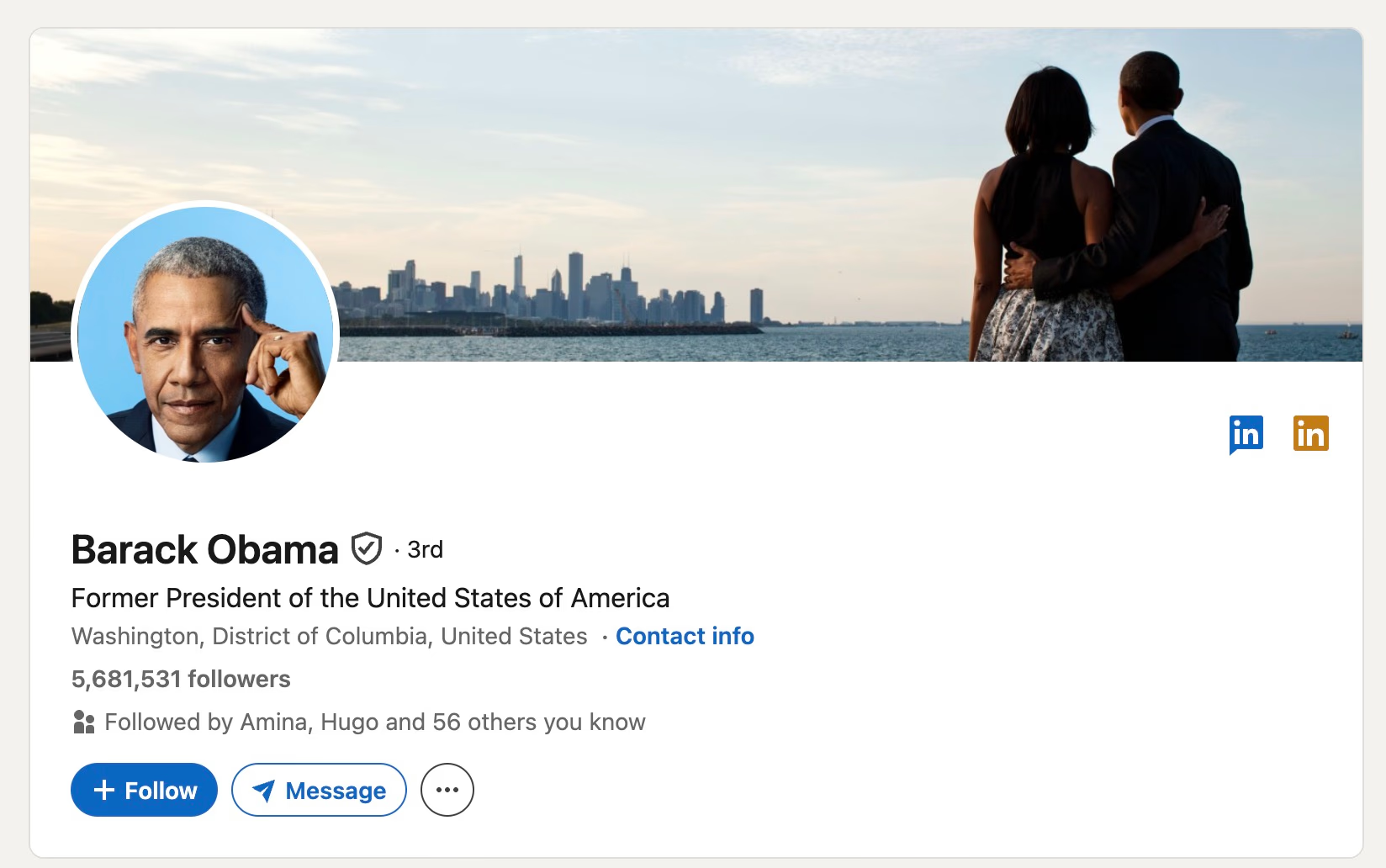
Your profile does the heavy lifting for acceptance rates.
A professional photo, clear headline, and up-to-date job titles build more trust than any note ever could. If you’re seeing less than 20% acceptance, it’s rarely a messaging issue. It’s likely your profile or targeting.
Bad targeting or a weak profile can cut your acceptance rate in half. Top-performing teams know this, so they focus on upgrading their profiles and picking users who are already active instead of fussing about the perfect message.
This also matters because LinkedIn sometimes limits weekly connection requests if your acceptance rate tanks.
Bottom line: find high-intent users, make your profile as credible as possible, and skip the note unless you truly have relevant shared context.
The 3-part formula for a winning note under 180 characters
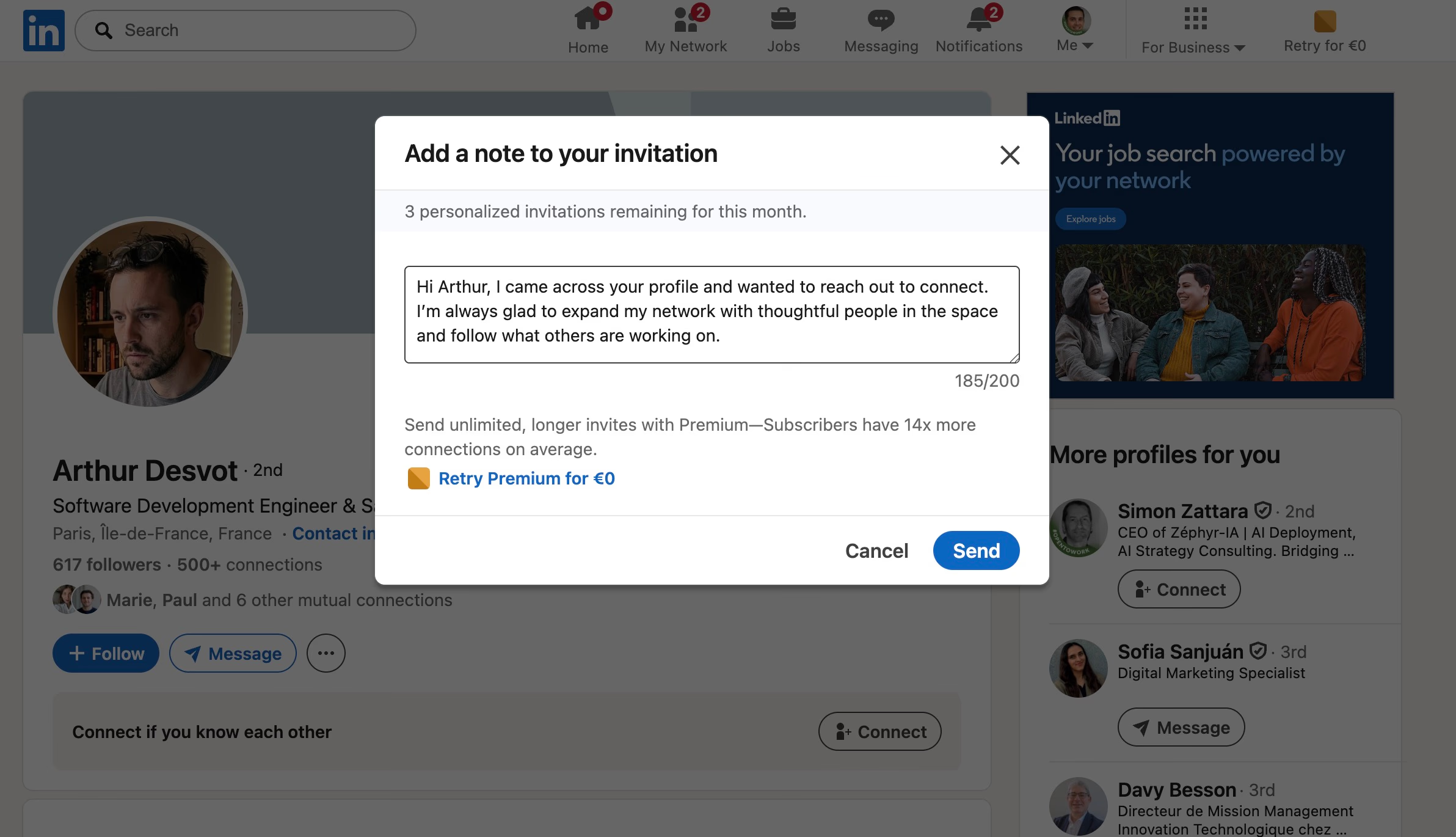
Context, why now? 50 to 70 characters
Lead with a specific reason for reaching out, like a recent post, a shared group, or a mutual event.
Skip pleasantries and your name, since that’s already visible from your profile.
Be direct: “Saw your post on remote work trends…” or “Noticed we’re both in [Group Name]…”
This proves you’re not sending generic messages.
Value/validation, why them? 50 to 70 characters
Show you’ve paid attention to their work.
Mention a concrete project, insight, or career milestone.
This isn’t about bland praise. It’s about showing you actually care.
Steer clear of product pitches.
Instead, use lines like, “Your take on AI in marketing changed my approach,” or “Your path at [Company] is impressive.”
It’s enough to show you did your homework.
Soft ask, the close 30 to 50 characters
Finish with a low-key invitation.
Don’t ask for meetings or push a service.
Stick with something light: “Would love to connect,” “Let’s stay in touch,” or “Following your insights here.”
Keep the door open without being pushy.
Full example with character budget breakdown
Example:
“Saw your post on B2B outbound trends, your data on personalized vs generic outreach was eye-opening. Would love to stay connected.”
- Context (55): Saw your post on B2B outbound trends
- Value/Validation (65): your data on personalized vs generic outreach was eye-opening.
- Soft ask (35): Would love to stay connected.
- Total: 155 characters
Staying under 180 characters keeps your message easy to read, especially on mobile. Most people only see the first line before “See more.” This approach gets straight to the point and focuses on real substance.
25+ LinkedIn connection note examples under 180 characters
Cold outreach examples
When you’re sending a request with no prior interaction, keep it short. Skip the lengthy pitch, the goal is to spark interest, not explain everything upfront.
- “Came across your profile while researching [industry]. Would love to connect and stay in touch.”
- “Noticed your work in [field], really interesting. Let’s connect!”
- “Your profile stood out as a leader in [field]. Thought we should connect.”
- “Hi [Name], exploring leaders in [topic]. Your experience stood out, would be great to connect.”
- “Found your profile via [source]. Always valuable to connect with people in [industry].”
Content engagement
Mention something specific, like a recent post, podcast, or article. It’s the easiest way to show you’re not sending a generic invite.
- “Really enjoyed your post on [topic], your take on [specific point] was spot on. Would love to connect.”
- “Your article about [topic] was incredibly insightful. I’d love to follow your work. Let’s connect!”
- “Hi [Name], your recent post on [topic] resonated with me. Happy to connect!”
- “I’ve been following your content on [topic], genuinely valuable insights. Would love to stay connected.”
- “Your post about [topic] changed how I think about [aspect]. Thanks for sharing. Let’s connect!”
Mutual connections and social proof
If you share a connection, say so. Be specific about how you know the person, it helps cut through skepticism.
- “I see we’re both connected to [Name]. Your work in [field] caught my eye, would love to connect.”
- “[Name] spoke highly of your work in [field]. Thought I’d reach out and connect.”
- “Noticed you’re connected to [Name]. We worked together at [Company]. Let’s connect here too.”
Events and conferences
If you met, or heard them speak, at an event, mention it soon. Ideally, reach out within a day or two while it’s still fresh.
- “Great hearing you at [Event]. Your take on [topic] was fantastic. Would love to stay connected.”
- “Hi [Name], enjoyed your panel at [Event]. Your insights on [topic] were really valuable. Let’s connect!”
- “Missed introducing myself at [Event]. Loved your thoughts on [topic]. Let’s connect here!”
Peers and alumni
People say yes more often when there’s a shared background. Whether it’s the same role or university, use it as your reason for reaching out.
- “Hi [Name], I work in [industry] too, always great to connect with peers in the space.”
- “Saw you’re also in [role/industry]. Would love to connect and exchange ideas.”
- “Hi [Name], fellow [University] alum here! Would love to connect with another [Recent/Grad Year] grad.”
- “Go [Mascot]! Saw you’re also from [University]. Would love to connect with a fellow alum.”
- “Noticed we both studied at [University]. Always great to connect with former classmates.”
Compliments and soft service references
If you want to mention what you do, keep it low-key. No pitches, demos, or meeting requests, just a light touch.
- “I’ve been following your career in [field], genuinely impressive path. Would love to connect.”
- “Your work at [Company] is really inspiring. Would love to connect with someone in that space.”
- “Hi [Name], I help teams in [industry] improve their [process]. Would love to connect and share insights.”
- “Hi [Name], your role in [field] caught my eye. I work with others in this space, happy to connect.”
When you fill in the brackets with real details, you instantly sound less like a template and more like a person. That puts you miles ahead of most LinkedIn outreach. Aim for human, not robotic.
Mobile formatting and character-saving tips
Why 180 characters is the mobile sweet spot
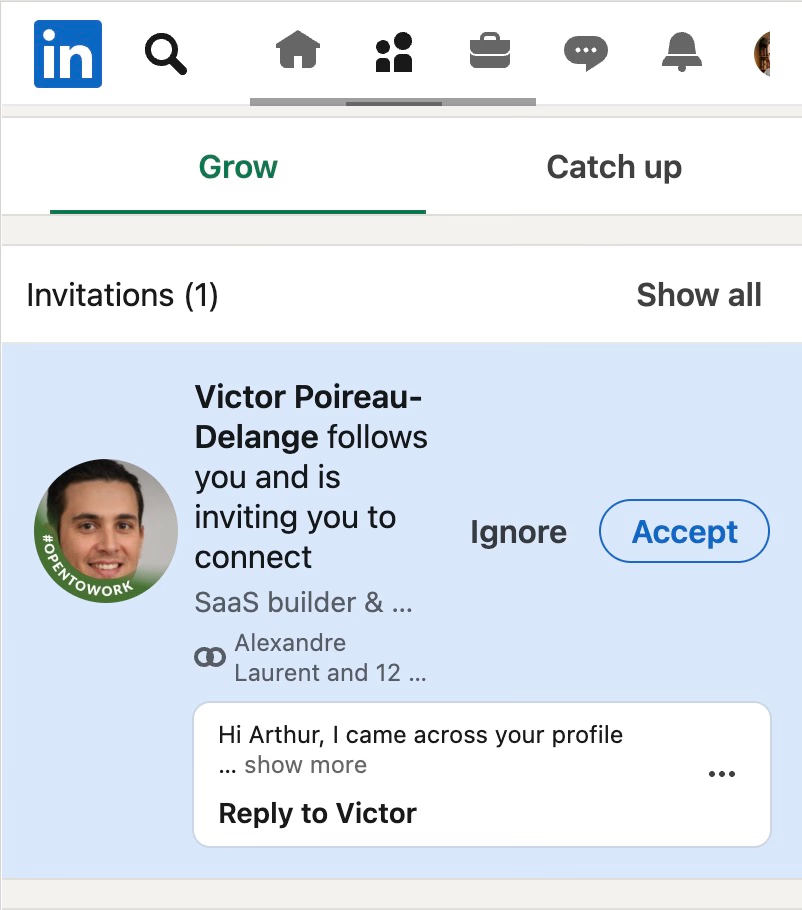
More than 70% of people use LinkedIn on their phones.
On mobile, long messages get chopped to a single line. Users barely see the start before they decide to accept or ignore.
If your note does not land in 180 characters or fewer, it can come across as canned or automated.
Shorter messages win consistently.
High-value prospects size you up in just a few seconds, often before opening your full note.
Always lead with something specific, like why you are reaching out or what got your attention.
Breaking your message into a few short lines also helps. Giant blocks of text get skipped every time.
The five mistakes that kill acceptance rates
Strong outreach takes real discipline.
Watch out for these moves. They make you look automated or lazy:
- Generic pleasantries: “Hope this finds you well” eats up space and adds nothing. Just skip it.
- Introducing yourself: LinkedIn already shows your name and title. No need to repeat them.
- Pitching right away: Mentioning what you sell or pushing for a meeting upfront slashes your acceptance rates.
- Filling all available space: There is no trophy for hitting 300 characters. Long notes feel templated and get ignored.
- Bad formatting: Crammed, dense sentences are a non-starter on any small screen.
| ✅ Do | ❌ Don’t |
|---|---|
| Lead with a specific reason | Start with generic pleasantries |
| Reference their specific work | Use “I’d like to add you to my network” |
| Use one short, punchy paragraph | Create a wall of text |
| End with a soft, non-salesy ask | Pitch your product or software |
| Use their first name | Re-introduce yourself |
| Stay under 180 chars | Use the full 300-char limit |
Bottom line: write a hyper-relevant, sharp note under 180 characters, or just send a blank request.
Anything longer or less targeted works against you.
When to use 180 vs 200+ characters
Decision guide by scenario
Your character limit should match your relationship with the recipient and the context you actually share.
- 180 characters or fewer: Use this for cold outreach or reaching out to industry peers. This is the standard for a mobile-first audience. If you don’t have a recent, mutual touchpoint, keep it short, brevity signals you’re not blasting out automated spam.
- 200 to 250 characters: This range works after a direct interaction, like a webinar or a live panel. The extra characters let you point to something specific you both just experienced: “Great talking with you after the panel at [Event]. Your insights on [Topic] made me rethink [X].”
- 250 to 300 characters: Only go this long when there’s real depth, maybe you’ve just wrapped a project together, or you share a close mutual connection. Most outreach doesn’t need this much space. Longer notes often mean you are not being specific enough.
The rule of thumb is simple: the more recent and relevant your shared context, the more room you have to write. If you’re missing that meaningful tie-in, stick with 180 characters or less.
The 80/20 rule for note length
Short notes, under 180 characters, win, especially when the recipient doesn’t know you. They get acceptance rates in the 55 to 68 percent range, compared with only 28 to 45 percent for longer, generic templates.
So, spend most of your time, about 80 percent, writing short, sharp notes for standard outreach.
Save longer messages for the rare occasions when you actually have specific context to justify them. If you can’t make it feel highly personalized, send a blank request or a crisp one-liner. Precision always beats padding.
How to scale personalized LinkedIn connection notes with Cockpit
The problem with manual personalization at scale
Manual personalization quickly falls apart as your lead list gets bigger.
You end up stuck between bland templates, which LinkedIn’s algorithm might flag as spam, or spending hours researching each prospect by hand.
Classic automation is not a real fix either. It usually means lower acceptance rates and fewer replies.
Most teams have to juggle B2B enrichment platforms, AI add-ons, and outreach tools.
This patchwork SaaS zoo adds complexity and makes your data more prone to errors. If you want real results, enrichment and AI need to live in one place.
Step by step: From import to AI-generated notes
Cockpit compresses all of this into a single, spreadsheet-like grid.
Personalization happens through five clear steps:
-
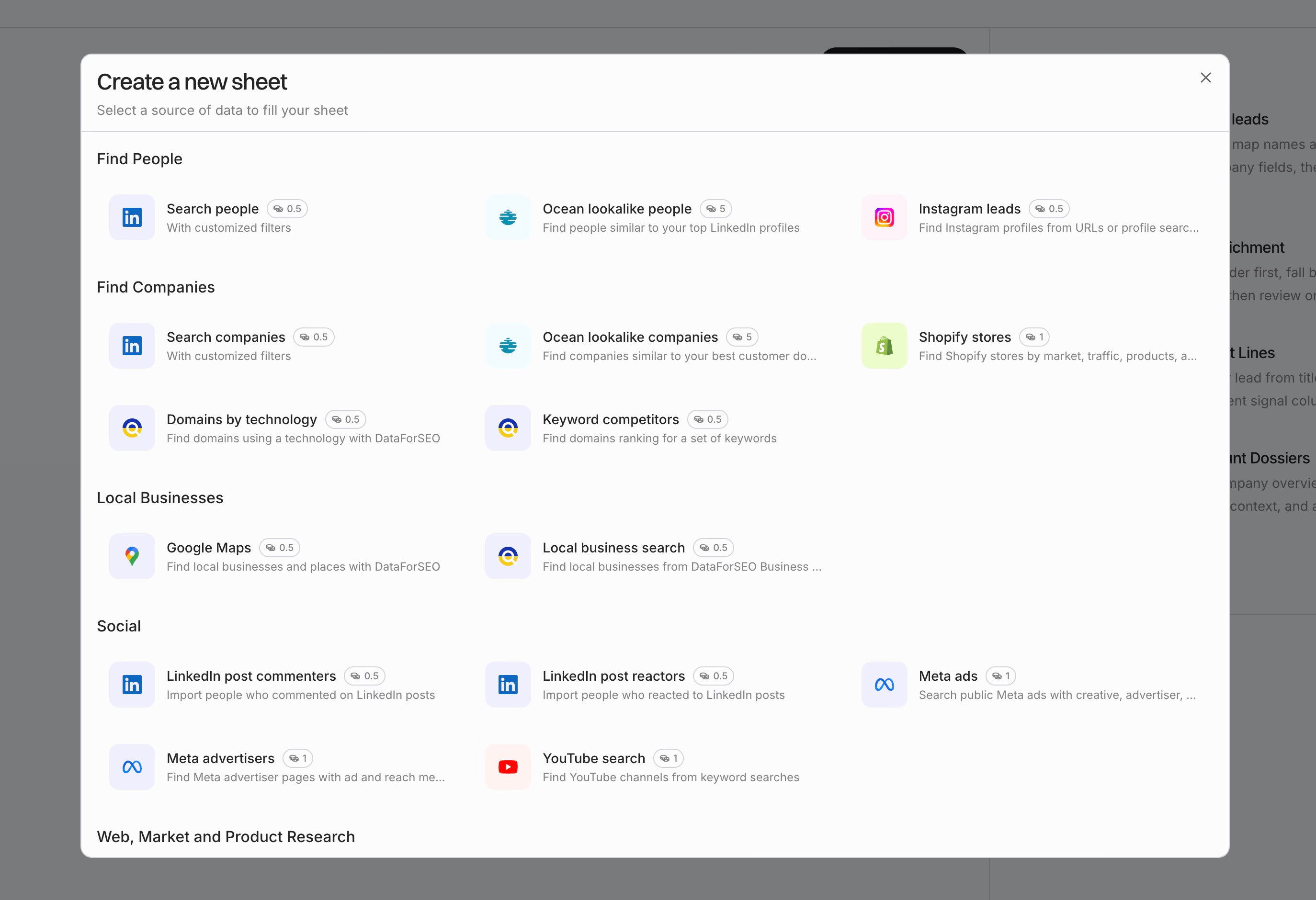
Import your leads: Drop in prospects from Sales Navigator, HubSpot, your CRM, or a CSV, right into the sheet.
-
Enrich context data: Add smart columns to pull LinkedIn bios, recent posts, or company news. Enrichment providers work off your columns, with no hunting for API keys.
-
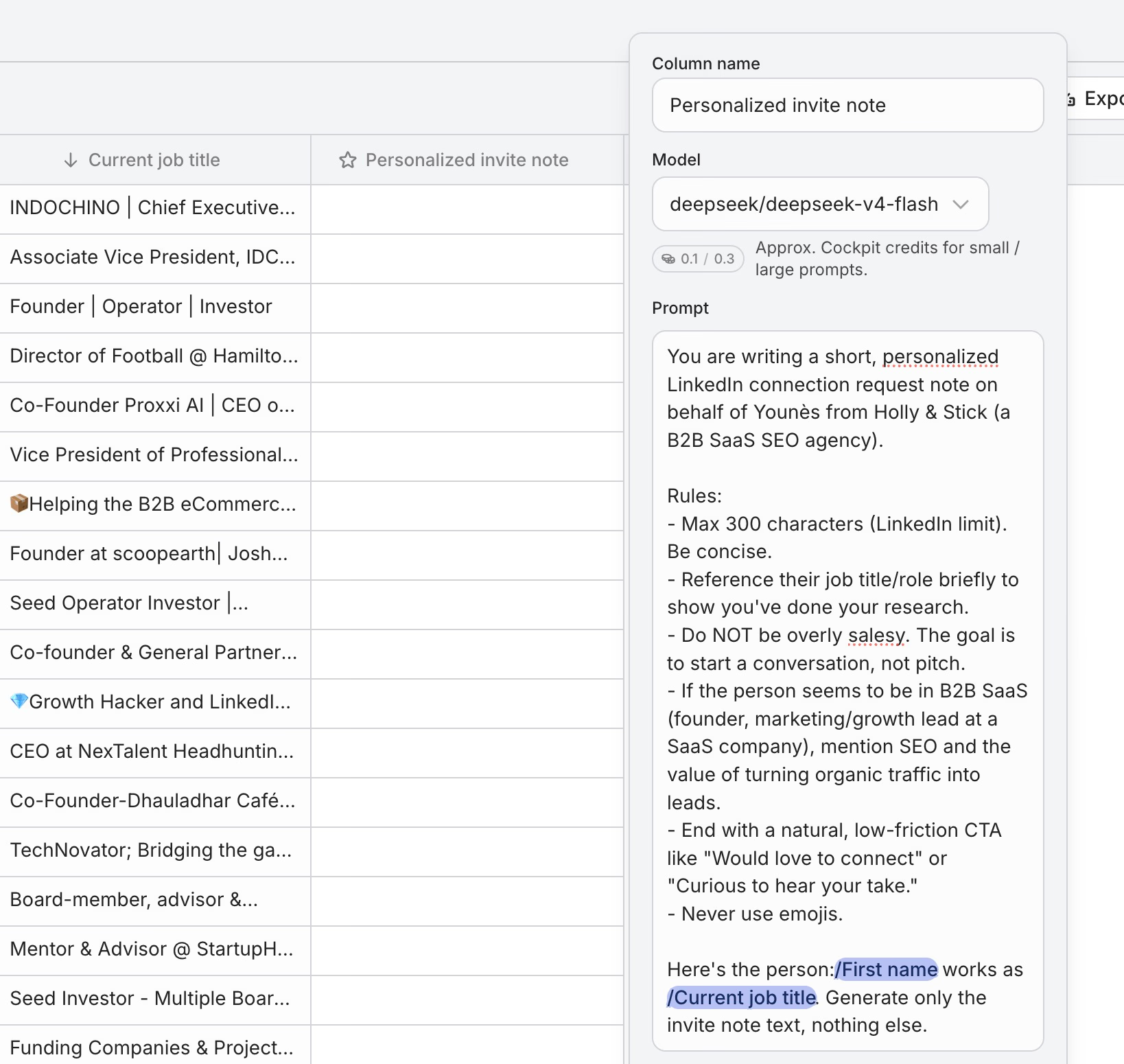
Generate AI notes: Spin up AI Answer columns with clear guidelines: “Write a LinkedIn connection note under 180 characters for {Name}, referencing {Recent News}. Keep the tone conversational and use a soft ask.”
- Sequence steps: Link your LinkedIn invite and personalized note directly to your follow-up messages, or layer other channels, right within the sheet.
- Sync or launch: Push your notes to a CSV, LinkedIn automation tools, or your CRM whenever you are ready.
Real examples: Notes generated from enrichment data
| Prospect Name | Company | Recent News | AI-Generated Note |
|---|---|---|---|
| Sarah Chen | DataStream.io | Raised $12M Series A | Congrats on the $12M raise, Sarah! Scaling DataStream looks exciting, would love to connect. |
| Alex Ritter | Convertify | Launching in UK | Noticed Convertify’s UK launch, congrats, Alex! Let’s connect if you’re open. |
| Priya Patel | MetricsRun | Product Hunt feature | Saw MetricsRun on Product Hunt, impressive work, Priya. Would love to connect here. |
Each note stays under 180 characters, calls out something specific, and skips the usual generic fluff.
Why lean teams choose Cockpit
Cockpit is built for solo founders and small teams that need targeted outreach without any technical headaches:
- Minimized complexity: Import, enrichment, personalization, and sequencing all happen in one grid. No building Zapier chains or chasing API bugs.
- Transparent cost: You pay per row, only for what you enrich or generate, not for extra features you will never use.
- Familiar interface: If you are comfortable with spreadsheets, you are ready to use Cockpit. Everything stays visible and easy to tweak.
With Cockpit, you can scale LinkedIn notes that still feel hand-written and relevant, without doing all the busywork yourself.
The Short Note Wins Every Time
Personalized outreach has its place on LinkedIn, but the data is clear. Blank connection requests outperform written notes in most scenarios.
When you do write a note, keep it under 180 characters. Lead with genuine context. Never pitch. Your profile and your targeting have a bigger impact on acceptance rates than any message ever will.
Keep it short. Keep it real. Let the connection speak for itself.
Frequently Asked Questions
Is it better to send a blank connection request or a message?
Blank requests usually work better than notes. Out of more than 96,000 tracked attempts, blank requests land a 55–68% acceptance rate.
Personalized notes sit around 45–60%, and generic notes drop to 28–45%.
A blank invite feels human. It does not ask for effort up front, and it is less likely to be flagged as automation.
Unless you and the other person share a concrete connection, just send a blank request.
How long should a LinkedIn connection message be for best results?
Stick to 120–180 characters for the best results. That gives you enough space for context without sounding automated.
It also helps avoid getting clipped in someone’s inbox.
With most people reading on their phone, staying under 180 characters keeps your message complete.
The outreach that works best, especially for events or alumni, usually fits in 110–140 characters.
What is the character limit for LinkedIn connection requests?
LinkedIn gives you up to 300 characters, counting spaces and punctuation.
Maxing out the limit can look unfocused and automated.
Stop at 180 characters, and you keep your note clear, direct, and more likely to get accepted.
Can I use emojis in a connection note?
Emojis take up space, and they can come across as unprofessional or lazy in cold messages.
If you use one, make sure it fits the context.
Put it at the end, like a “👏” after you reference somebody’s recent talk.
Should I introduce myself in the note?
No. Your name, headshot, and current role are already visible.
Phrases like “My name is…” waste valuable space and add little value.
Get straight to why you are connecting, or reference the context you share.