Airscale and Clay both look like a spreadsheet that fills itself with lead data. The difference is how far each one goes.
Airscale is the cheaper, narrower tool. You build a list, run email and phone waterfalls, and export. Plans start at $49/month for 4,000 credits. Clay is the bigger platform: 150+ data providers, AI agents, signals, an email sequencer, and ad audiences, starting at $185/month.
So the short answer: pick Airscale if your job is “get verified contacts for this list at a low price.” Pick Clay if you have someone who will build and maintain real GTM workflows. And if you want the whole flow from list to outreach without the Clay bill, there is a third option at the end.
The rest of this article shows how we got there, with screenshots from both products.
Airscale vs Clay at a glance
| Airscale | Clay | |
|---|---|---|
| Core job | Build lists, enrich contacts, export | Programmable GTM workbench |
| Entry price | $49/mo for 4,000 credits | $185/mo for 2,500 Data Credits + 15,000 Actions |
| Free option | 14-day free trial | Free plan (100 Data Credits, 200 rows per table) |
| Data providers | 30+ | 150+ |
| Lead sourcing | Sales Navigator, lead finder, LinkedIn post engagers, CSV | People and company search, Google Maps, job posts, lookalikes, CSV, CRM |
| AI | Prompt column and Airsearch research agent | Claygent agents, Sculptor assistant, AI columns |
| Outreach | None, export to a sequencer | Built-in email sequencer |
| Billing | One credit meter, credits roll over | Two meters: Data Credits and Actions |
| Seats | Unlimited | Unlimited |
| Best for | Lean teams that need cheap, verified contact data | Teams with a GTM engineer or RevOps owner |
What each tool actually does
Airscale: list building and waterfall enrichment
Airscale describes itself as a way to source and enrich leads with better coverage than a single database. In practice it does three things: build a list, enrich it through a waterfall of providers, and push it to your CRM or sequencer.
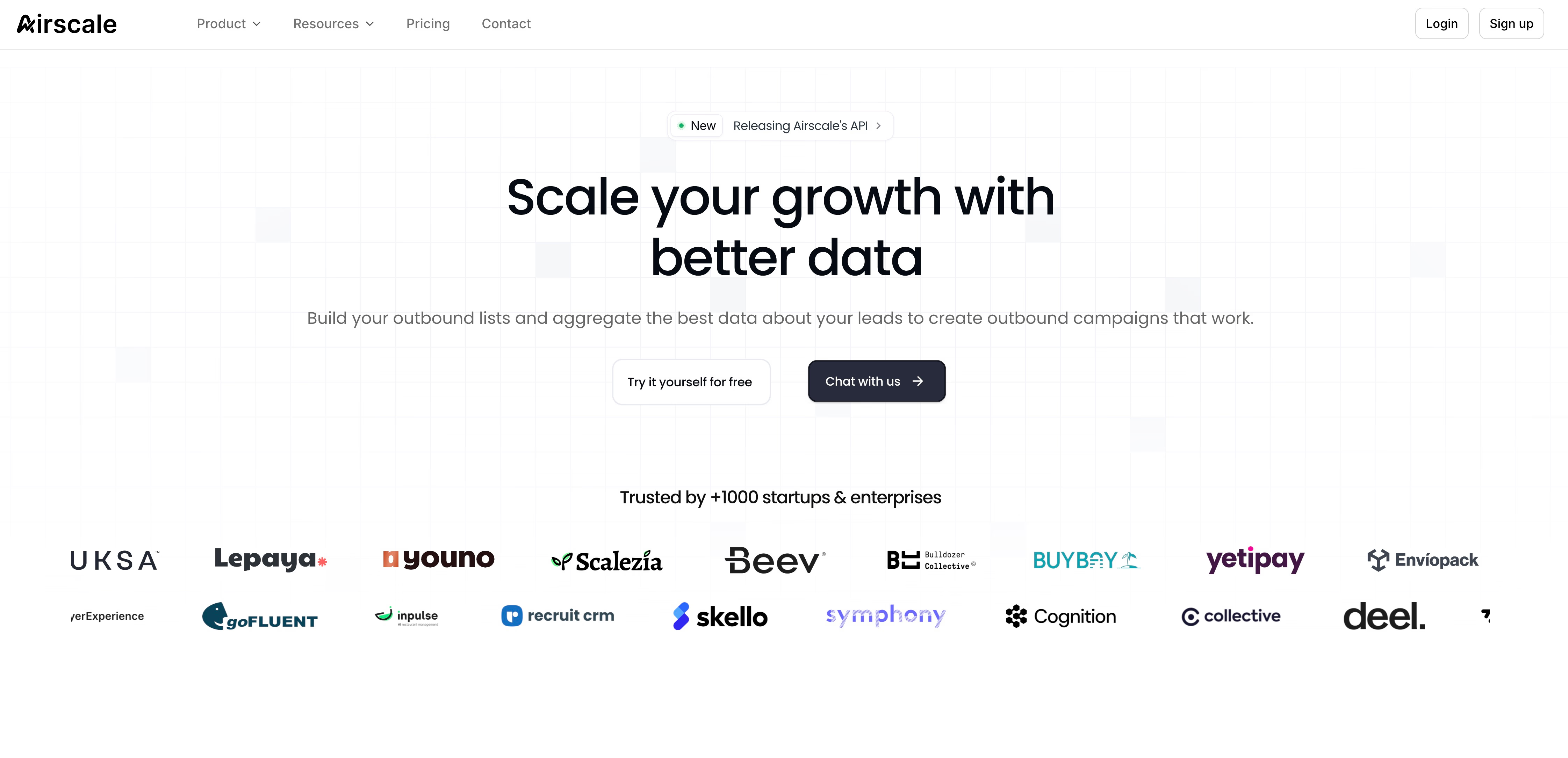
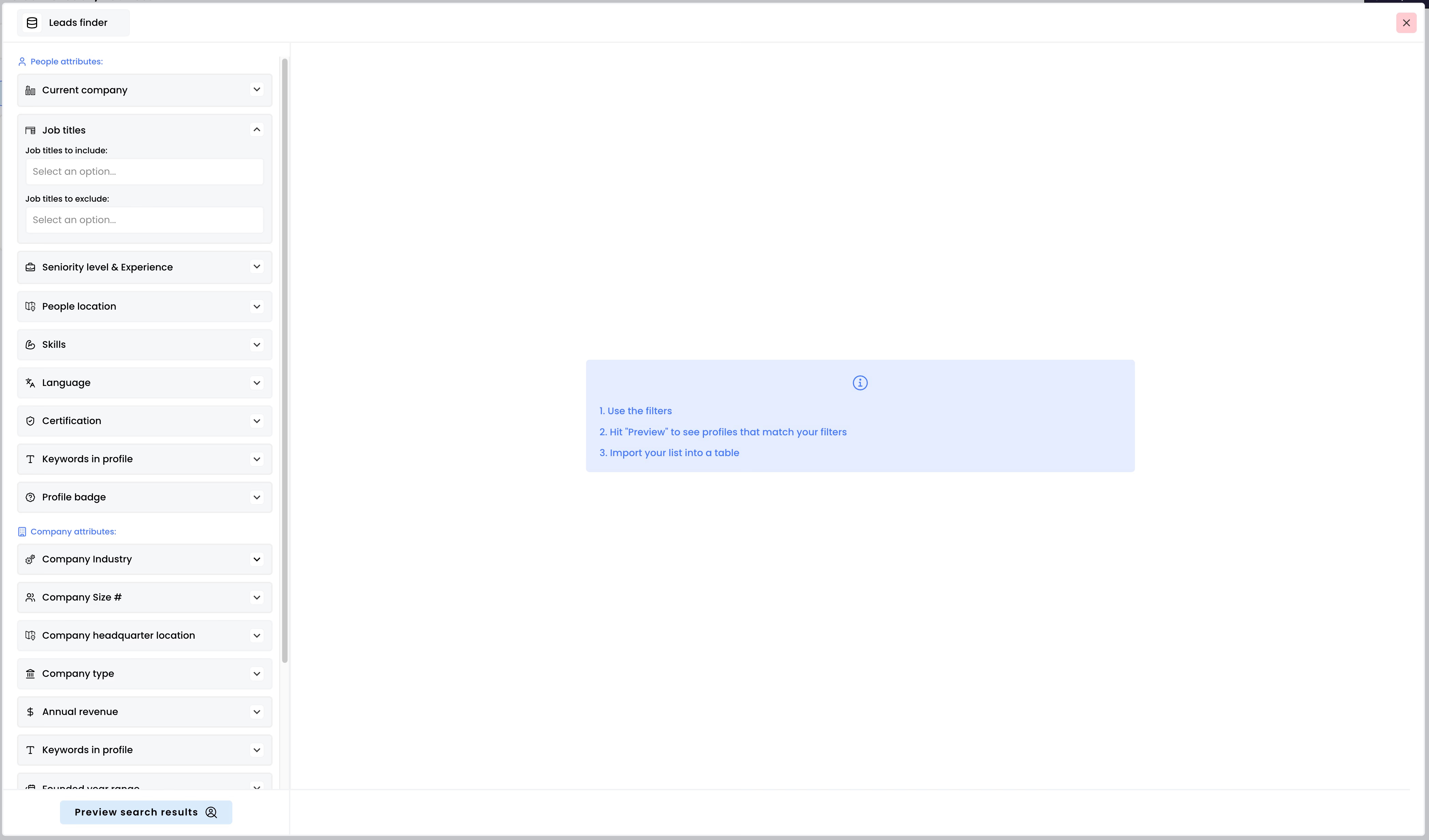
When you create a table, you choose where the rows come from. The options are focused on LinkedIn and classic B2B lists:
- Sales Navigator search results (people and accounts)
- A lead finder with people and company filters, up to 10,000 people per search
- LinkedIn post likers and commenters
- LinkedIn Recruiter search results
- CSV or Excel import
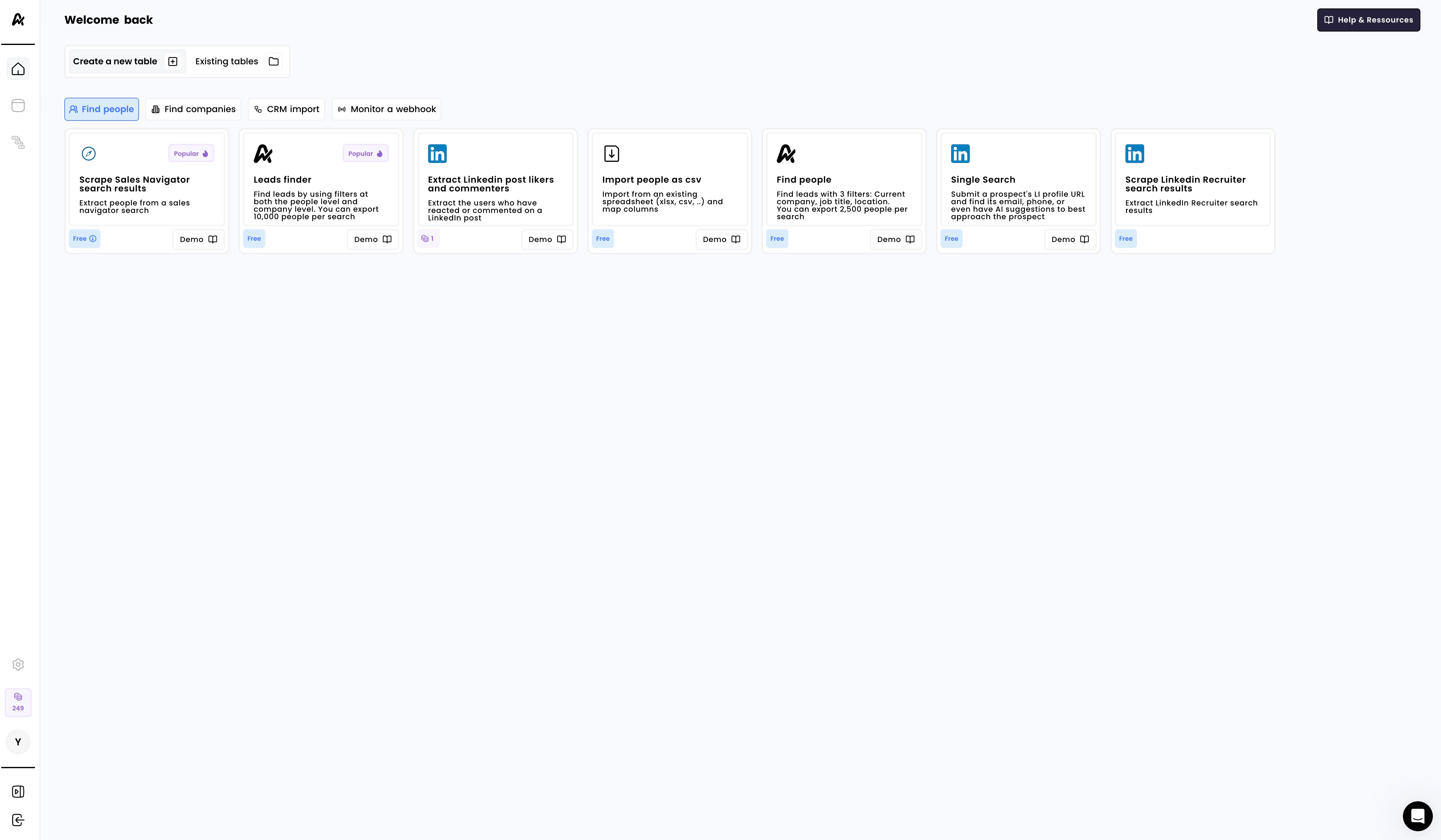
Building lists is free. You only spend credits when an enrichment returns a result.
Clay: a workbench for GTM workflows
Clay starts from the same idea, rows and columns, but treats the table as something you program. Each column can be an enrichment, a formula, an AI agent, or a condition that decides whether the next column runs.
On top of that, Clay adds products Airscale does not have: Signals that watch for job changes or funding news, an email sequencer, and audience sync to ad platforms. We cover all of it in our Clay review .
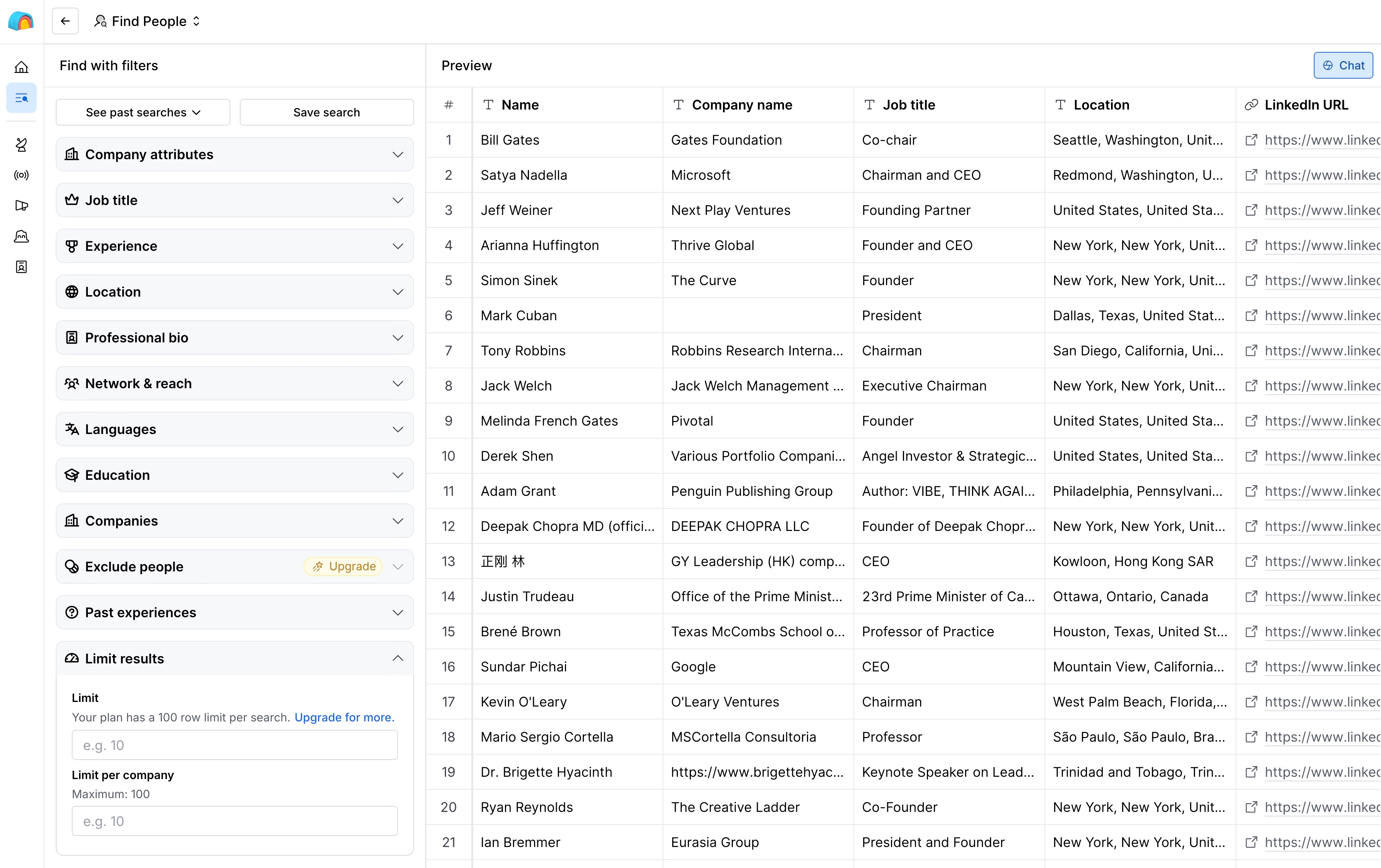
That breadth is the reason people choose Clay. It is also the reason people look for something simpler.
Feature comparison: where each one wins
Lead sourcing
Airscale is strong if your lists start on LinkedIn. Paste a Sales Navigator search and you get a table of profiles ready to enrich. The lead finder covers the rest, with filters at both the person and the company level.
Clay goes wider. People and company searches are free and unlimited, and you can also build tables from Google Maps local businesses, open job posts, or lookalike companies. If you sell to restaurants, clinics, or any business that does not live on LinkedIn, Clay has a source for it and Airscale mostly does not.
Winner: Airscale for Sales Navigator lists, Clay for everything else.
Enrichment and data coverage
Both tools run waterfall enrichment : they try one provider, and if it finds nothing, they try the next one. Both only charge you when data is found.
Airscale plugs into 30+ providers, including Prospeo, Datagma, ContactOut, LeadMagic, and Forager for contact data. Beyond emails and phones, the catalog covers the usual company fields: LinkedIn profile data, tech stack, Similarweb traffic, open jobs, Crunchbase funding, and ad activity on Meta, LinkedIn, and Google.
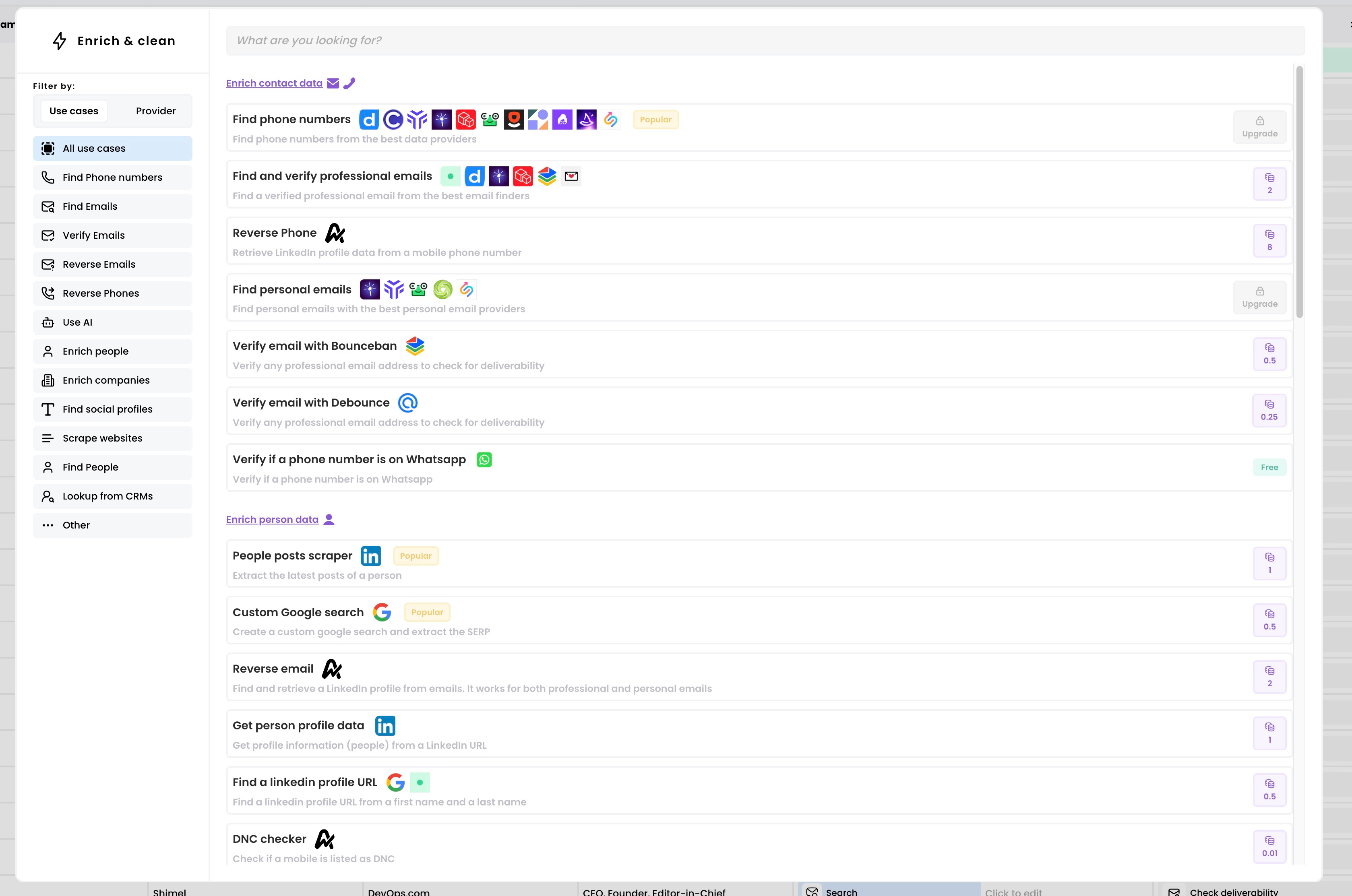
It is a short, practical list. If the data point you need is in there, Airscale is cheap and quick.
Clay’s catalog is on another scale: 150+ providers across contact, firmographic, technographic, and intent data. You also control the logic. For example, you can run the phone waterfall only when the email is verified and the title matches your ICP. That kind of conditional run is how Clay users keep their credit bill under control.
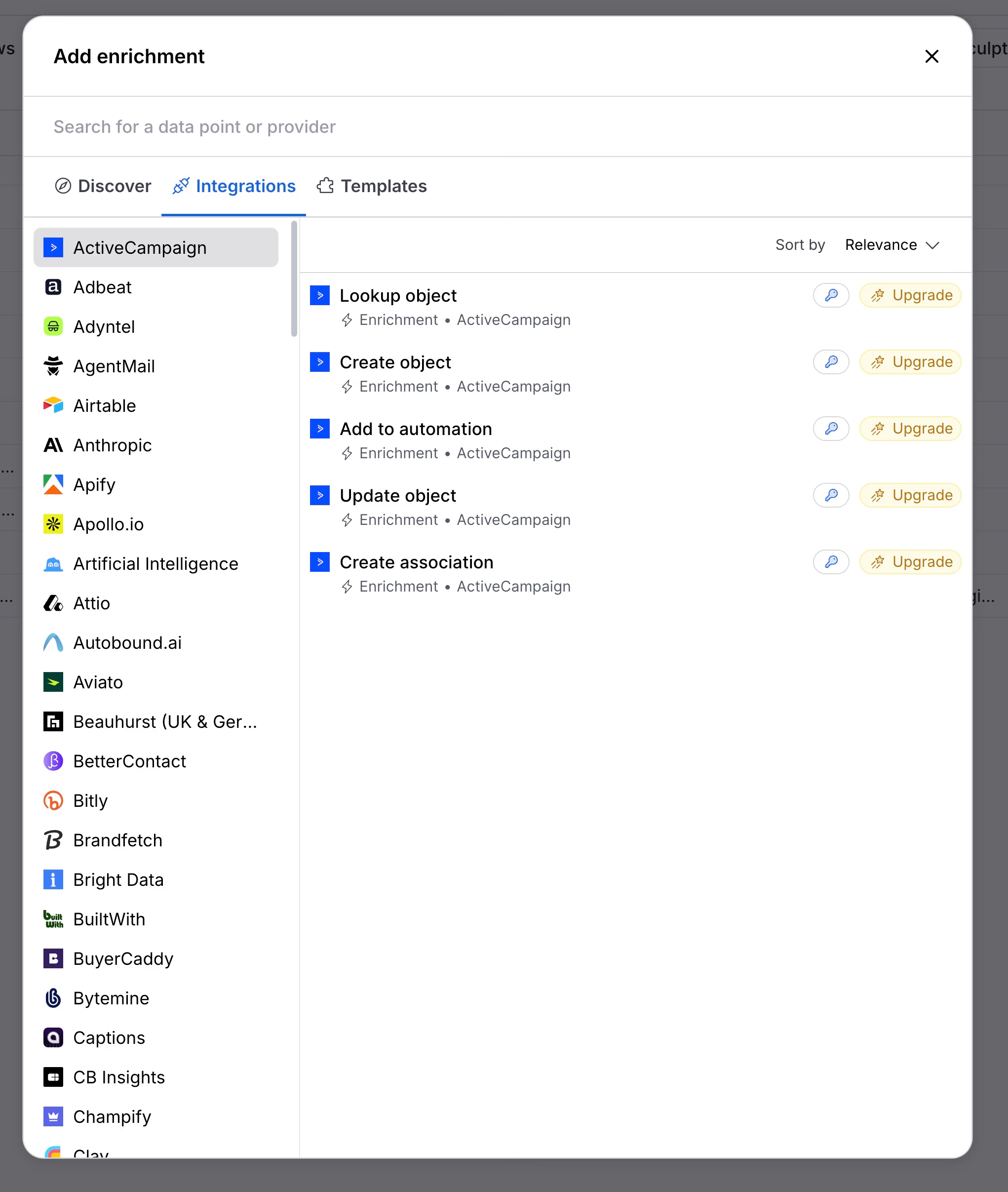
Winner: Clay on coverage and control. Airscale if the basics are all you need.
AI and research
Airscale has two AI features. The first is a prompt column: you pick a model, write a prompt with variables from your row, and optionally turn on web access. The second is Airsearch, a research agent for questions like “is this company hiring SDRs?” or “find a customer story about compliance.”
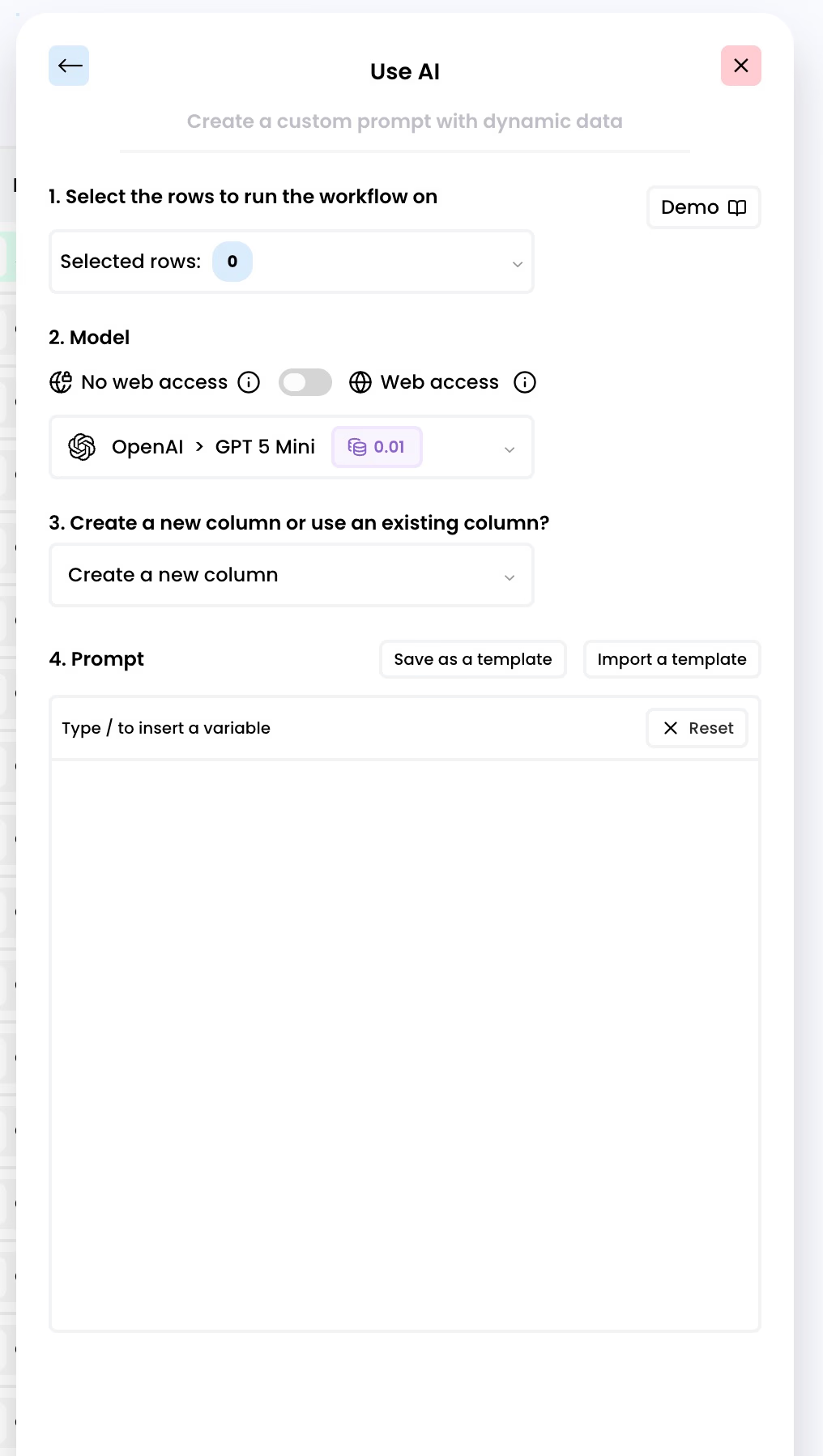
It works, and at 0.01 credit for a simple prompt it costs almost nothing. But you are on your own to write the prompt. There is no assistant that helps you design the workflow.
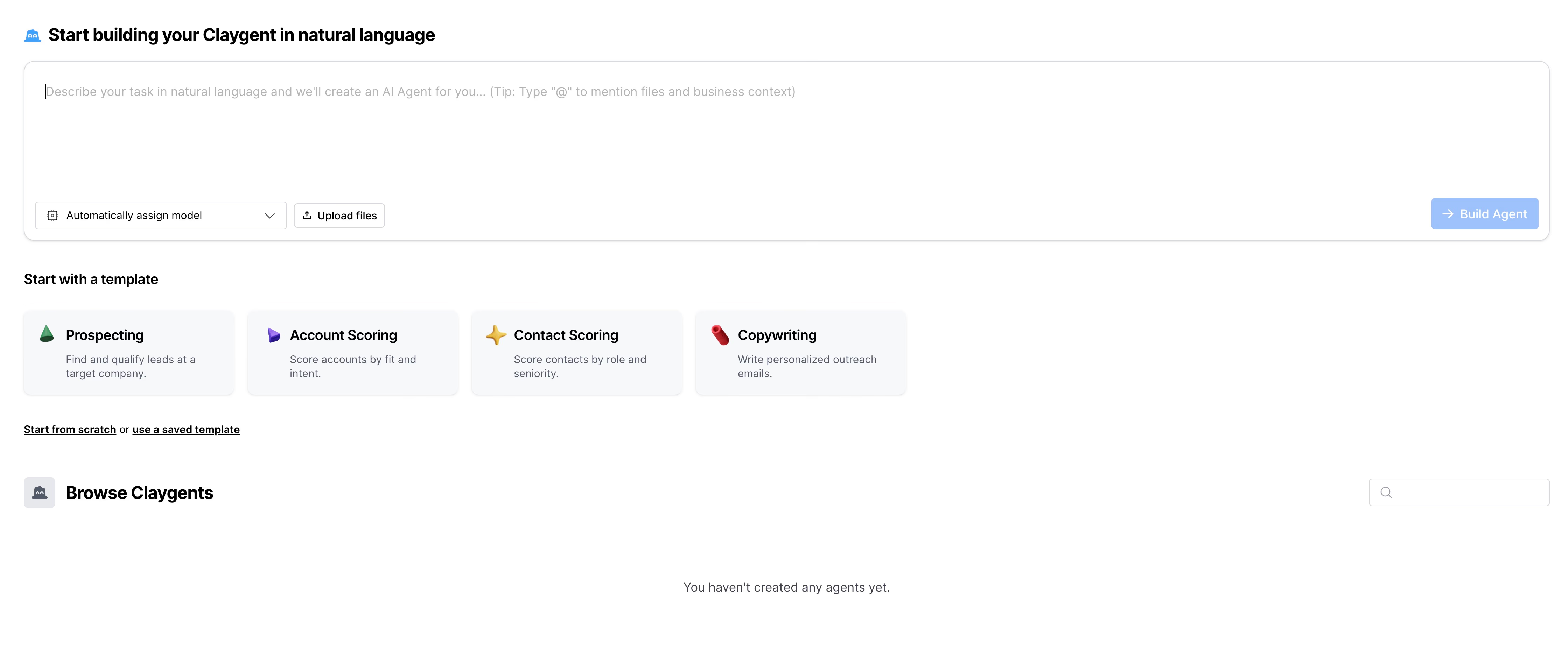
Clay invests a lot more here. Claygent lets you build reusable research agents, test them on a few rows, compare models, and then deploy them across tables. Sculptor, the built-in assistant, helps you set up tables and prompts in plain language.
Winner: Clay, clearly.
Outreach
Airscale stops at the export. You send your enriched list to HubSpot, Instantly, or another sequencer and continue there.
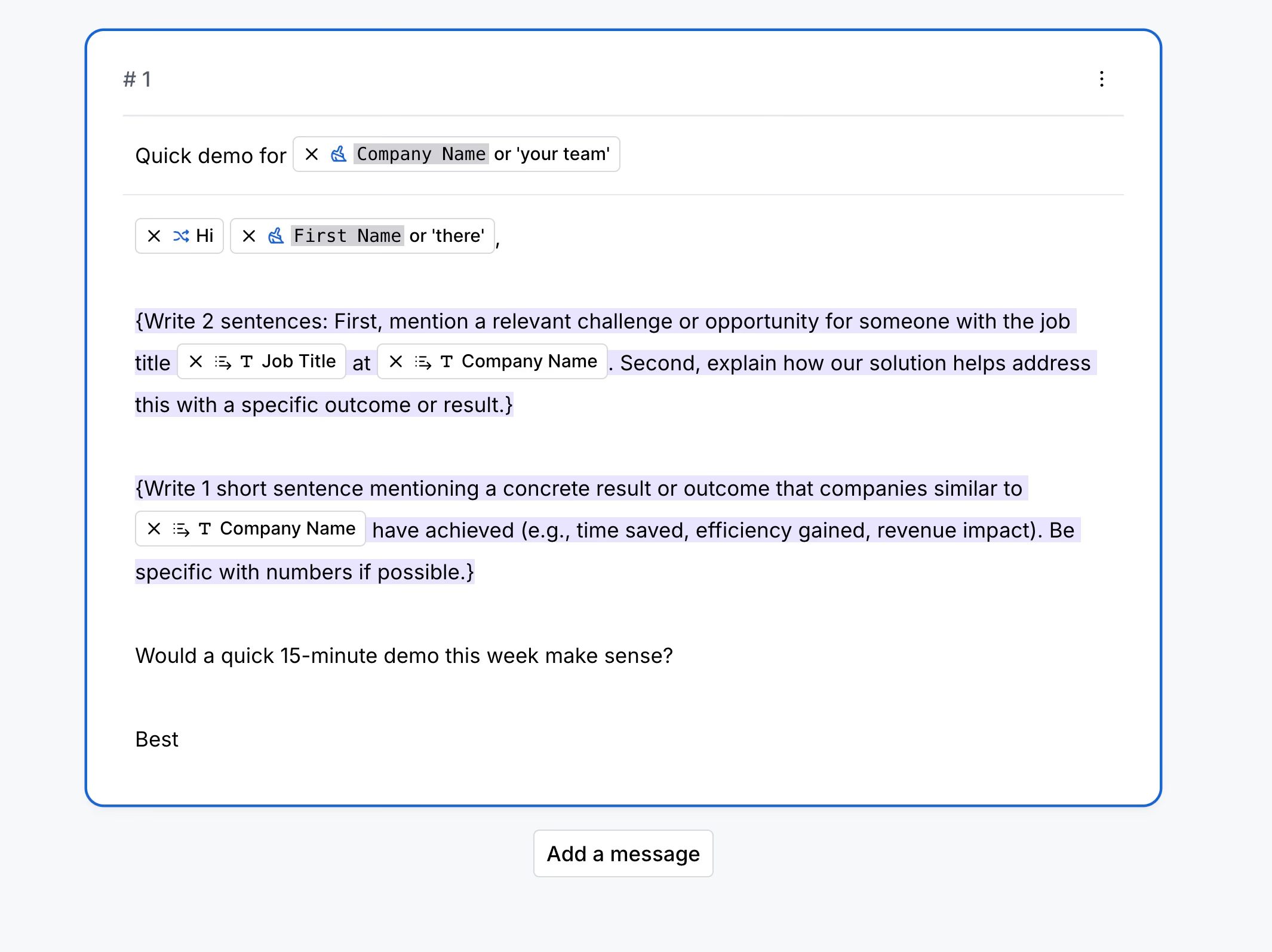
Clay has a built-in sequencer that writes and sends emails from your table, with AI copy per row and reply tracking. It is email only, so LinkedIn steps still need another tool.
Winner: Clay, with the caveat that many teams keep their existing sequencer anyway.
Ease of use
This is the one area where both tools cost you something.
Airscale is simple because it is small. The trade-off is polish. When we tested it, the interface felt basic and a bit buggy. We found no filters on the table, and no shortcut to run a column on the first 10 rows or on every row: you select rows by hand. For a tool where you pay per result, testing on a small batch before running everything matters.
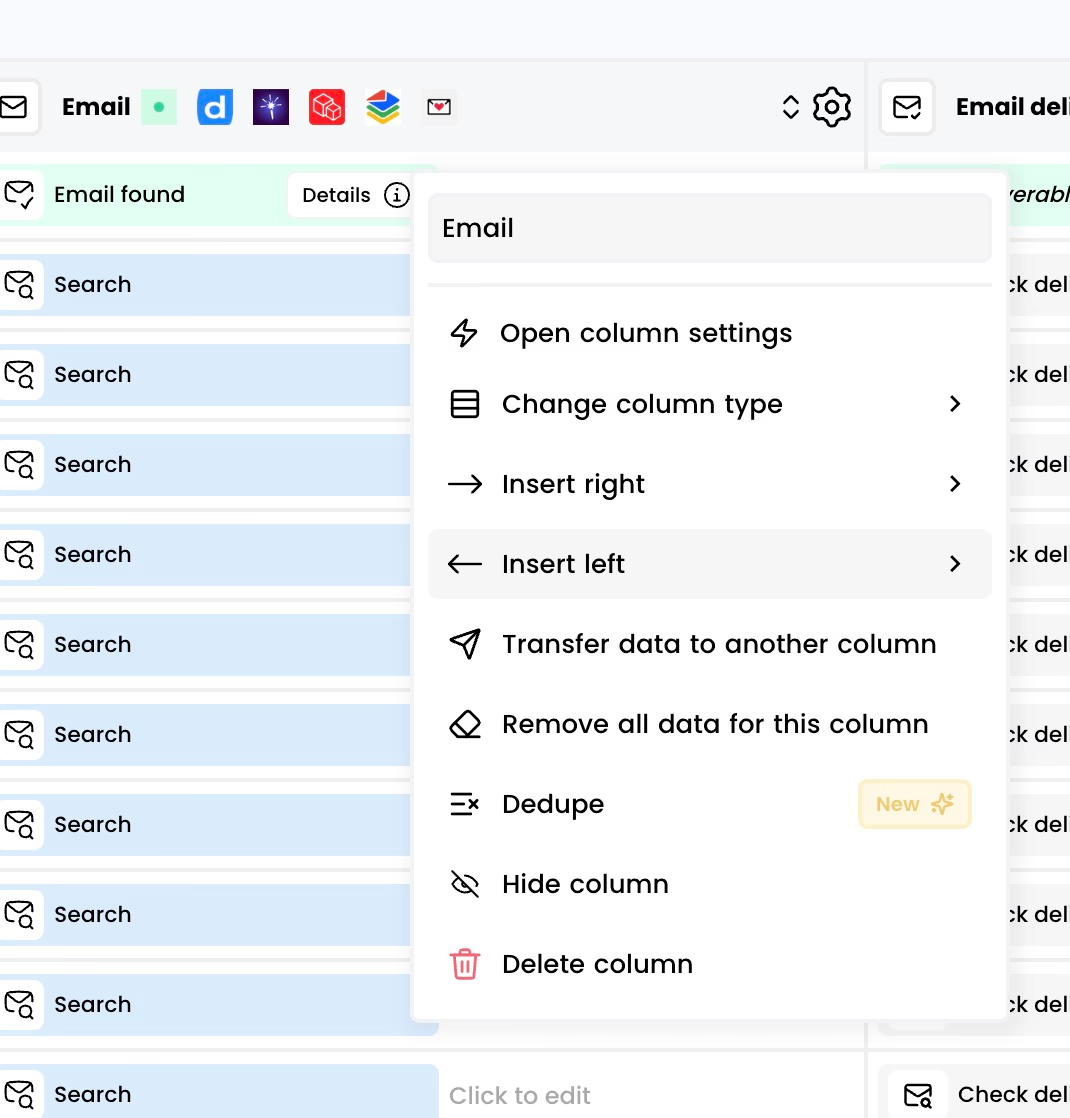
Clay has the opposite problem. The product is polished, but there is a lot of it. You decide the order of the columns, the conditions, and the providers, and you watch two credit meters while doing it. Most teams need a few weeks, a course, or a consultant before Clay pays off.
Winner: Airscale to get started in an afternoon. Clay once someone on the team owns it.
Pricing: what you really pay
Airscale pricing
| Plan | Price | Credits per month | Cost per credit |
|---|---|---|---|
| Starter | $49/mo | 4,000 | $0.01225 |
| Pro | $99/mo | 12,000 | $0.00825 |
| Growth | $189/mo | 25,000 | $0.00756 |
| Scale | Custom | Custom | Custom |
Three details make this pricing friendly for small teams:
- Unlimited users on every plan.
- Credits roll over as long as you stay subscribed.
- You pay on success. A verified professional email costs 2 credits, and nothing if no email is found.
That puts a verified email at about $0.025 on Starter and $0.015 on Growth. On a custom Scale plan, Airscale advertises $0.008 per email and $0.15 per mobile number.
Clay pricing
Clay bills on two meters at the same time. Data Credits pay for the data and AI you buy from providers. Actions pay for the platform running a step, one Action per record enriched or exported.
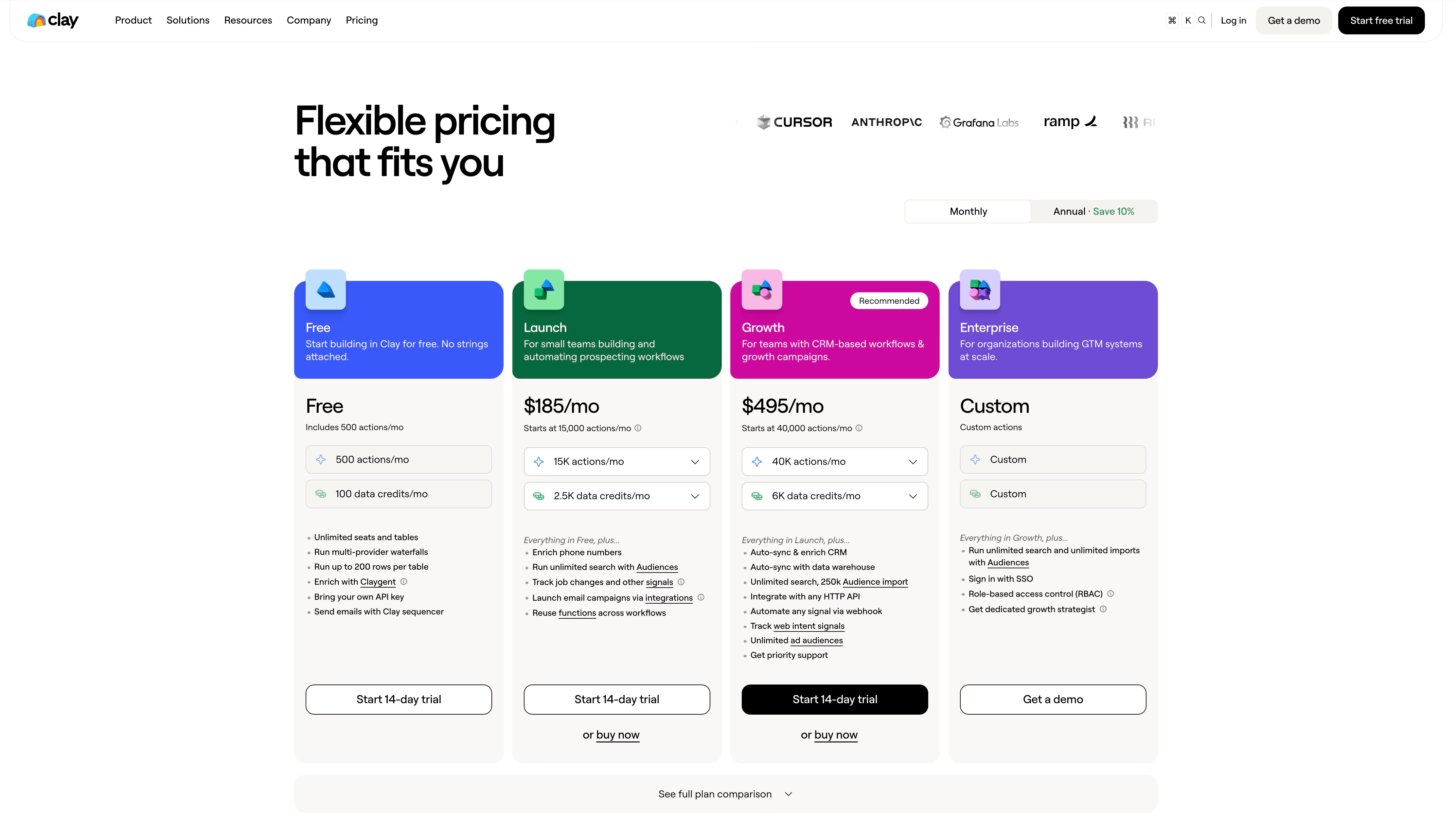
| Plan | Price | Data Credits per month | Actions per month |
|---|---|---|---|
| Free | $0 | 100 | 500 |
| Launch | $185/mo ($167 billed yearly) | 2,500 | 15,000 |
| Growth | $495/mo ($446 billed yearly) | 6,000 | 40,000 |
| Enterprise | Custom | Custom | Custom |
A few things to know before you compare:
- A single-provider email lookup costs around 2 to 3 Data Credits. A three-provider email waterfall costs around 4 to 8. A mobile number costs 5 to 8.
- Failed lookups are not charged.
- Data Credits roll over within limits. Actions never roll over.
- CRM sync, webhooks, and the HTTP API need the Growth plan.
The same job on both tools: 1,000 verified emails
Let’s take the most common request: you have 1,000 leads and want a verified work email for each.
| Airscale | Clay | |
|---|---|---|
| Credits needed | 2,000 credits | 2,000 to 3,000 Data Credits (one provider), 4,000 to 8,000 (waterfall) |
| Plan that covers it | Starter, $49/mo | Launch at $185/mo for one provider, Growth at $495/mo for a waterfall |
| What is left | 2,000 credits that roll over | Little or nothing |
| Cost per email | About $0.025 | About $0.19 to $0.50 |
These Clay numbers are typical ranges, since the exact credit cost depends on the provider you pick. The order of magnitude is what matters. For plain contact data, Airscale is roughly 4 to 10 times cheaper.
So is Clay overpriced? Not if you use what you pay for. The Clay bill buys signals, agents, the sequencer, and 150+ providers. If all you run is an email waterfall, you are paying for a workshop and using one screwdriver.
Which one should you choose?
Choose Airscale if:
- Your lists come from Sales Navigator or a CSV.
- You mainly need verified emails and mobile numbers.
- You already have a sequencer and a CRM you are happy with.
- Several people need access and you do not want to pay per seat.
Choose Clay if:
- Someone on your team can build and maintain workflows, or you pay an agency to do it.
- You need data that only Clay’s catalog covers, or logic that depends on several signals.
- You want signals, AI agents, and sequencing in the same place.
- A bill of $500 or more per month is fine once the workflows produce pipeline.
Look elsewhere if you want more than Airscale’s export but less than Clay’s complexity. That is a common spot for founders and small sales teams, and it is the reason we built Cockpit.
The third option: Cockpit
Cockpit is also a spreadsheet for lead data. The difference is that outreach happens in the same grid.
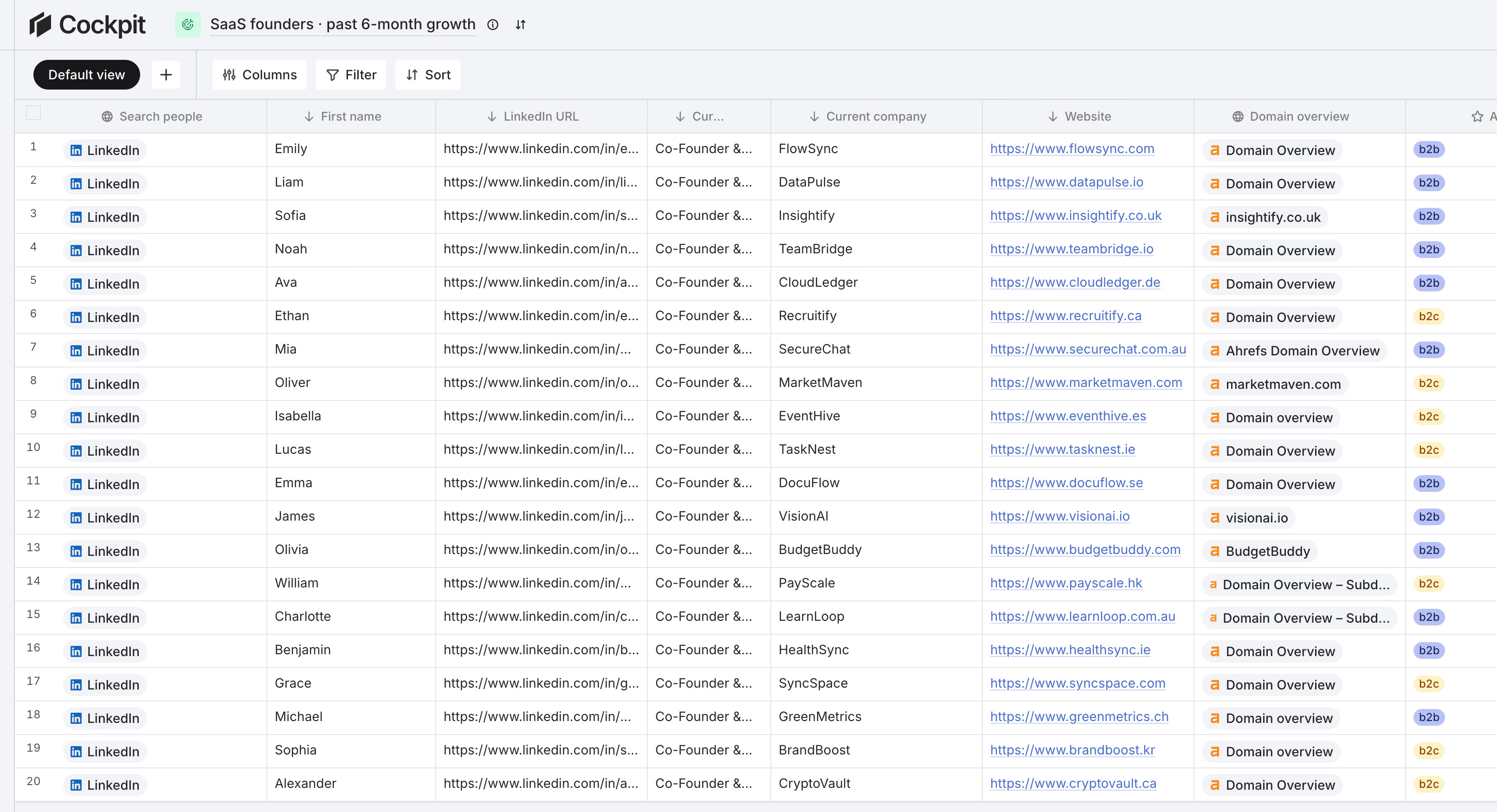
Here is what you get:
- 26 sources to create a list: LinkedIn people and company search, post commenters and reactors, Google Maps, Shopify stores, Meta advertisers, domains by technology, CSV, and CRM imports from HubSpot, Pipedrive, and Attio.
- 27 enrichments, including work email, email verification, FullEnrich waterfall for emails and mobiles, LinkedIn profiles and posts, Ahrefs, Similarweb, and tech stack detection.
- AI columns that use any cell in the row as context, with typed outputs such as a checkbox for “is this a good fit?”
- Sequence columns that run LinkedIn invitations, LinkedIn messages, and emails per row, written by AI or by you.
- Run controls on every smart column: one cell, the first N rows, or all rows.
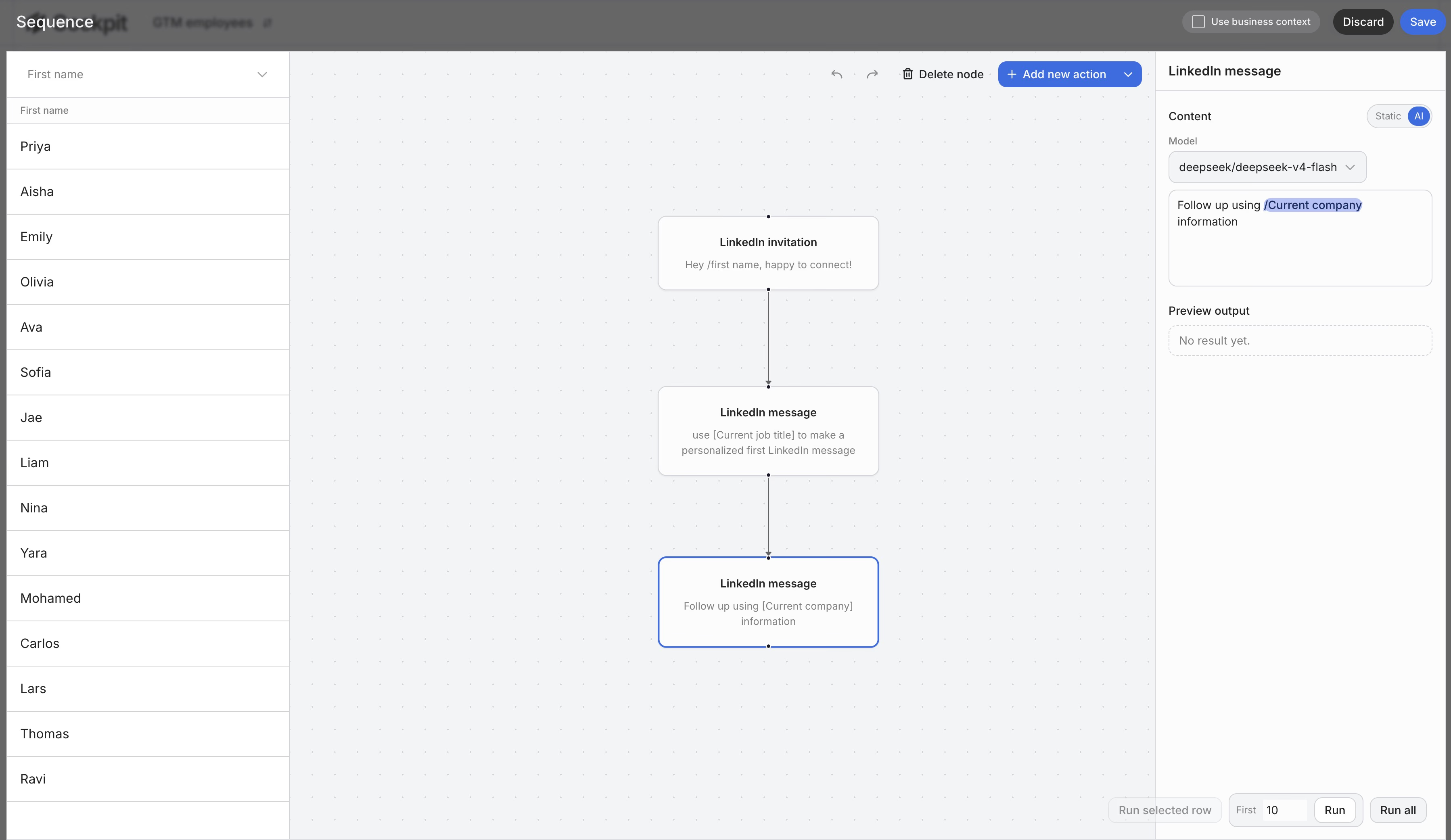
Pricing uses one credit meter and you only pay for successful calls. Starter is $29/month for 3,000 credits, Growth is $79 for 10,000, and Scale is $199 for 30,000. Each paid plan starts with a 14-day trial. You can see every plan on the pricing page .
Where Cockpit is not the best choice:
- If you only need the cheapest email at high volume. A work email costs 4 credits in Cockpit, about $0.03 to $0.04 depending on the plan. Airscale’s Growth plan is cheaper per email.
- If you need Clay’s catalog. 27 enrichments is far from 150+, and there is no agent builder like Claygent.
- If you need many seats on a small plan. Starter has 1 seat, Growth 3, Scale 10. Airscale and Clay both include unlimited users.
Cockpit makes sense when the list is only the first half of the job, and you want to go from import to a sent LinkedIn message or email without connecting three tools.
Airscale vs Clay FAQ
Is Airscale cheaper than Clay?
Yes. Airscale starts at $49/month against $185/month for Clay’s first paid plan. Per verified email, Airscale costs about $0.015 to $0.025, while Clay usually lands between $0.19 and $0.50 once you divide the plan price by what its credits can buy.
Is Airscale a good Clay alternative?
For list building and contact enrichment, yes. For signals, AI agents, conditional workflows, or built-in sequencing, no. Airscale does not try to cover those. If that is what you are missing, our list of Clay alternatives covers tools closer to Clay’s scope, and this guide to cheaper Clay alternatives focuses on cost.
Does Airscale have a free plan?
No free plan, but there is a 14-day free trial. Clay has a permanent Free plan with 100 Data Credits and 500 Actions per month, limited to 200 rows per table and without phone enrichment.
Do credits roll over?
On Airscale, unused credits roll over for as long as you keep a subscription. On Clay, Data Credits roll over up to twice your monthly amount on monthly plans, and Actions do not roll over at all.
Can I use my own API keys?
Both tools let you connect your own provider keys. In Clay, a run with your own key skips Data Credits but still uses an Action. Cockpit works in a similar way: a successful call with your own key costs 1 credit.