
Clay and FullEnrich get compared a lot, but they do different jobs.
FullEnrich does one thing: it finds and verifies emails and mobile numbers. You give it a list, it checks 20+ data vendors one after the other, and you pay only for what it finds. It starts at $29/month.
Clay is a workbench. Contact data is one of the 150+ things it can pull into a table, next to AI research, signals, scoring, and an email sequencer. It starts at $185/month, and you need someone who knows how to build with it.
So the short answer: if you already have your leads and just need their emails and phone numbers, choose FullEnrich. If you want to build custom GTM workflows and have the person to run them, choose Clay. Plenty of teams use both, since FullEnrich is available inside Clay.
Below: what each tool looks like in practice, what a contact really costs, and a third option for small teams.
Clay vs FullEnrich at a glance
| FullEnrich | Clay | |
|---|---|---|
| What it is | Contact finder with waterfall enrichment | GTM workbench in a spreadsheet |
| Main output | Verified work emails, personal emails, mobile numbers | Any data point, AI research, scores, messages |
| Data sources | 20+ contact vendors, queried in sequence | 150+ providers you combine yourself |
| Lead search | 800M people and 50M companies, 15+ filters | People, companies, Google Maps, jobs, lookalikes |
| AI | None in the product (usable from AI agents through MCP) | Claygent agents, Sculptor assistant, AI columns |
| Outreach | None, export to CSV, CRM, or sequencer | Built-in email sequencer |
| Pricing model | Credits, pay only when data is found | Subscription with two meters: Data Credits and Actions |
| Entry price | $29/mo for 500 credits | $185/mo for 2,500 Data Credits + 15,000 Actions |
| Seats | Unlimited | Unlimited |
| Setup time | Minutes | Days to weeks |
What FullEnrich does well
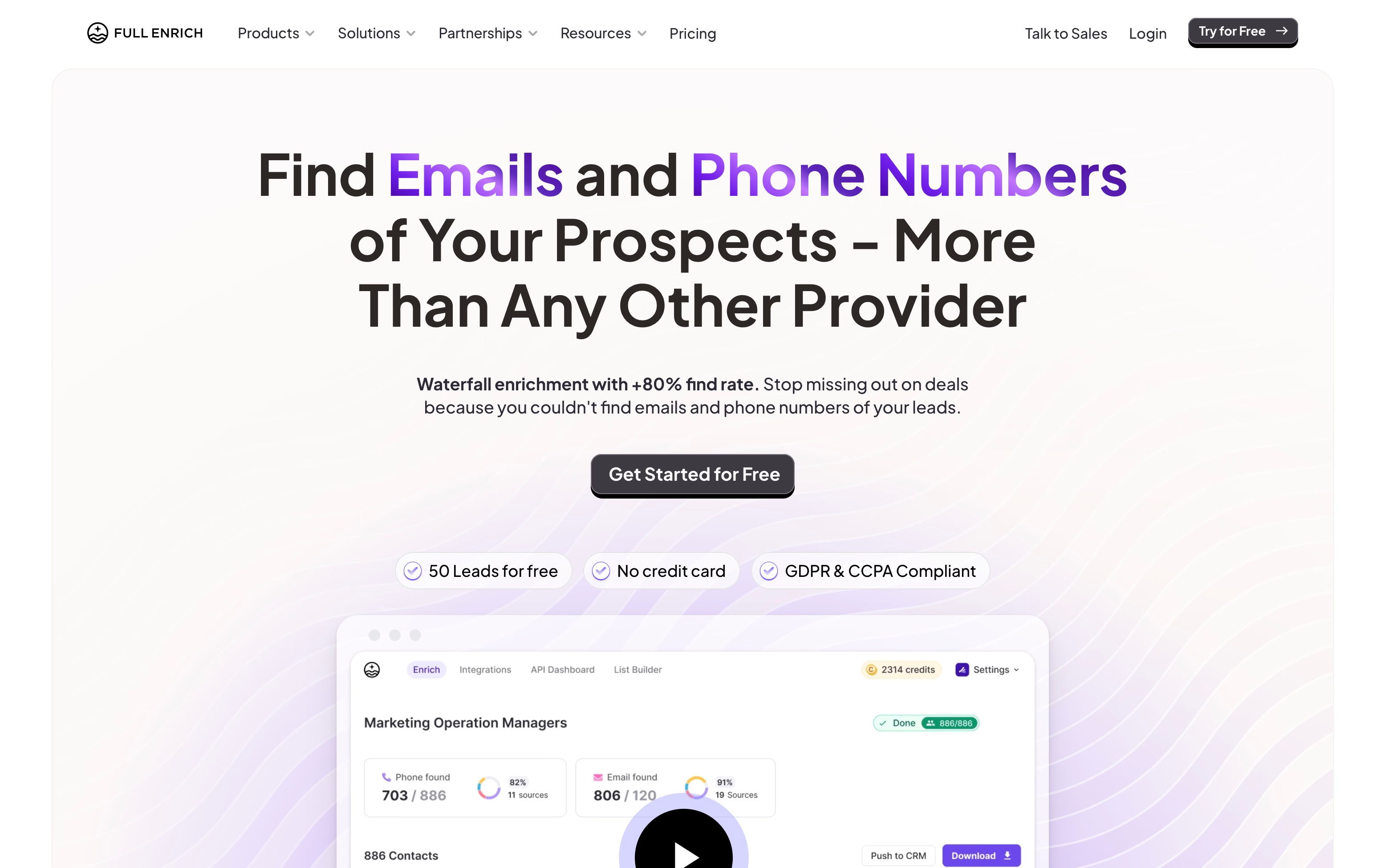
FullEnrich is built around waterfall enrichment . Instead of trusting one database, it asks a first vendor for the contact, then a second if the first has nothing, and so on until it gets a verified result.
The flow looks like this:
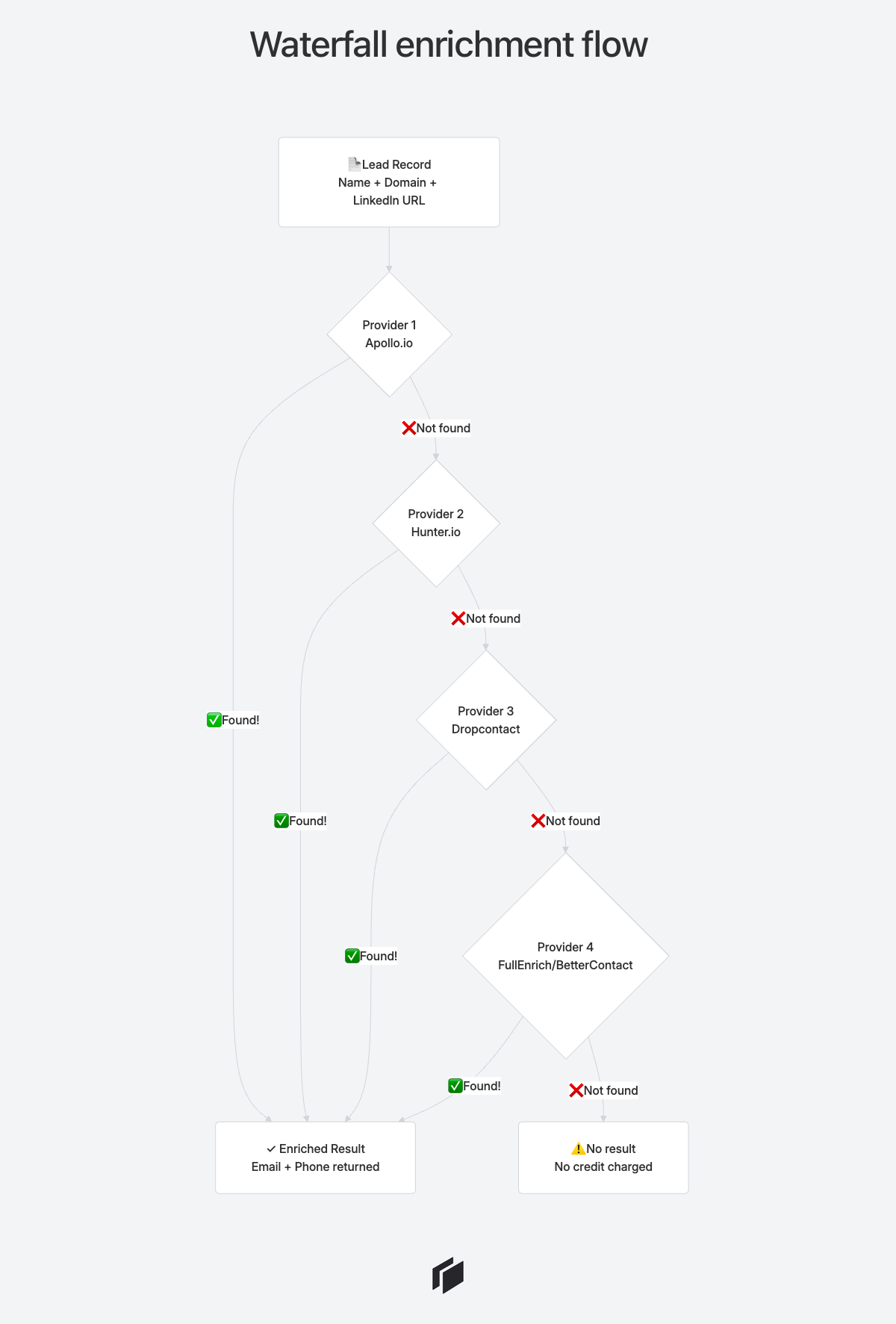
You could build this yourself in Clay. With FullEnrich it is already built, tuned, and verified. That is the whole product.
Three ways to use it
1. Search people and companies. FullEnrich has its own database of 800M people and 50M companies, with more than 15 filters on each. You search, select, and enrich.
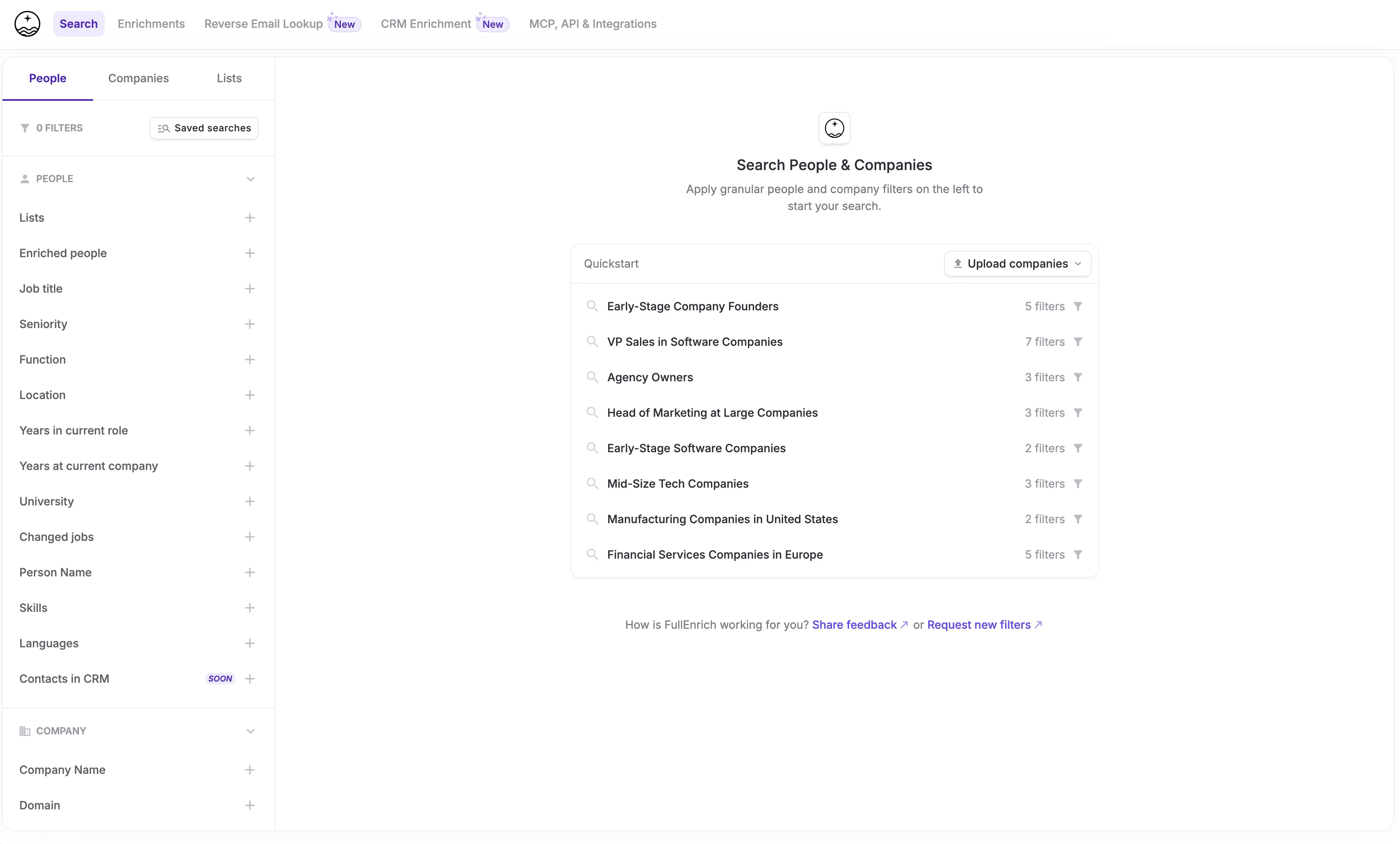
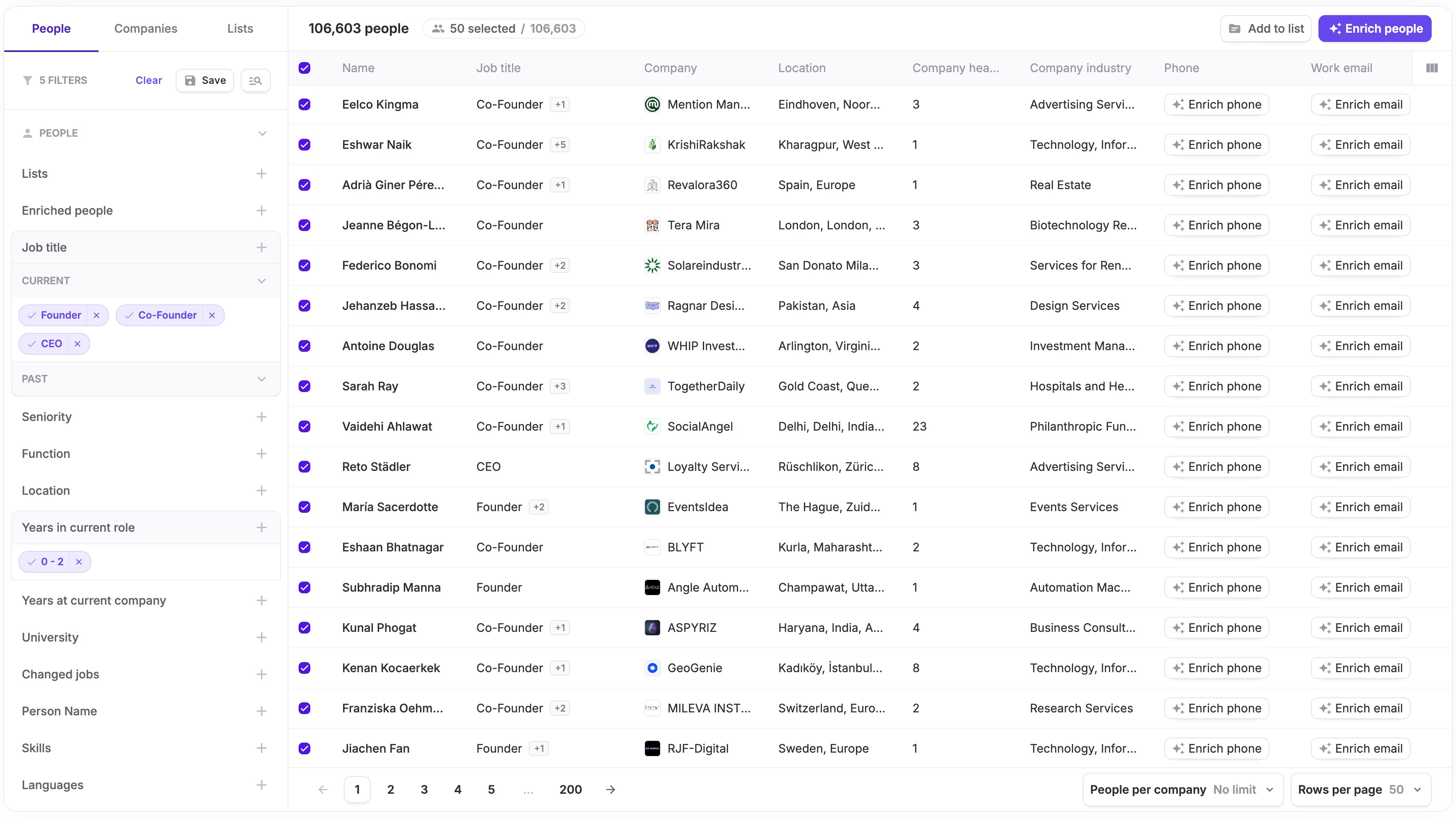
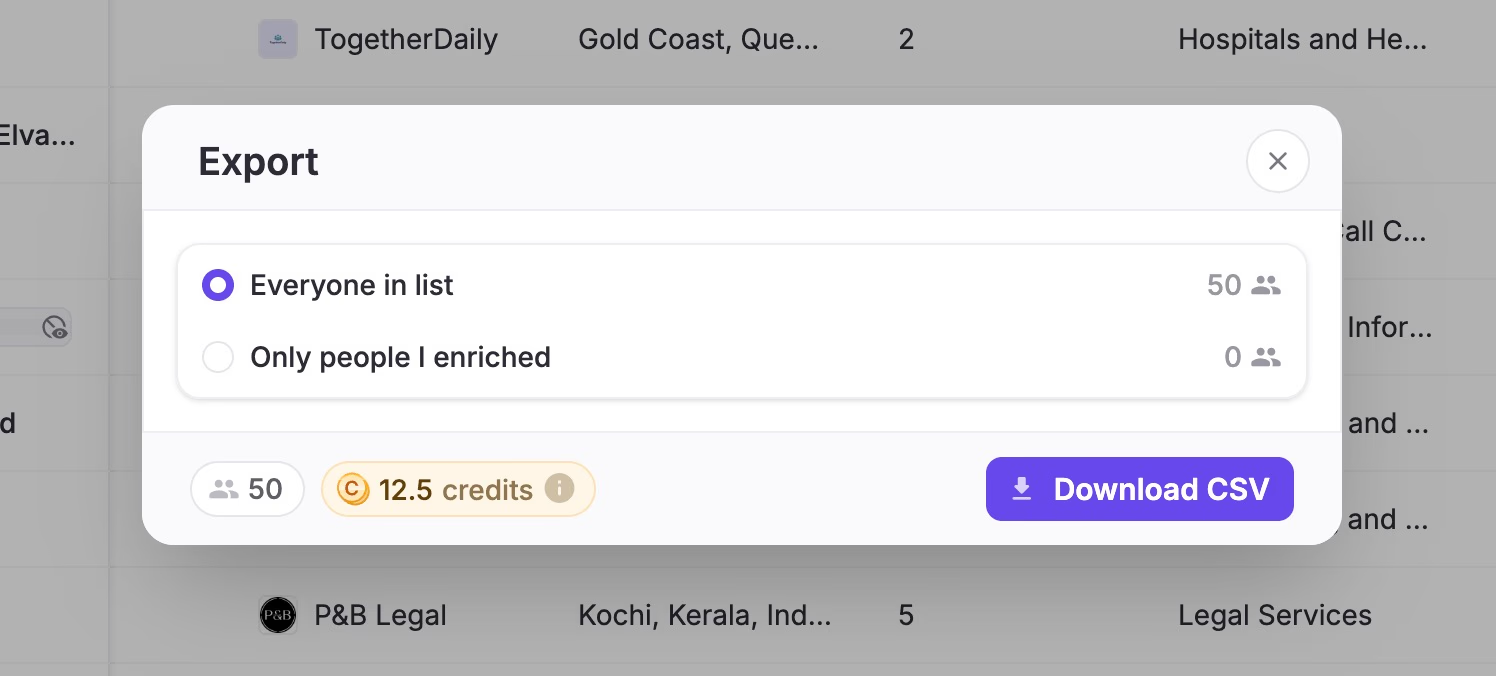
From the results you can enrich contacts right away, save them to a list, or export the list as a CSV.
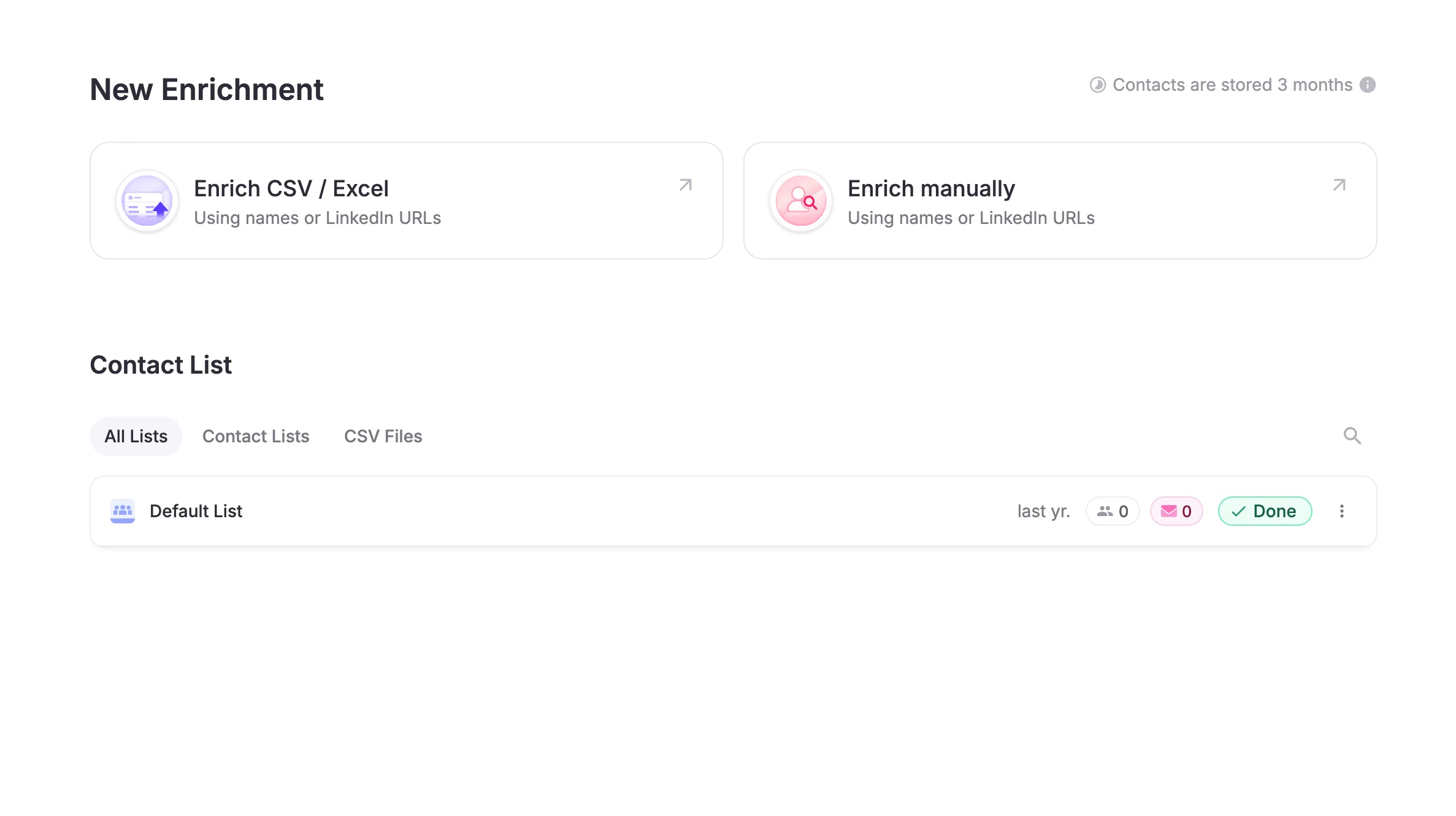
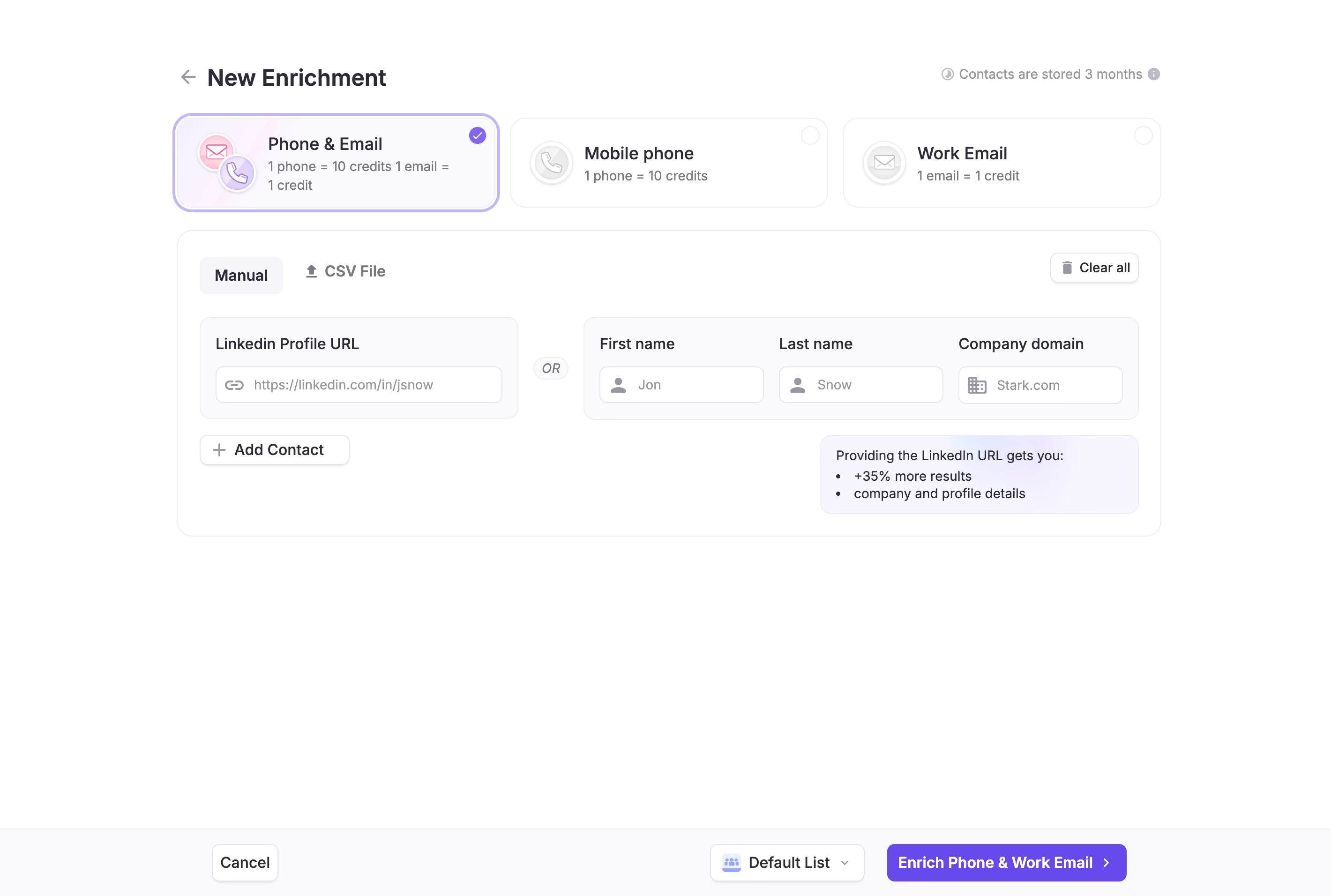
2. Enrich a list you already have. Upload a CSV or paste contacts by hand. A LinkedIn URL works best. First name, last name, and company domain also work.
3. Call it from other tools. There is a REST API, native actions for Zapier, Make, and n8n, a push to HubSpot and Salesforce, and an MCP server so an AI agent in Claude or ChatGPT can run enrichments on its own.
Verification is part of the price
FullEnrich says it filters out around 30% of raw vendor matches before showing you anything. Emails go through syntax, SMTP, and catch-all checks. Phones are checked for landlines and out-of-service numbers.
You are only charged for data that passes. A lookup that returns nothing costs nothing, and so does a landline found in place of a mobile.
On coverage, FullEnrich reports an average email find rate of around 80%. Third-party reviews put it at 70% to 85% for US enterprise contacts and 50% to 60% in APAC and LATAM. Run your own sample before you commit, since coverage depends a lot on your market.
Where FullEnrich stops
- No AI columns, research, or scoring.
- No outreach. You export and send from another tool.
- Mobile numbers cost 10 times more than a work email.
- Coverage is weaker outside the US and UK.
If you want to compare it with other contact finders such as Prospeo, Findymail, or BetterContact, see our list of B2B data enrichment tools .
What Clay does well
Clay starts where FullEnrich stops. A contact’s email is one column among many, and you decide what the other columns do.
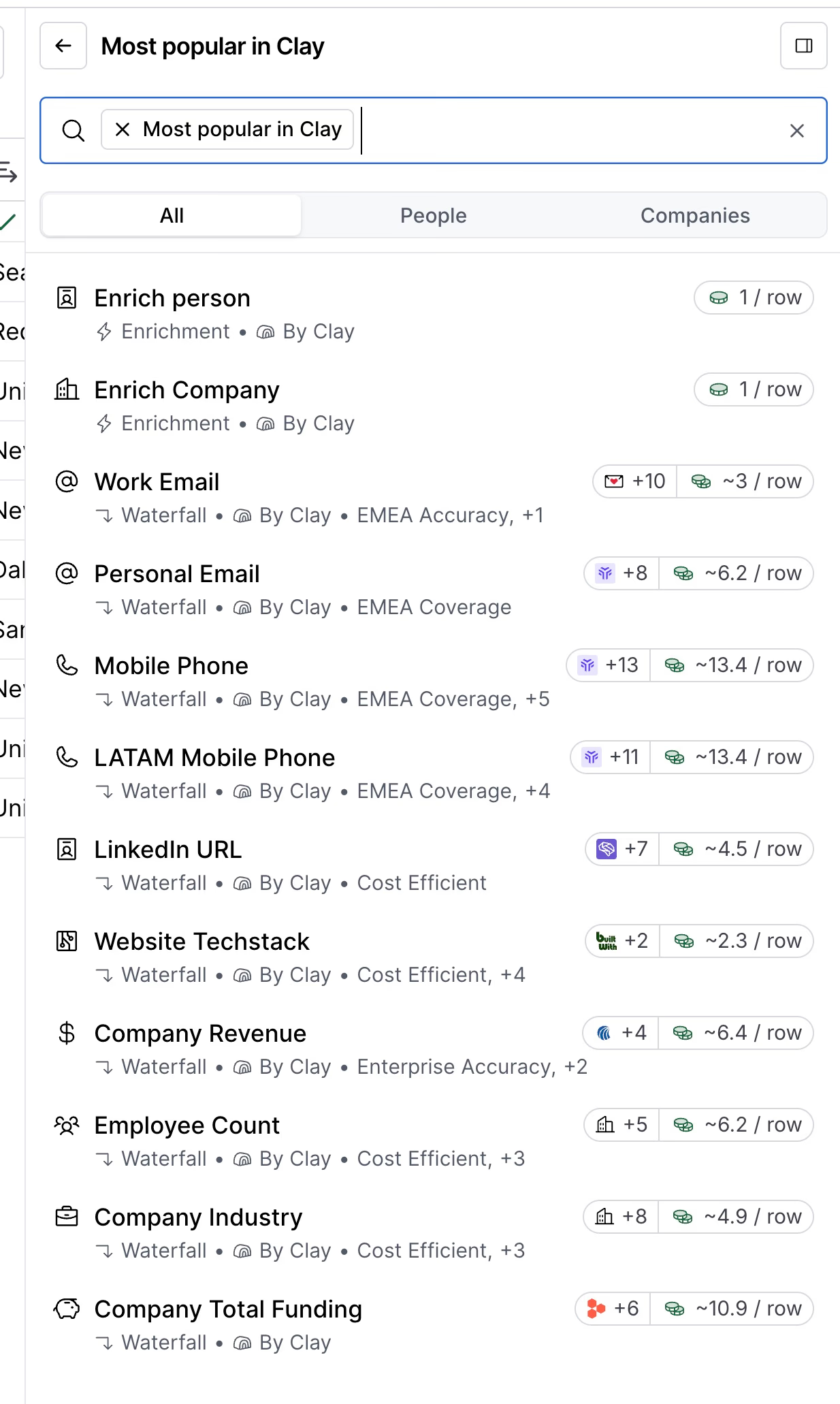
Here is what the higher price buys:
- 150+ providers. Firmographics, tech stack, funding, hiring, web traffic, intent, and contact data, all callable from a column.
- Conditional logic. Run the phone lookup only if the email is valid and the title matches. This is how experienced users control their spend.
- Claygent. AI agents that research an account on the web, classify it, or write a first line, using any column as context.
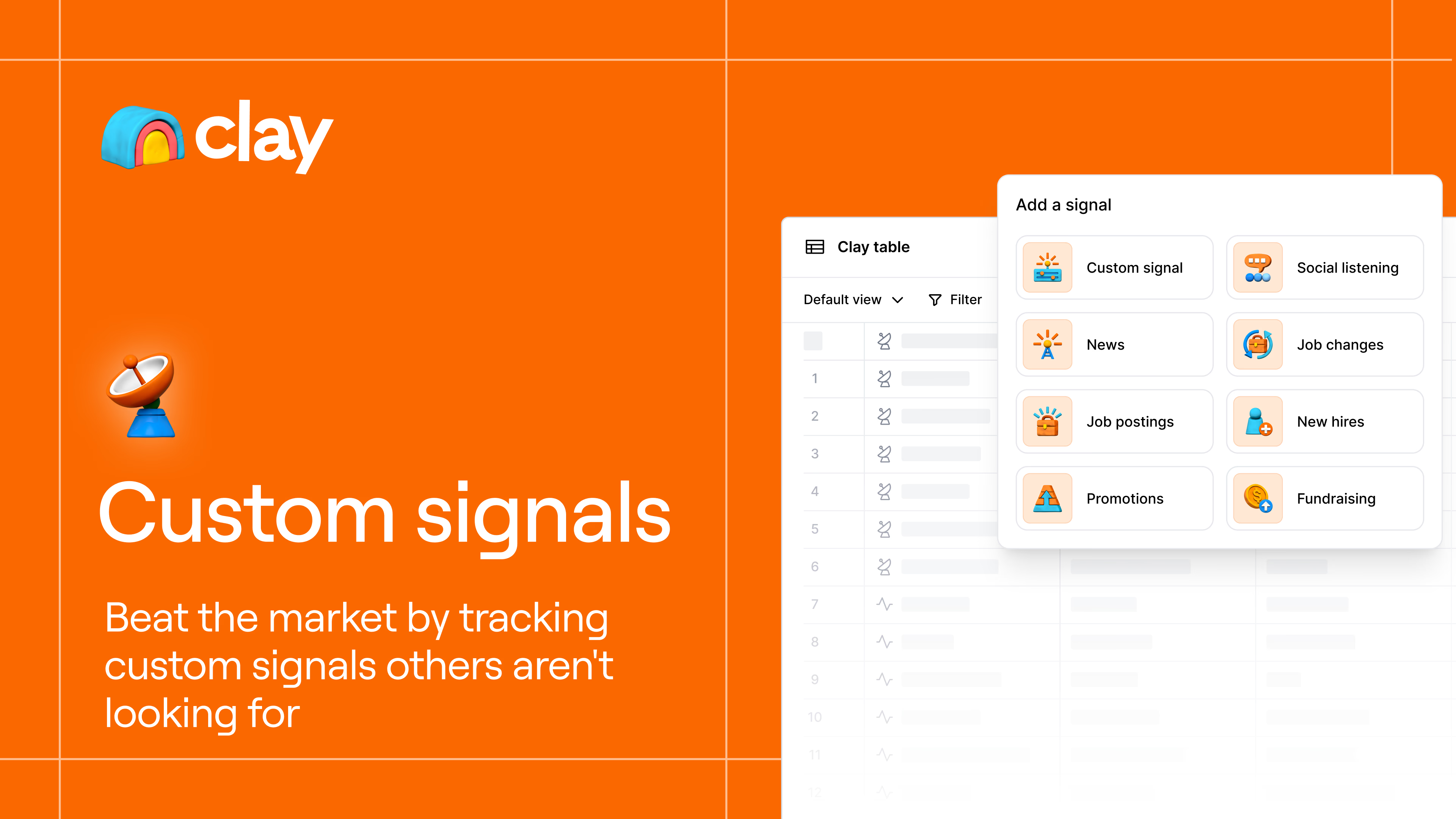
- Signals. Clay watches for job changes, promotions, new hires, and funding news, then triggers your workflow when one fires.
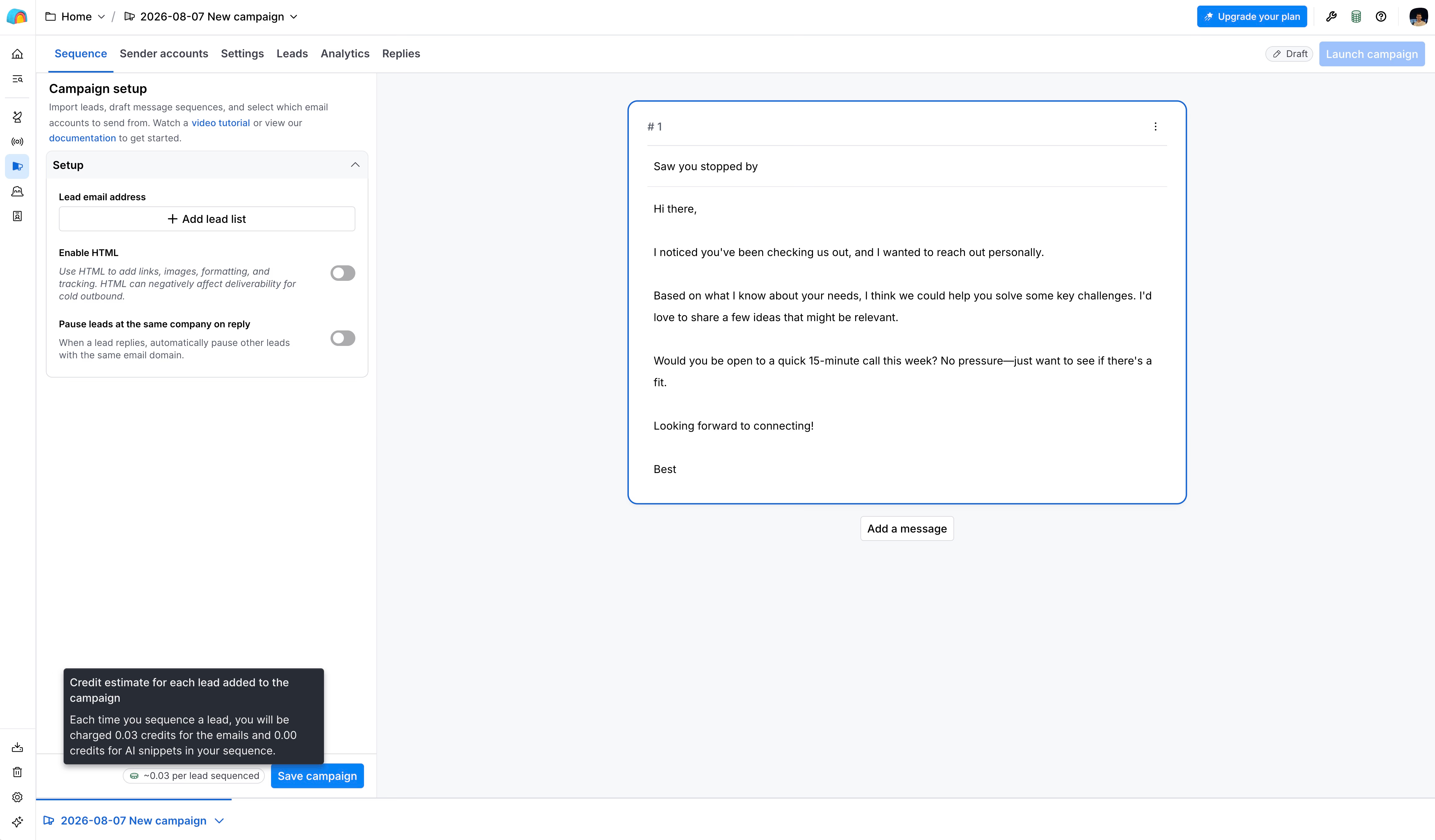
- Sequencer. Send AI-personalized emails directly from the table and track replies.
- Ad audiences. Sync enriched segments to LinkedIn and Meta.
Where Clay costs you
- Learning curve. You design the order of columns, the conditions, and the providers. Most teams need tutorials or a consultant before it pays off.
- Two credit meters. Every step uses an Action, and most also use Data Credits. Forecasting the bill takes practice.
- Plan gates. CRM sync, webhooks, and the HTTP API need the $495/month Growth plan.
- Email only. The sequencer does not send LinkedIn messages.
For the full picture, read our Clay review .
Pricing: what a contact really costs
FullEnrich pricing
One plan, with a slider for volume:
| Monthly credits | Price | Cost per credit |
|---|---|---|
| 50 (free trial) | $0 | Free |
| 500 | $29/mo | $0.058 |
| 1,000 | $55/mo | $0.055 |
| 2,000 | $104/mo | $0.052 |
| 5,000 | $255/mo | $0.051 |
| 10,000 | $499/mo | $0.050 |
What a credit buys:
- Work email: 1 credit
- Personal email: 3 credits
- Mobile number: 10 credits
- Not found: 0 credit
Every plan includes unlimited users, the API, and all integrations. Unused credits roll over for 3 months on monthly billing and 12 months on annual billing, which is about 10% cheaper.
Clay pricing
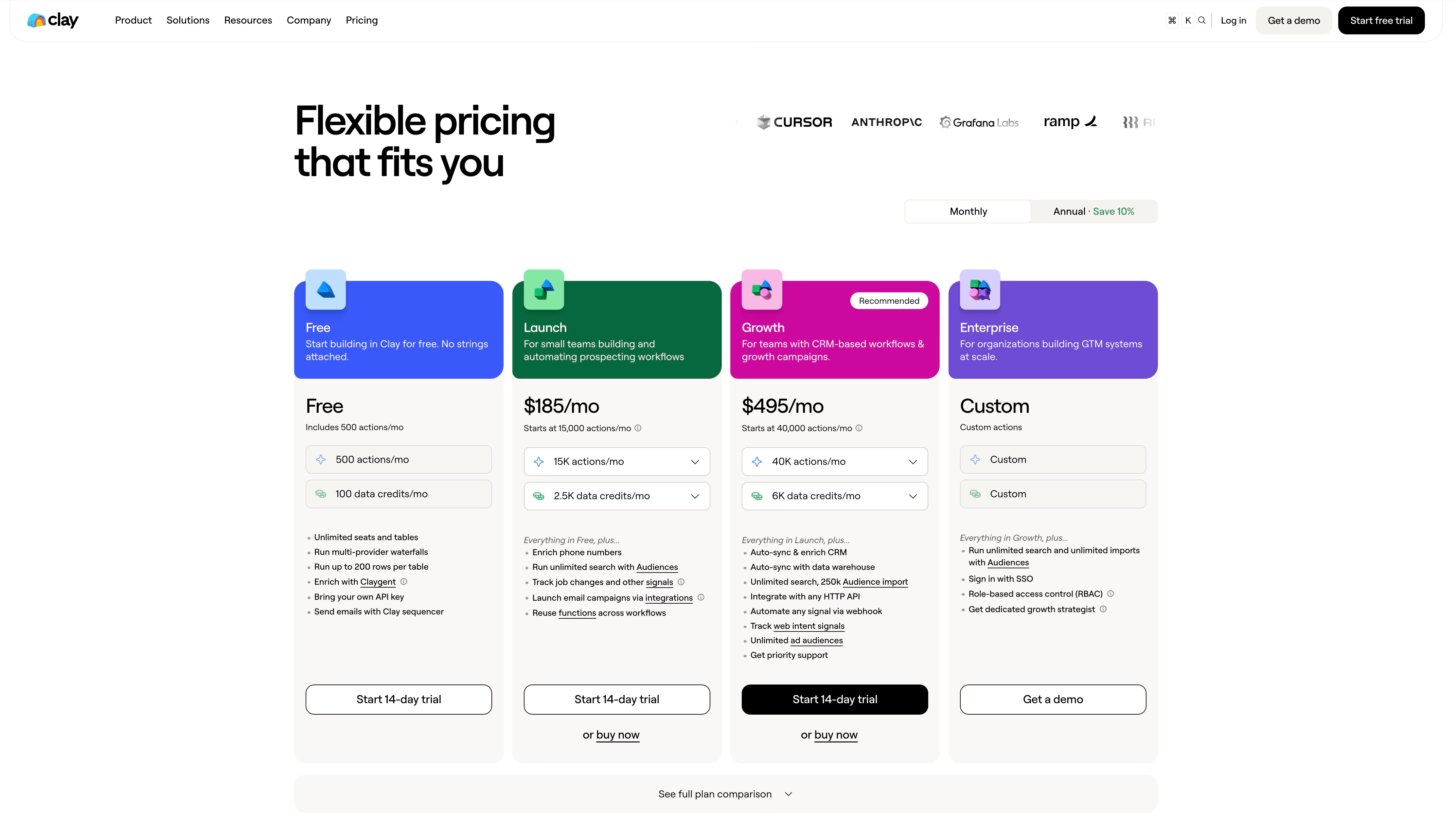
| Plan | Price | Data Credits per month | Actions per month |
|---|---|---|---|
| Free | $0 | 100 | 500 |
| Launch | $185/mo ($167 billed yearly) | 2,500 | 15,000 |
| Growth | $495/mo ($446 billed yearly) | 6,000 | 40,000 |
| Enterprise | Custom | Custom | Custom |
Typical Data Credit costs in Clay (the exact number depends on the provider):
- Email, one provider: 2 to 3 Data Credits
- Email waterfall, three providers: 4 to 8 Data Credits
- Mobile number: 5 to 8 Data Credits
- Not found: 0 credit
Each run also uses 1 Action. Data Credits roll over within limits. Actions do not.
Three common jobs, priced on both
| Job | FullEnrich | Clay |
|---|---|---|
| 500 verified work emails | 500 credits, $29 | 2,000 to 4,000 Data Credits, $185 on Launch (may need a top-up) |
| 1,000 verified work emails | 1,000 credits, $55 | 4,000 to 8,000 Data Credits, $495 on Growth |
| 100 mobile numbers | 1,000 credits, $55 | 500 to 800 Data Credits, $185 on Launch |
Two things stand out.
For emails, FullEnrich is cheaper by a wide margin. That is its whole business.
For mobile numbers, the cost per number is closer than the plan prices suggest: around $0.50 to $0.58 on FullEnrich, and roughly $0.37 to $0.60 in Clay at plan rates. The difference is the floor. With FullEnrich you can spend $29 and stop. With Clay you pay $185 before the first lookup.
So if contact data is all you need, FullEnrich wins on price. Clay’s bill makes sense once the same subscription also runs your research, scoring, signals, and emails.
Do you have to choose? Using FullEnrich inside Clay
No. FullEnrich is listed as an enrichment in Clay, so you can add it as a column in any table.
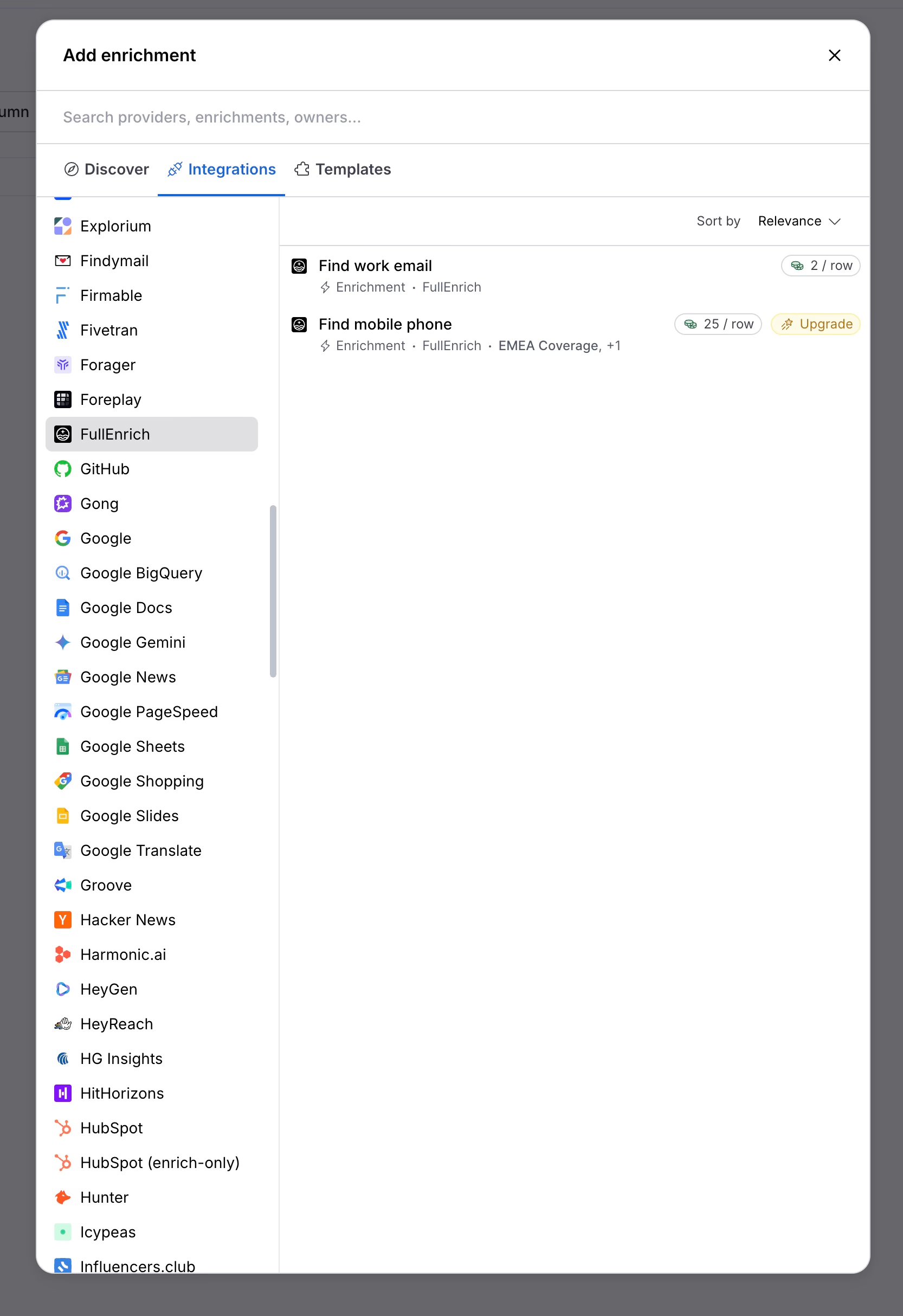
This is a common setup: Clay handles the list, the logic, and the AI, and FullEnrich handles the contact lookup. A few tips if you go this way:
- Give it a LinkedIn URL. According to integration guides, hit rates are 15 to 20 points higher with a LinkedIn URL than with a name and domain.
- Filter first. Run FullEnrich only on rows that passed your qualification columns. Mobile numbers are the expensive part, so keep them for leads you will actually call.
- Check the cost per run. Inside Clay you pay in Data Credits plus an Action, which usually costs more per contact than calling FullEnrich directly. If you enrich at volume, compare that with FullEnrich’s own price before you run the whole table.
The other common setup skips Clay entirely: Sales Navigator or Apollo for the list, FullEnrich for contacts, then a sequencer such as Instantly or Smartlead. It is cheaper and simpler, but you lose AI research and conditional logic.
Which one should you choose?
Choose FullEnrich if:
- You already have lead lists and need emails and mobiles for them.
- Cold calling matters, and mobile coverage is your bottleneck.
- Nobody on the team has time to build and maintain workflows.
- You want to start under $50/month.
Choose Clay if:
- You need more than contact data: research, scoring, signals, or custom logic.
- You have a GTM engineer, a RevOps owner, or an agency to run it.
- $185 to $495+ per month is acceptable for the workflows it replaces.
Use both if you already run Clay and want better contact coverage, especially on mobiles.
A third option for small teams: Cockpit
There is a gap between the two. FullEnrich gives you contacts and leaves the rest to other tools. Clay gives you everything and asks for a builder.
Cockpit sits in that gap. It is a spreadsheet where you import leads, add enrichment and AI columns, and run outreach sequences from the same grid.
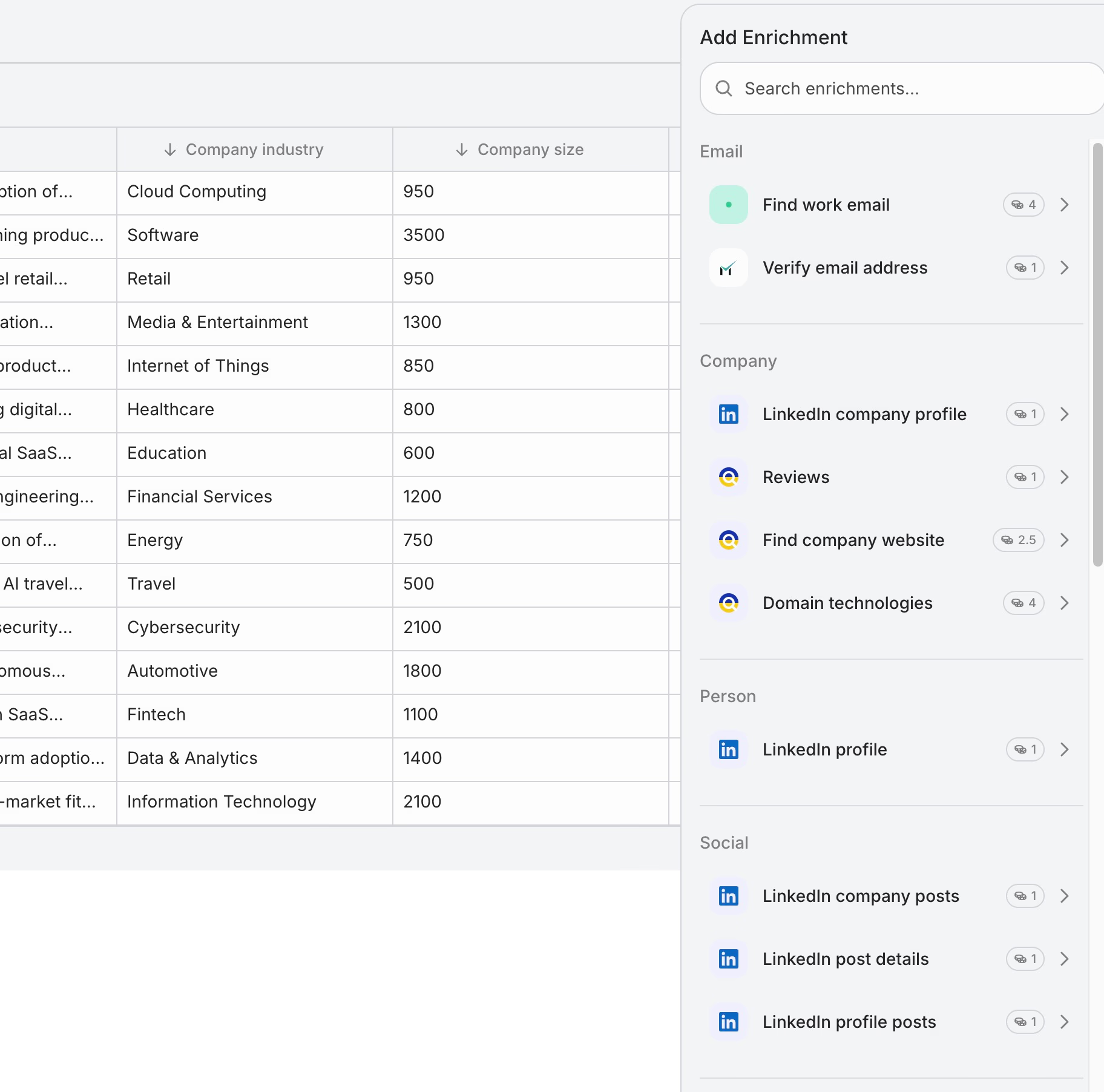
What it covers:
- 26 sources: LinkedIn search, post commenters and reactors, Google Maps, Shopify stores, CSV, and HubSpot, Pipedrive, or Attio.
- 27 enrichments, with FullEnrich built in for emails and mobiles, plus a cheaper email finder, email verification, LinkedIn data, Ahrefs, Similarweb, and tech stack.
- Waterfall columns, so you can try the cheaper finder first and call FullEnrich only when it finds nothing.
- AI columns that read any cell in the row.
- Sequence columns for LinkedIn invitations, LinkedIn messages, and emails.
Plans are $29/month for 3,000 credits, $79 for 10,000, and $199 for 30,000, with a 14-day trial. You only pay for successful calls.
Two honest limits. First, FullEnrich through Cockpit costs more per contact than buying it directly: 24 credits for a work email and 240 for a mobile. If raw contact volume is your only need, go to FullEnrich. Second, Cockpit has 27 enrichments, not 150+, and no agent builder like Claygent. The Clay vs Cockpit comparison goes through the differences.
Cockpit is the right pick when you are a founder or a team of one to three people, and you want the list, the data, the message, and the send in one place.
Clay vs FullEnrich FAQ
Is FullEnrich a Clay alternative?
Only for contact data. FullEnrich replaces the email and phone waterfall you would build in Clay. It does not replace AI research, signals, conditional workflows, or sequencing. For tools that cover more of Clay’s scope, see our list of Clay alternatives or these cheaper alternatives to Clay .
Can I use FullEnrich inside Clay?
Yes. FullEnrich is available as an enrichment in Clay tables, so you can add it as a column and use it as one step of a larger workflow.
Which one is better for phone numbers?
FullEnrich is the simpler choice. Mobile lookup is its specialty, it costs a fixed 10 credits, and landlines are not charged. Clay can match it by running a phone waterfall, including FullEnrich itself, but you have to build and tune that waterfall.
Does FullEnrich have a free plan?
There is a free trial with 50 credits and no credit card, enough for about 50 work emails or 5 mobile numbers. Clay has a permanent Free plan with 100 Data Credits per month, capped at 200 rows per table and without phone enrichment.
How much does FullEnrich cost per email?
About $0.058 on the smallest plan ($29 for 500 credits), going down to about $0.05 at 10,000 credits per month. You are not charged when no verified email is found.