
Lead enrichment tools take a list of names and companies and add what you need to contact and prioritize each person: a verified work email, a phone number, a current job title, company size, or a recent LinkedIn post. The 11 tools below cover the main ways to do it, from a $19 email finder to a spreadsheet that runs the whole outbound workflow.
We picked them for outbound teams that enrich lead lists at person level, and compared them on three things: cost per usable contact, data coverage, and how easy they are for a small team to set up. Prices are the public list prices checked in October 2026, so confirm them on the vendor’s page before you buy. For account-level and CRM enrichment, see our 25-tool B2B data enrichment directory .
Lead enrichment tools compared
| Tool | Best for | Starting price | Pricing model | Cost per found email |
|---|---|---|---|---|
| Cockpit | Sourcing, enrichment, AI and sequences in one sheet | $29/mo | Monthly credits, pay per success | About $0.04 to $0.05 (find and verify) |
| Apollo.io | Database plus sequencer for startups | $49/user/mo (yearly) | Per user plus credits | About 1 credit (mobile 8+) |
| Clay | Complex workflows with 150+ providers | $185/mo ($167 yearly) | Data Credits plus Actions | About $0.03 to $0.15 (single provider) |
| FullEnrich | Waterfall for emails and mobiles | $29/mo | Credits, pay per found | $0.05 to $0.058 |
| BetterContact | Waterfall on hard-to-find leads | $15/mo | Credits, pay per found | $0.05 to $0.075 |
| Prospeo | LinkedIn and Sales Navigator workflows | $49/user/mo | Per user credits | About $0.025 |
| Icypeas | Cheapest email-only finding | $19/mo | Credits, pay per found | $0.005 to $0.019 |
| Findymail | Verified emails for sequencers | $99/mo | Credits with a volume slider | About $0.02 |
| Lusha | Phone numbers for SDRs | About $37/mo (yearly) | Credits | About $0.09 (phone about $0.45) |
| Wiza | Exporting Sales Navigator searches | $49/mo | Email and phone quotas | $0.10 to $0.50 per contact |
| Hunter | Domain search and light email finding | $49/mo | Credits | About $0.015 to $0.025 |
1. Cockpit
Cockpit is a spreadsheet for lead enrichment. You import rows from a LinkedIn search, Google Maps, a CRM or a CSV, then add columns that each do one job: 27 enrichments including waterfalls for emails and phones, AI columns that read any other cell in the row, and sequences you can export to Lemlist, Instantly, Smartlead or your CRM.
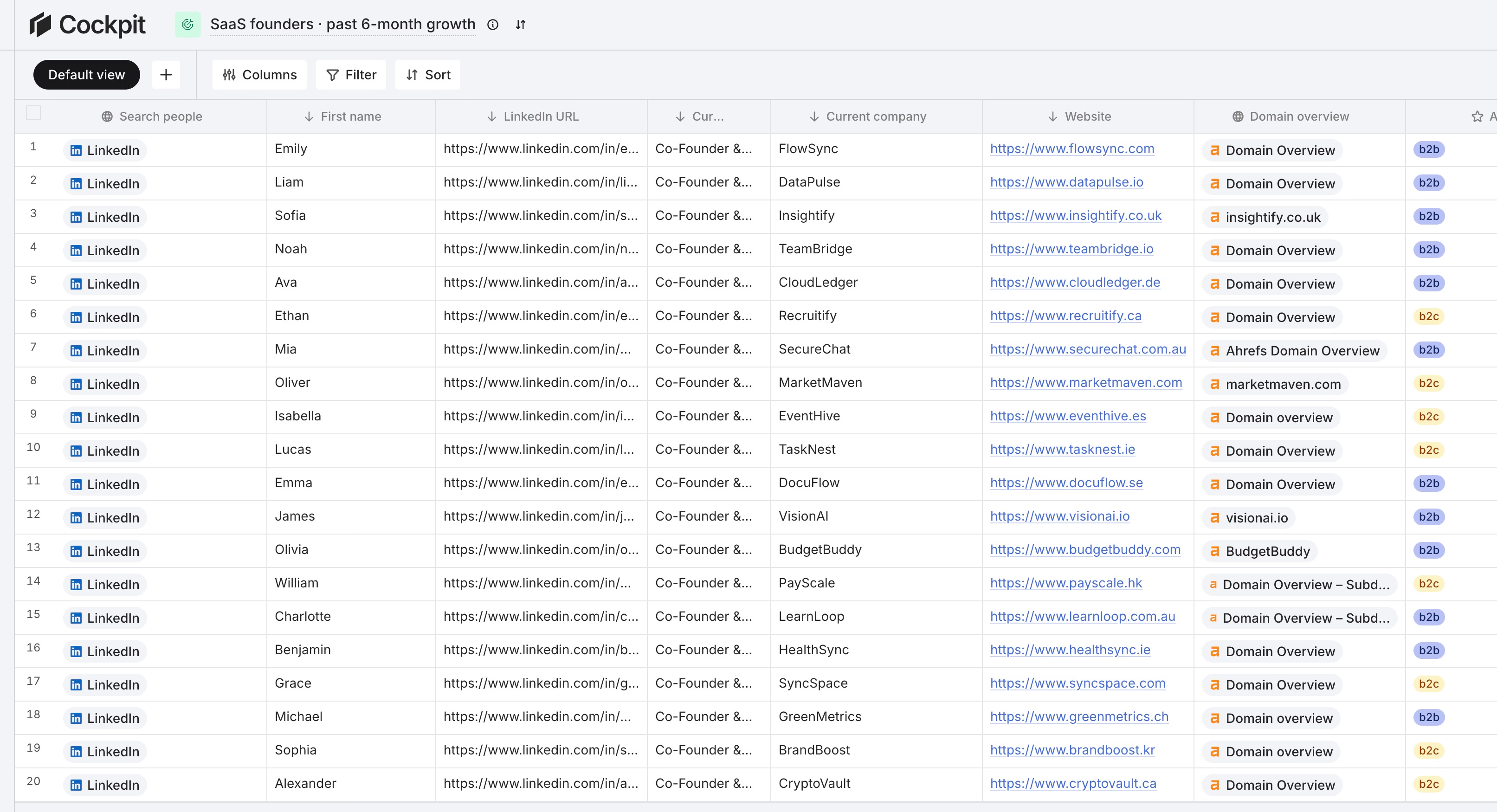
Best for: solo founders and small teams who want sourcing, enrichment and personalization in one table at a low price.
Pricing: $29/mo for 3,000 credits, $79/mo for 10,000 (3 seats), $199/mo for 30,000 (10 seats). You only pay for successful lookups, and there is a 14-day trial.
Pros
- Cheapest way to run a full workflow, with no hopping between tools.
- Waterfall, AI and export columns live in the same grid.
- Failed lookups cost nothing.
Cons
- Fewer providers than Clay, so very niche data sources may be missing.
- No database of its own: you source from LinkedIn, Google Maps, files or a CRM instead of searching a contact pool.
2. Apollo.io
Apollo.io (opens in a new tab) is a contact database with a sequencer attached. You search by title, company and filters, reveal emails and phones, and send sequences from the same app. That is why many startups use it as their only tool.
Best for: early-stage teams that want a searchable database and email sequences in one subscription.
Pricing: paid plans start at $49 per user per month billed yearly, about $59 monthly. A work email costs roughly 1 credit and a mobile 8 or more.
Pros
- Large searchable database with filters.
- Sequencing and a dialer included.
- Free plan to test it.
Cons
- Pricing is per seat, and phones use credits fast.
- Users often report outdated or missing data, especially for European contacts.
Our Clay vs Apollo comparison goes deeper on costs.
3. Clay
Clay (opens in a new tab) is the best-known enrichment workbench. It has no database of its own. Instead it connects to 150+ providers and lets you chain them in a table, with an AI agent (Claygent) for research.
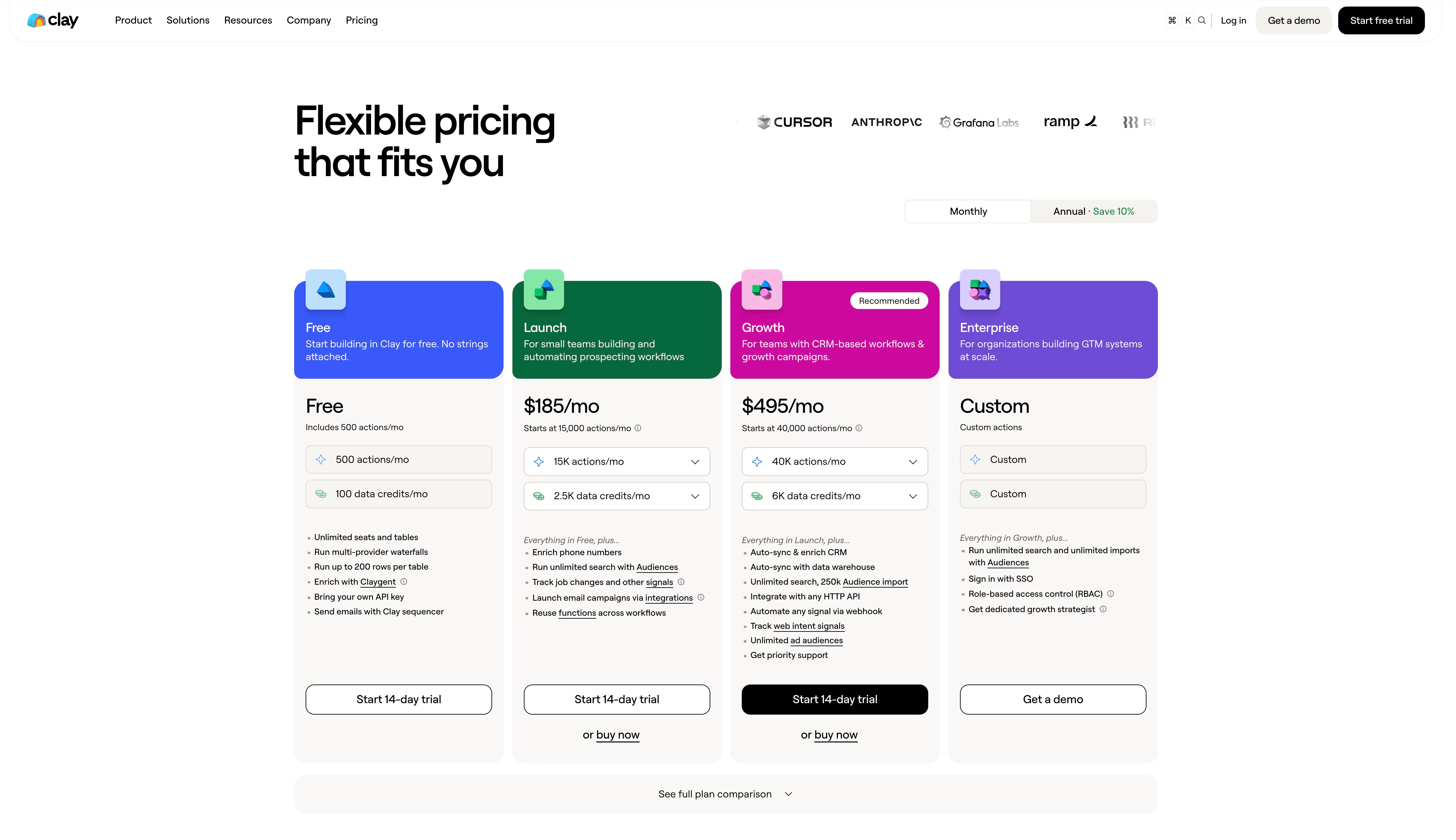
Best for: teams with a growth engineer or ops person who want to build custom workflows across many data sources.
Pricing: Launch is $185/mo ($167 yearly) with 2,500 Data Credits, and Growth is $495/mo. A single-provider email lookup uses 0.5 to 3 Data Credits depending on the provider, on top of the Actions each run uses. Failed lookups are not charged.
Pros
- The widest provider catalog on the market.
- Very flexible logic for qualification and personalization.
- Built-in AI research agent.
Cons
- Highest entry price in this list.
- Takes time to learn, and credits plus actions make costs harder to predict.
If price is the issue, read our guide to cheaper alternatives to Clay .
4. FullEnrich
FullEnrich (opens in a new tab) is a waterfall tool. It asks a stack of providers one after another for an email or mobile number and stops at the first valid answer, so it finds more contacts than a single source.
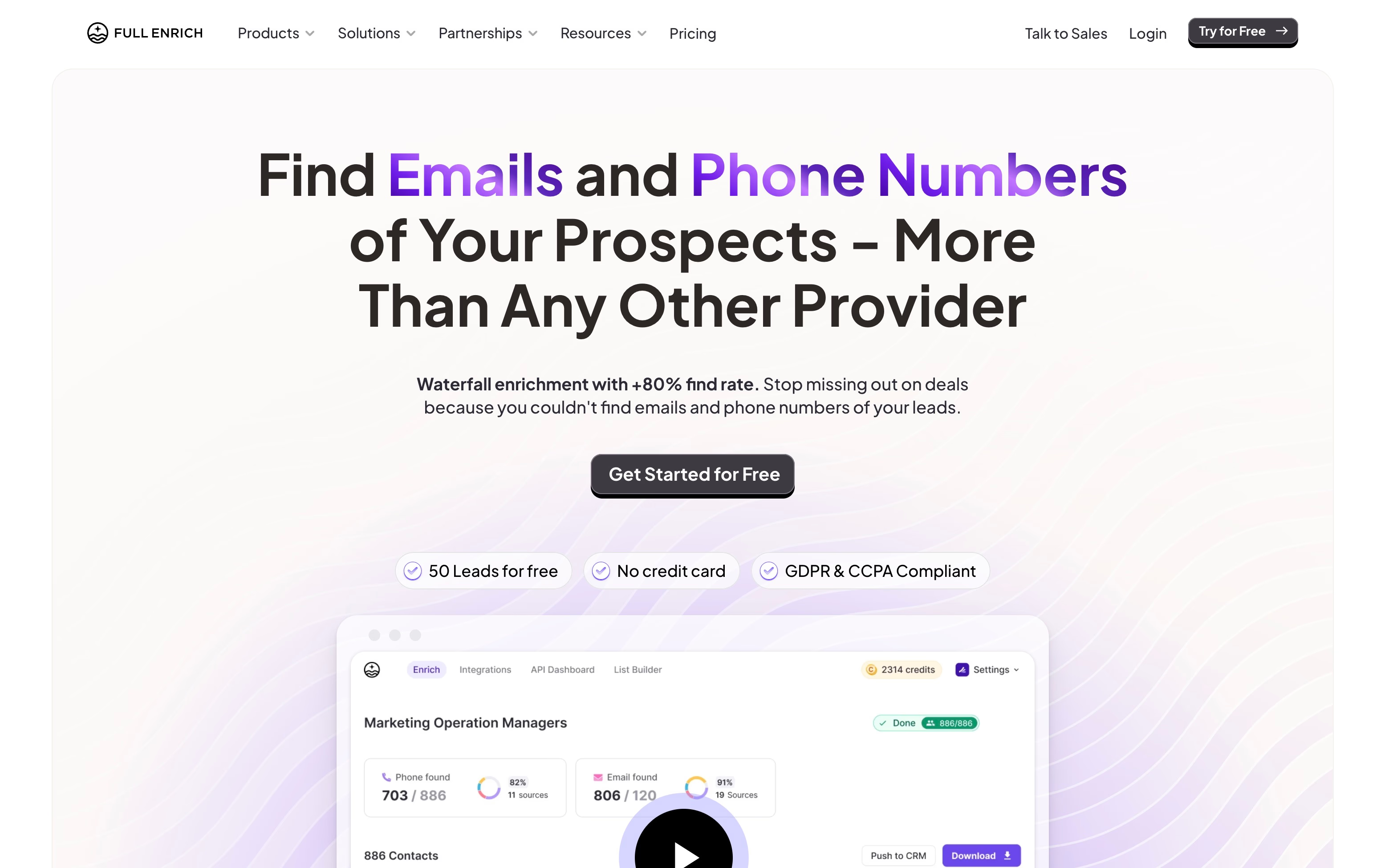
Best for: teams that need mobile numbers and the highest possible find rate.
Pricing: $29/mo for 500 credits. A work email is 1 credit and a mobile 10. The first 50 leads are free.
Pros
- Strong coverage from combining many providers.
- Pay only for found and verified results.
- Simple upload-and-download flow.
Cons
- Small credit packs make each email cost more than single-source finders.
- Does nothing for sourcing or qualification.
Our explainer on waterfall enrichment shows when the extra cost is worth it.
5. BetterContact
BetterContact (opens in a new tab) is another waterfall, with more than 20 providers behind one subscription and a validation step on every email and mobile before you are charged.

Best for: teams that want a waterfall at the lowest entry price, for leads other tools could not find.
Pricing: $15/mo for 200 credits, then from $49/mo for 1,000. Emails use 1 credit and mobiles 10, about $0.49 to $0.75 per mobile.
Pros
- Lowest entry price among waterfalls.
- Charges only for valid data.
- 50 free credits to test.
Cons
- The $15 plan covers only 200 emails or 20 mobiles.
- Same cost-per-email premium as other waterfalls.
6. Prospeo
Prospeo (opens in a new tab) is an email and phone finder with a searchable database, and it fits LinkedIn and Sales Navigator prospecting workflows.

Best for: SDRs who prospect from LinkedIn and want low-cost verified emails.
Pricing: free plan with 100 credits a month, then $49 per user per month for 2,000 credits. Mobiles use 10 credits.
Pros
- Low cost per verified email, around $0.025.
- Useful free tier.
- Fits LinkedIn-based prospecting.
Cons
- Per-user pricing gets expensive as a team grows.
- Narrower coverage than waterfalls.
7. Icypeas
Icypeas (opens in a new tab) is an email finder and verifier that handles catch-all domains. Credits never expire, and one credit equals one found email.

Best for: email-only outreach where cost per email is the main concern.
Pricing: $19/mo for 1,000 credits, $39 for 4,000, $89 for 10,000 and $499 for 100,000. That works out to $0.005 to $0.019 per found email.
Pros
- Cheapest verified emails in this list.
- Credits do not expire.
- Works well as the first step before a waterfall.
Cons
- No phone numbers.
- Only a finder: no sourcing and little else.
8. Findymail
Findymail (opens in a new tab) finds and verifies emails and phones, and its pitch is data you can send to without a second verification step. It can also keep CRM records enriched with updates over time.

Best for: teams sending cold email at volume who care about deliverability.
Pricing: one plan with a volume slider, $99/mo for 5,000 credits, about $0.02 per email. Phones cost 10 credits.
Pros
- Verified emails at a low per-email cost.
- Handles emails, phones and company data in one lookup.
- Solid CRM and tool integrations.
Cons
- Higher entry price than other single-source finders.
- Phones are not available for EU contacts.
9. Lusha
Lusha (opens in a new tab) is a contact database with a Chrome extension that shows emails and phones while you browse LinkedIn. It is the tool many SDRs pick when they call prospects.

Best for: sales reps who need direct-dial phone numbers.
Pricing: free plan with 40 credits a month, and Starter at about $37/mo billed yearly. That is roughly $0.09 per email and $0.45 per phone.
Pros
- Easy to use, with a reliable browser extension.
- Mobile numbers are its core strength.
- Clear free plan.
Cons
- Most expensive per email in this list.
- Less useful for bulk list enrichment than for one-by-one prospecting.
10. Wiza
Wiza (opens in a new tab) turns a LinkedIn Sales Navigator search into a clean CSV and finds contacts on the way out, so you get a ready list.

Best for: teams already paying for Sales Navigator that want the results in a file.
Pricing: Starter is $49/mo with 100 emails and 100 phones. Effective cost runs $0.10 to $0.50 per contact on monthly plans, and yearly plans are cheaper.
Pros
- Fast route from a Sales Navigator search to a contact list.
- Emails and phones in the same export.
- Simple to use.
Cons
- Pricey per contact on monthly plans.
- Depends on Sales Navigator, which you pay for separately.
11. Hunter
Hunter (opens in a new tab) started as a domain search tool: type a company domain and see the emails it has found for it, then verify them. It now also has a finder and outreach features.

Best for: quick lookups by company domain and light email finding.
Pricing: free plan with 50 credits a month, $49/mo for 2,000 credits and $149/mo for 10,000, about $0.015 to $0.025 per email.
Pros
- Clear, predictable pricing.
- Good for finding who works at a given company.
- Free plan to try.
Cons
- No phone numbers.
- Less focused on person-level LinkedIn lists than Prospeo or Icypeas.
For more finders compared by cost, see our guide to the best affordable contact enrichment tools .
How to choose a lead enrichment tool
- Start from the data you need. If email is enough, a single-source finder such as Icypeas or Prospeo is hard to beat. If you call prospects, check mobile coverage first.
- Compare cost per usable lead, not per credit. Divide your spend by the emails that are found, verified and don’t bounce.
- Check where your leads live. Coverage varies a lot between the US and Europe, and between industries. Test on 100 of your own leads.
- Count the tools in your stack. Each extra export and import loses rows and time. If you also qualify and personalize, a workbench saves more than it costs.
- Look at how you pay. Pay-per-success models protect you from failed lookups, while per-seat pricing hurts as the team grows.
A quick cost example
Say you enrich 1,000 leads. A finder at $0.02 per found email that finds 600 costs $12. Run a waterfall at $0.055 on the 400 misses, and if it finds half, that adds about $11 for 200 more emails. That is 800 emails for about $23, against about $44 if the waterfall handled all 1,000 leads and found the same 800. These are round numbers for illustration, so use your own find rates.
Point tools vs workbenches
Point tools do one job. You send them a CSV and get contact data back. They win when email is all you need.
A workbench puts sourcing, enrichment and AI in one table, so leads don’t travel between apps. Clay and Cockpit are the two examples here. Clay offers more providers and more flexibility at a higher price, and Cockpit is simpler and cheaper but connects to fewer sources.
FAQ
What is lead enrichment?
Lead enrichment adds missing information to a lead list: a verified work email, phone number, job title, company data or recent activity. It turns a bare list of names into leads you can contact and rank.
What is the difference between lead enrichment and data enrichment?
Lead enrichment is data enrichment applied to a prospect list for outbound, at person level. Data enrichment also covers account-level data and CRM clean-up, which our B2B data enrichment tools directory covers.
How much do lead enrichment tools cost?
A found work email costs from half a cent to about $0.09 with the tools above. Mobile numbers cost five to ten times more. Plans start between $15 and $49 a month, and full workbenches range from $29 (Cockpit) to $185 (Clay).
What is the best lead enrichment tool for a solo founder?
A tool that combines sourcing, enrichment and AI at a low price. Cockpit from $29 per month does that, and Apollo is the alternative if you prefer a database with a built-in sequencer. If you only need emails, Icypeas starts at $19.