
Clay and Apollo both help you find leads and contact them, but they are built for different teams.
Apollo is a contact database with a sequencer attached. You search 60+ filters, reveal emails and phone numbers, and send email sequences from the same app. It starts at $49 per user per month, billed yearly.
Clay is a workbench. It has no database of its own. It pulls from 150+ providers into a table, then lets you add AI research, scoring, signals, and an email sequencer on top. It starts at $167 per month billed yearly, and it needs someone who knows how to build with it.
So, if you are a founder or a small team starting outbound, pick Apollo. If you have a GTM engineer and need data Apollo does not have, pick Clay. If you need that richer data and personalization without Clay’s bill and learning curve, there is a third option at the end.
Clay vs Apollo at a glance
| Apollo | Clay | |
|---|---|---|
| What it is | Contact database + sales engagement | GTM workbench in a spreadsheet |
| Data | Its own database of people and companies | 150+ providers you combine yourself |
| Enrichment | Emails, phones, and AI research columns | Any data point: firmographics, tech stack, hiring, traffic, intent, contacts |
| AI | AI research columns with templates, AI assistant | Claygent agents, Sculptor assistant, AI columns |
| Outreach | Email sequences, dialer, LinkedIn tasks, A/B tests | Email sequencer |
| CRM | Can act as a CRM, syncs with Salesforce, HubSpot, Pipedrive | CRM sync on the $495/mo Growth plan |
| Pricing model | Per seat, plus credits | Usage-based: Data Credits + Actions, unlimited seats |
| Entry price | $49/user/mo annual, about $59 monthly | $185/mo ($167 annual) |
| Free plan | Yes, search limited to 5 result pages | Yes, 100 Data Credits, 200 rows per table |
| Learning curve | Low | Steep, often needs a consultant |
| Best for | Founders and SDR teams who want one tool | Teams with a GTM engineer or RevOps owner |
What Apollo does well
Apollo’s main asset is its database. You search people or companies, filter by title, seniority, headcount, industry, revenue, technologies, funding, hiring, location, or intent, and you get a list in seconds. Searches are unlimited on paid plans.
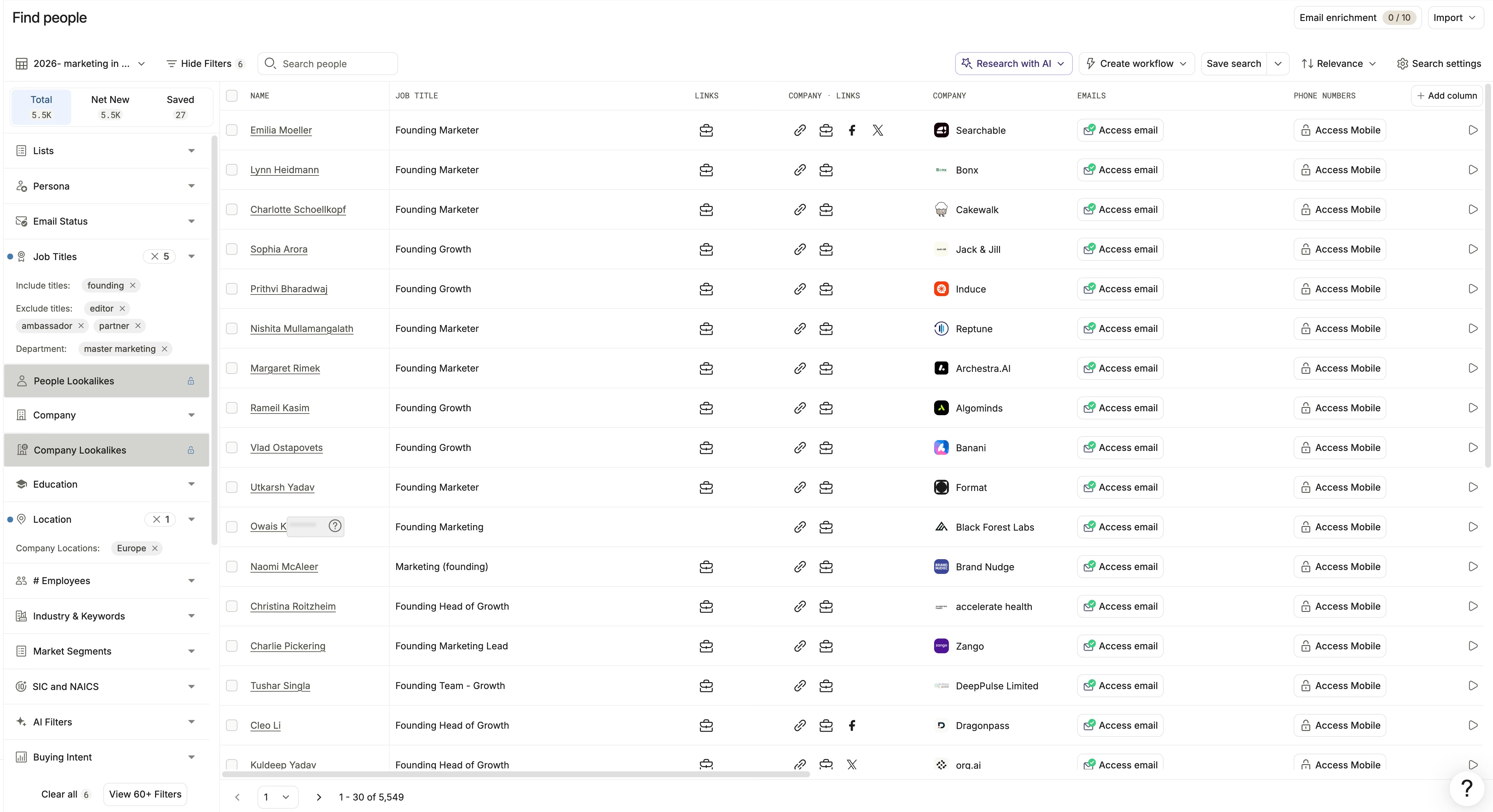
From there, everything happens in the same app:
- Reveal contacts. An email costs about 1 credit, a mobile number about 8.
- Enrich lists. Upload a CSV or sync your CRM, and Apollo fills in emails and phones, with a waterfall option.
- Sequence. Multi-step email cadences with follow-ups, A/B tests, open and reply tracking, mailbox rotation, and warmup.
- Call and book. A built-in dialer, task reminders, and meeting booking.
- Track deals. Apollo can work as a light CRM, or push activity to Salesforce, HubSpot, and Pipedrive.
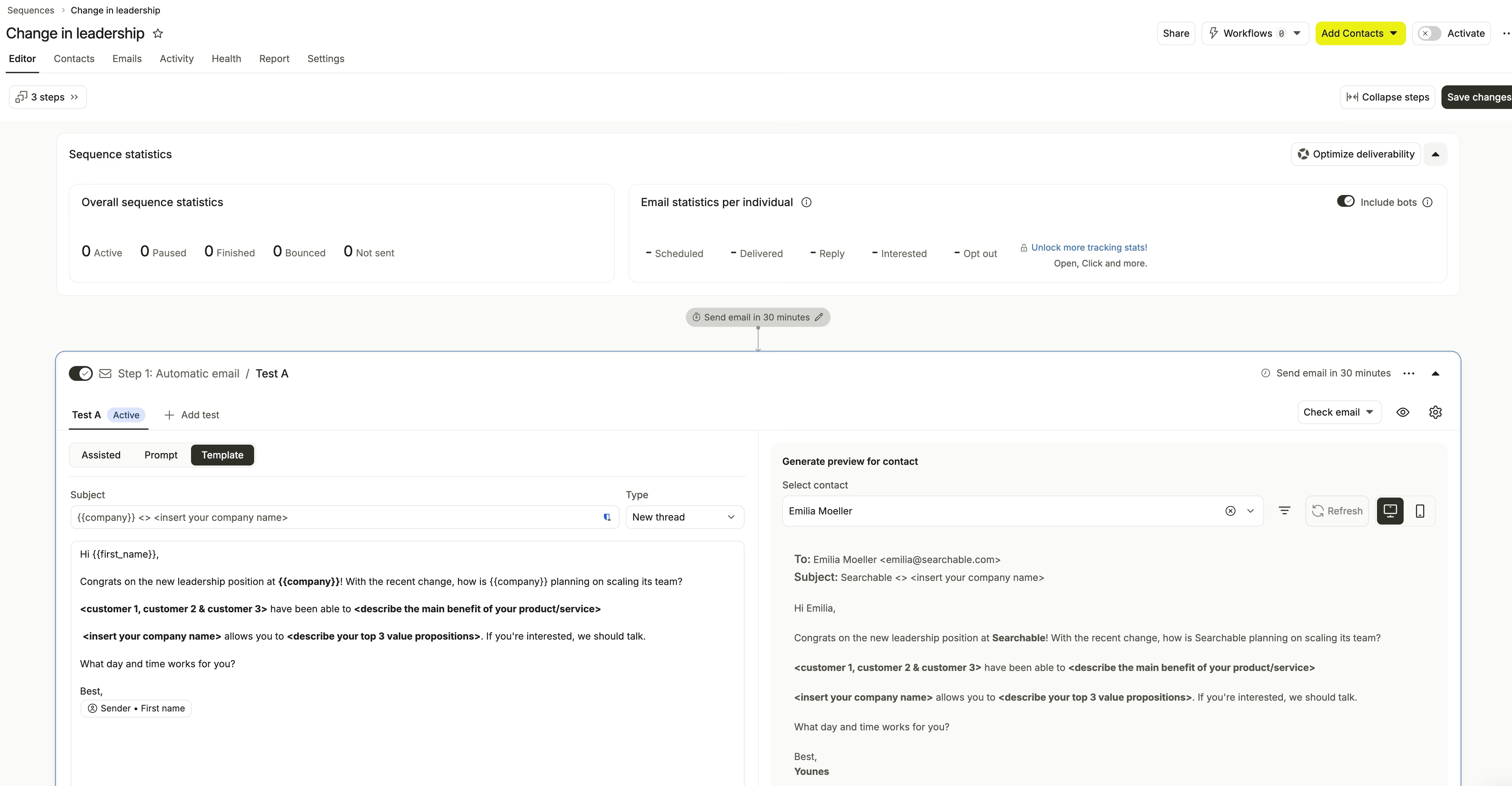
This is why startups like it. One Apollo subscription replaces a data provider and a sequencer. The classic pairs it stands in for are ZoomInfo + Outreach, Cognism + Salesloft, or LeadIQ + Lemlist.
Apollo’s AI columns
Apollo also has AI research columns. You describe a column, pick a model and the row variables to include, and the prompt runs on every row.
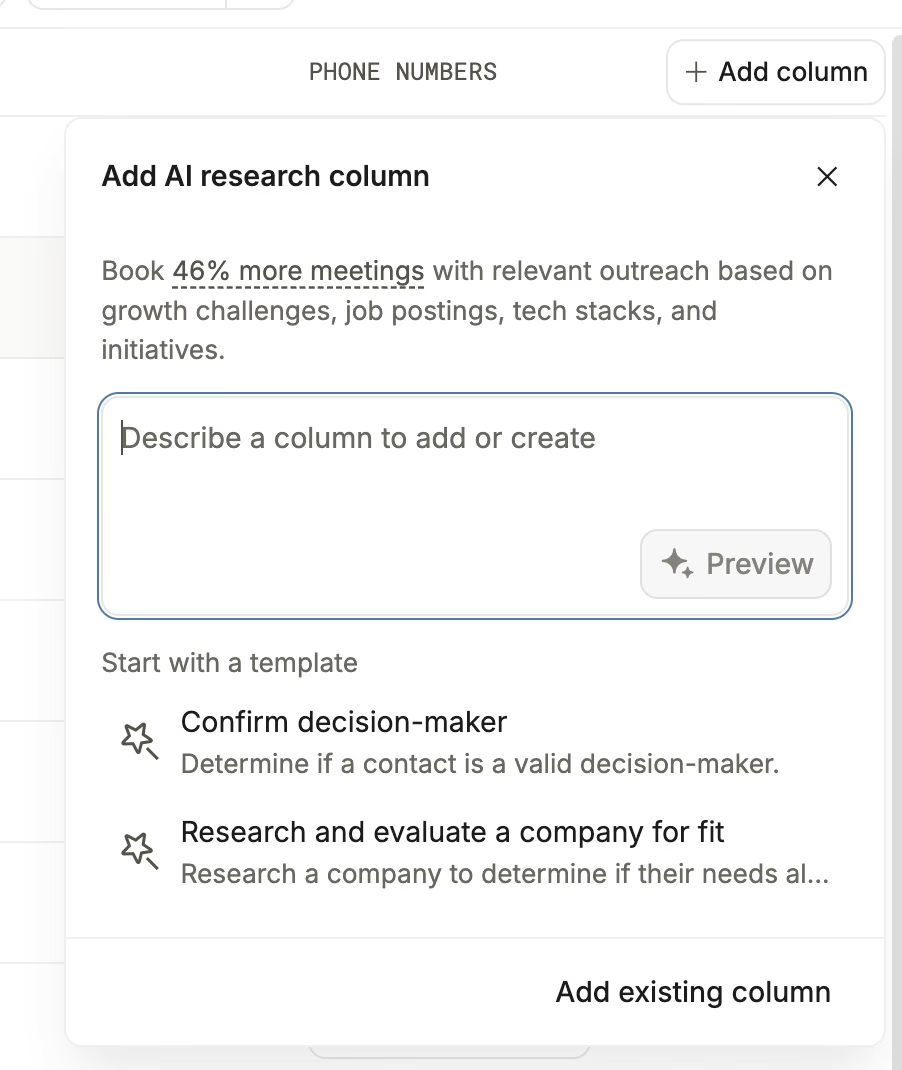
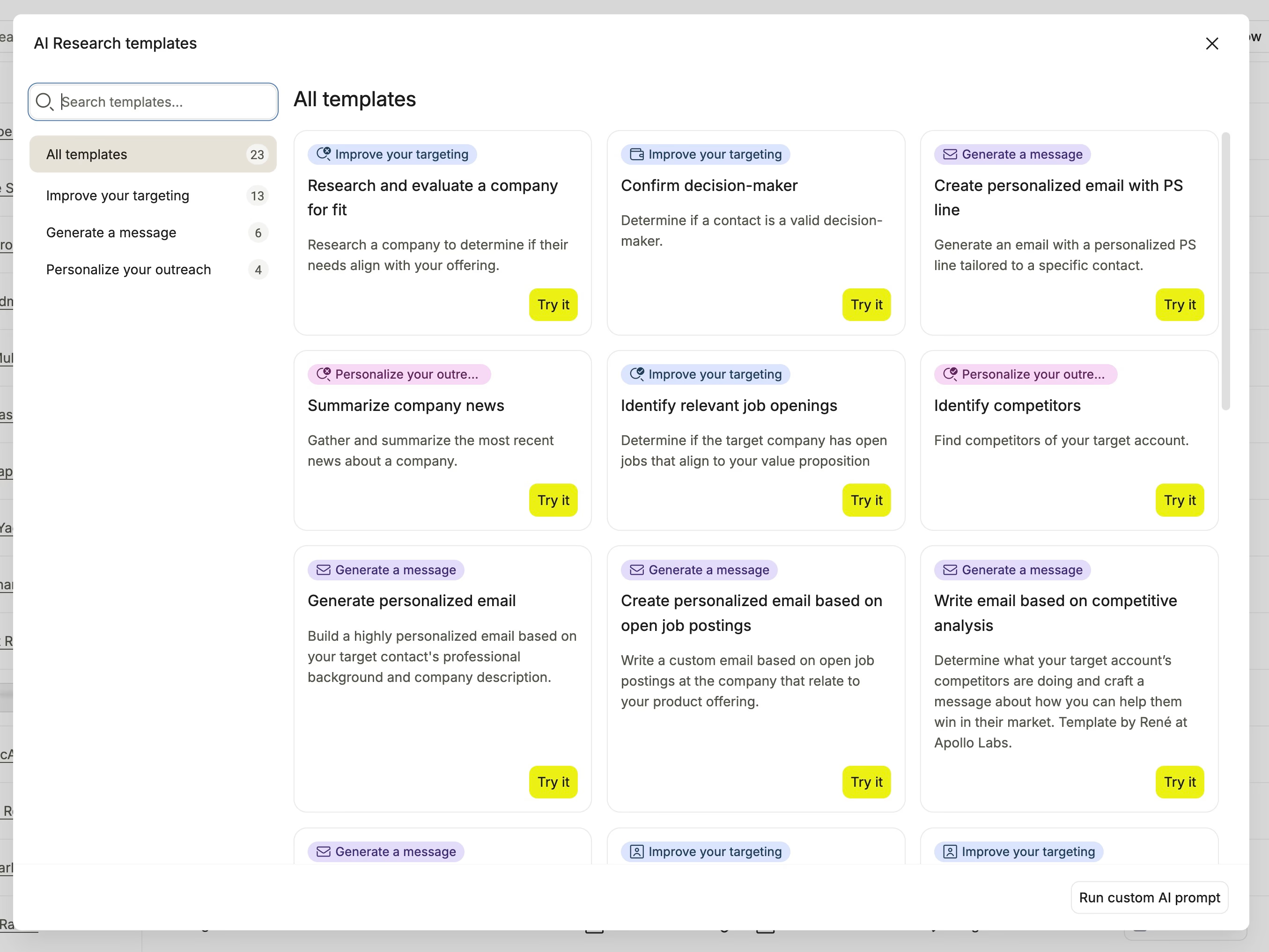
Templates help you get started: confirm a decision-maker, research a company for fit, summarize company news, or write an email based on open jobs.
The catch is the input. AI is the only enrichment Apollo offers on a table, so the model works from Apollo’s fields and the web. You cannot add a column with a company’s traffic, ad spend, tech stack from a dedicated provider, or a person’s latest LinkedIn posts.
Where Apollo falls short
- Data accuracy. Stale contacts, wrong titles, and generic phone lines are the most common complaints. Coverage is better for SMBs and startups than for enterprise accounts.
- Phone numbers. Email data is stronger than phone data, and mobile reveals eat credits fast.
- Credits. Reviewers complain about hidden consumption, expiring credits, and overages around $0.20 per credit.
- Shallow enrichment. Personalization relies on what Apollo’s database and an AI prompt can find, with no third-party data providers.
- Moderate automation. Power users often outgrow Apollo’s workflows.
- LinkedIn. The sequencer creates LinkedIn tasks for a rep to do by hand. It does not send invitations or messages for you.
What Clay does well
Clay starts from the opposite idea. Instead of owning a database, it lets you call 150+ providers from columns in a table and decide in which order they run.
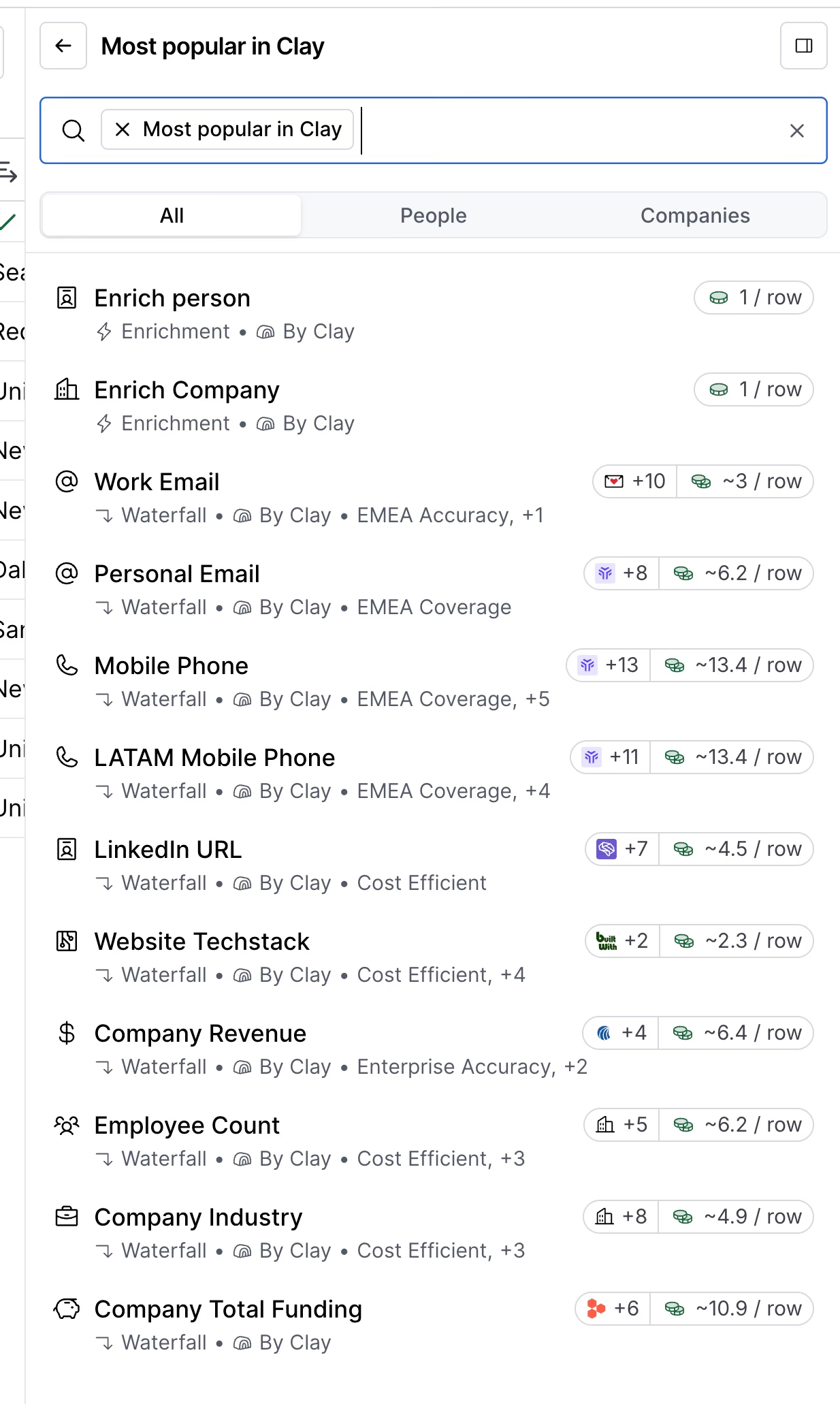
Here is what you get that Apollo does not have:
- Any data point. Firmographics, technographics, hiring, funding, web traffic, intent, and contacts from several vendors, all callable from a column.
- Waterfalls and conditions. Try provider A, then B, then C, and run the expensive lookup only on rows that pass your filters.
- Claygent . AI agents that browse the web, classify accounts, or write first lines from any column in the row. The Sculptor assistant drafts prompts for you.
- More sources. People and company search, Google Maps, LinkedIn job posts, and lookalikes, on top of CSV and CRM imports.
- Signals. Job changes, promotions, new hires, and funding news that trigger your workflow when they happen.
- Ad audiences. Sync enriched segments to LinkedIn, Meta, and Google on the Growth plan.
Clay also has an email sequencer, charged per lead, where each message can be written by AI from the row’s data.
Where Clay costs you
- Learning curve. You design the columns, the order of providers, and the conditions. Many teams rely on tutorials or a consultant before it pays off.
- Two meters. Every run uses an Action, and most also use Data Credits. The monthly bill is hard to predict.
- Plan gates. CRM sync, the HTTP API, and webhooks need the $495/month Growth plan.
- Email only. The sequencer does not send LinkedIn messages either.
- No CRM. Clay enriches and syncs to your CRM. It does not replace it.
For the full picture, read our Clay review .
Pricing: what each tool really costs
Apollo pricing
| Plan | Annual billing | Monthly billing | Credits |
|---|---|---|---|
| Free | $0 | $0 | Limited |
| Basic | $49/user/mo | about $59/user/mo | 30,000 per year |
| Professional | $79/user/mo | about $99/user/mo | 48,000 per year |
| Organization | $119/user/mo | about $149/user/mo | 72,000 per year, 3 users minimum |
An email reveal costs about 1 credit and a mobile about 8. On Basic billed monthly, that puts an email around $0.02 and a mobile around $0.19, as long as you stay within your credits.
The price that matters is per seat. Five SDRs on Professional cost $395 per month on annual billing before any extra credits. Analysts put the real spend of outbound-heavy users at $150 to $400 per user per month once mobiles and overages are added.
Clay pricing
| Plan | Price | Data Credits per month | Actions per month |
|---|---|---|---|
| Free | $0 | 100 | 500 |
| Launch | $185/mo ($167 billed yearly) | 2,500 | 15,000 |
| Growth | $495/mo ($446 billed yearly) | 6,000 | 40,000 |
| Enterprise | Custom | 100,000+ | 200,000+ |
Seats are unlimited on every plan. Typical Data Credit costs :
- Email, one provider: 2 to 3 Data Credits
- Email waterfall, three providers: 4 to 8 Data Credits
- Mobile number: 5 to 8 Data Credits
- Full contact with email, phone, and title: 14 to 34 Data Credits
- Failed lookup: nothing
Each run also uses 1 Action. Data Credits roll over up to twice the monthly amount on monthly plans. Actions do not roll over.
The same jobs priced on both
| Job | Apollo | Clay |
|---|---|---|
| 1,000 work emails, one user | 1,000 credits, $59 on Basic | 2,000 to 3,000 Data Credits with one provider, $185 on Launch plus a possible top-up. 4,000 to 8,000 with a waterfall, $495 on Growth plus top-ups past 6,000 |
| 200 mobile numbers | 1,600 credits, $59 on Basic | 1,000 to 1,600 Data Credits, $185 on Launch |
| A team of 5 running outbound | $395/mo on Professional, annual, plus extra credits | $446/mo on Growth, annual, shared by everyone |
For contact data, Apollo is several times cheaper than Clay. That is what its database is for.
The gap closes as the team grows, because Apollo bills each seat and Clay does not. At five users the subscriptions are close. The difference is then in what you get: Apollo gives you contacts, a dialer, and a sequencer, while Clay gives you every data source and the logic to combine them.
Using Clay and Apollo together
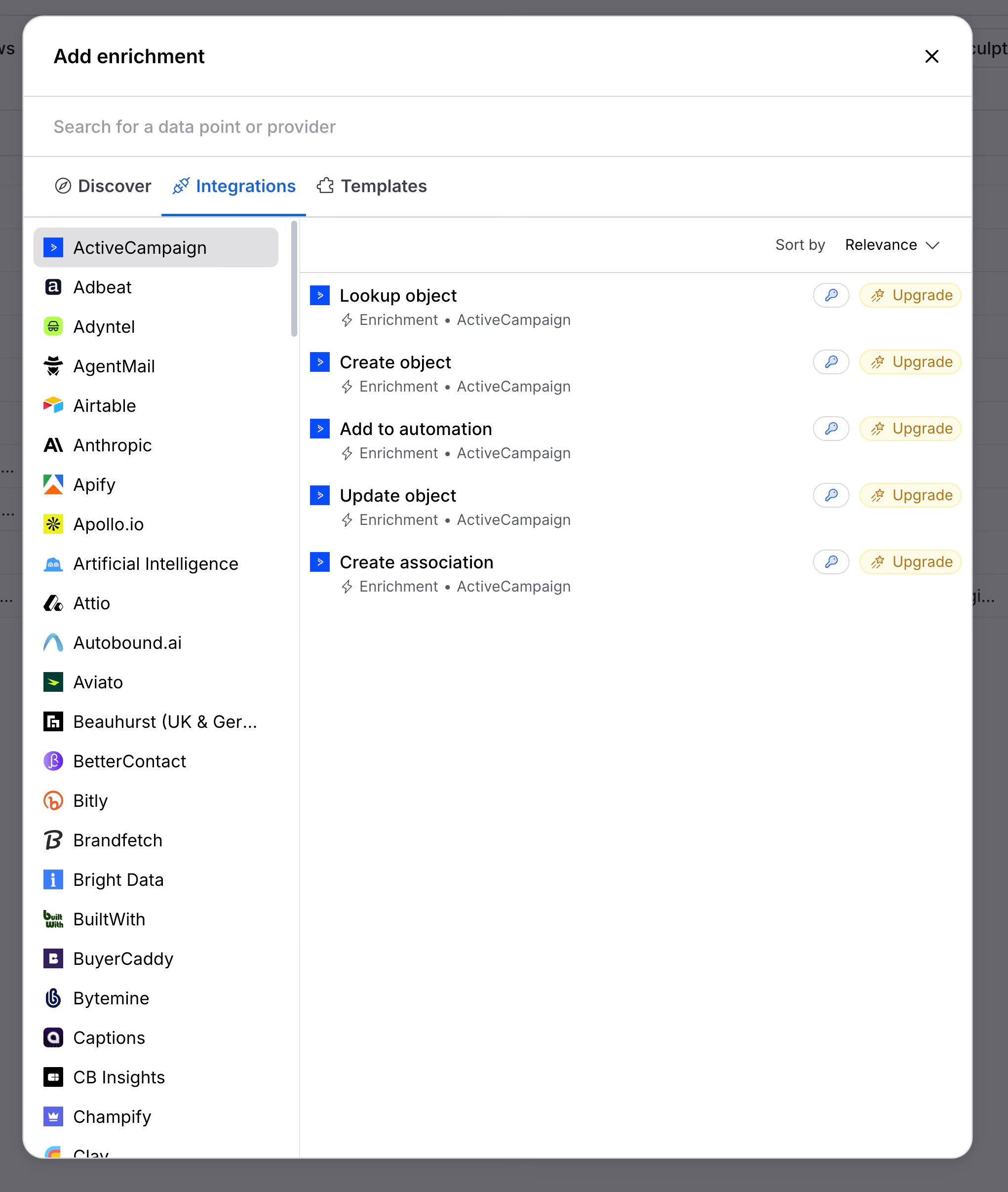
You do not have to choose. Clay has a native Apollo integration: you can start a table from Apollo people search, enrich people and companies with Apollo, and add contacts to an Apollo sequence from Clay.
That makes a common setup for teams with a builder:
- Apollo for the list and the sending.
- Clay in the middle, to enrich, score, and write a personalized first line from data Apollo does not have.
- Apollo again to run the sequence, the calls, and the reply tracking.
You pay for both, though. A team of three on Apollo Professional plus Clay Launch is already around $400 per month on annual billing.
Which one should you choose?
Choose Apollo if:
- You are a founder or a team of one to five starting outbound.
- Your targets are SMBs or startups, where its data is strongest.
- You want search, contacts, sequences, and calls in one tool.
- Nobody on the team will build and maintain workflows.
Choose Clay if:
- You need data Apollo does not have: tech stack, traffic, hiring, signals, custom research.
- You have a GTM engineer, a RevOps owner, or an agency to run it.
- You already have a sequencer or are happy with Clay’s email-only one.
- $185 to $495+ per month is fine for the workflows it replaces.
Use both if you have a builder and want Apollo’s database and sequencer with Clay’s enrichment in the middle.
A third option for small teams: Cockpit
Apollo’s personalization stops at what its database knows. Clay goes further, but it asks for a builder and a bigger budget. Cockpit sits between the two.
It is a spreadsheet where you import leads, enrich them, write messages with AI, and send multichannel sequences from the same grid.
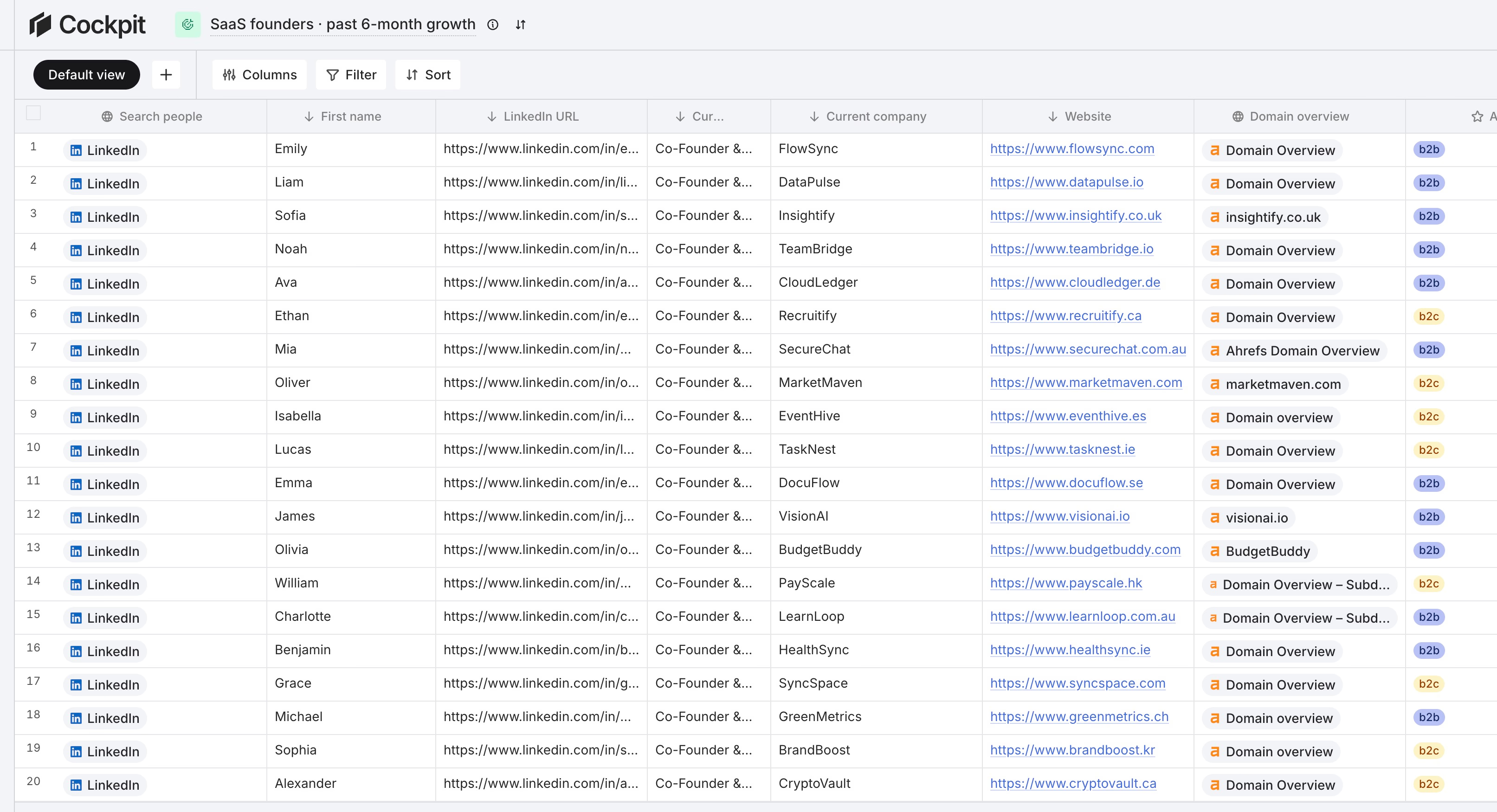
What it covers:
- 26 sources: LinkedIn people and company search, post commenters and reactors, Google Maps, Shopify stores, Meta advertisers, domains by technology, CSV, and HubSpot, Pipedrive, or Attio.
- 27 enrichments: work email and verification, LinkedIn profiles and posts, Ahrefs, Similarweb, tech stack, ads data, and web scraping. Apollo and FullEnrich are available as providers in a waterfall.
- AI columns that read any cell in the row, with typed outputs such as a checkbox for “good fit”.
- Sequence columns that send LinkedIn invitations, LinkedIn messages, and emails, written by AI from the row’s data.
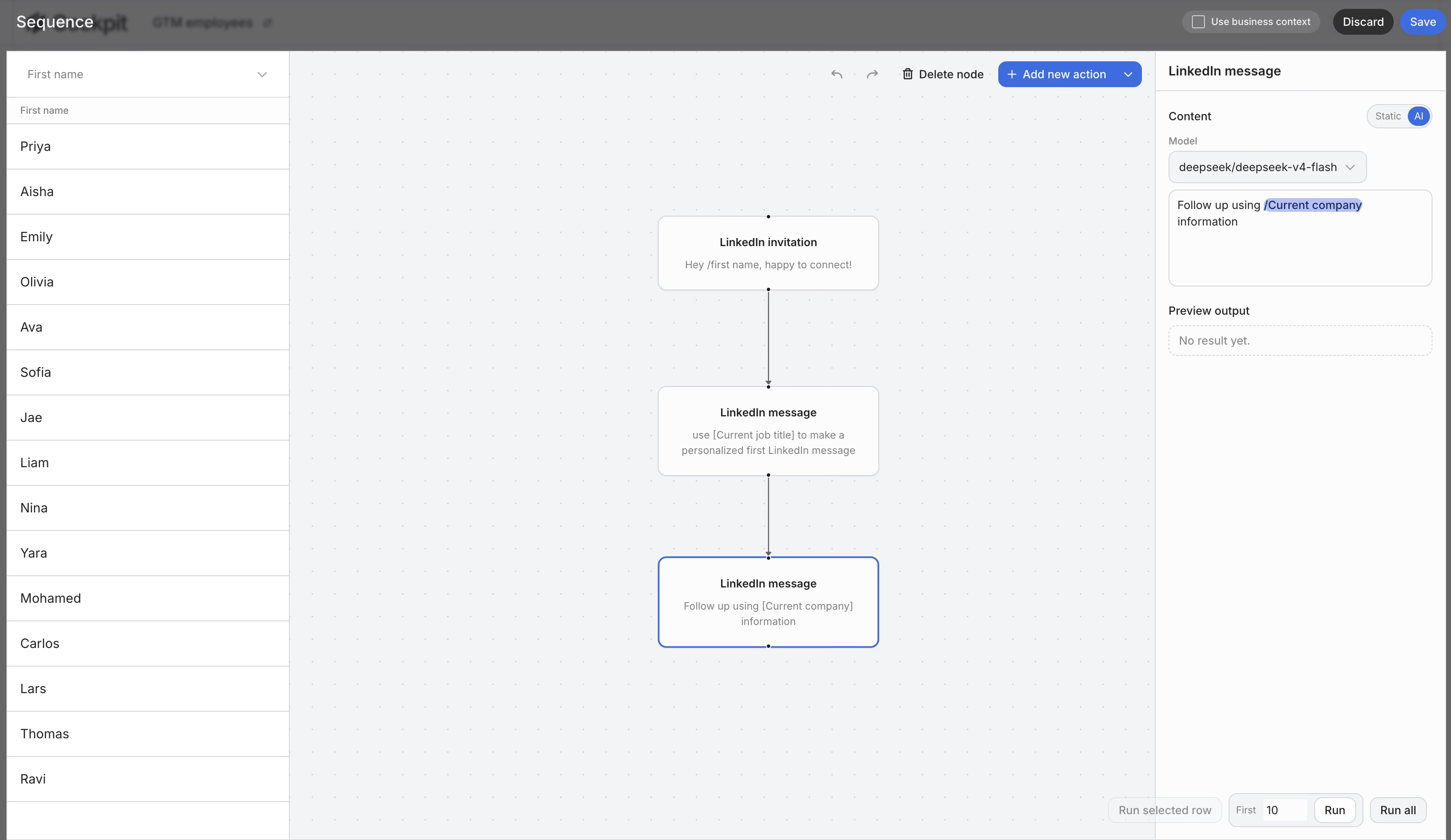
Plans are $29 per month for 3,000 credits, $79 for 10,000, and $199 for 30,000, with a 14-day trial. You only pay for successful calls, on one credit meter.
Where Cockpit is not the best choice:
- If raw contact volume is all you need. Apollo through Cockpit costs 10 credits per email and 76 per phone, more than buying Apollo directly. Even Cockpit’s own email finder, at 4 credits, costs more per email than an Apollo seat.
- If you need a dialer or a CRM. Cockpit exports to your CRM; it does not replace it.
- If you need Clay’s full catalog. 27 enrichments is far from 150+, and there is no agent builder like Claygent.
Cockpit is the right pick for founders and teams of one to three who want personalization beyond what Apollo’s database knows, without building it in Clay. The Clay vs Cockpit comparison goes through the differences with Clay in detail.
Clay vs Apollo FAQ
Is Apollo cheaper than Clay?
For contact data, yes. A single Apollo seat on Basic costs about $59 per month and covers around 2,500 email reveals. Clay starts at $185 per month. With five or more users, Apollo’s per-seat pricing brings the two subscriptions close.
Does Clay have its own contact database?
No. Clay calls 150+ external providers and combines their results with waterfalls. Apollo is one of the providers you can use inside Clay.
Can Clay replace Apollo’s sequencer?
For email, partly. Clay’s sequencer sends AI-personalized emails and tracks replies. It has no LinkedIn steps, so teams that work LinkedIn keep a separate tool.
How do I connect Apollo to Clay?
Add the Apollo integration in Clay with your Apollo account. You can then use “Find People from Apollo” as a table source, enrich people and companies, and push contacts to an Apollo sequence from a column.
Is Apollo a Clay alternative?
Only for list building and contact data. Apollo does not replace Clay’s multi-provider enrichment, signals, or AI agents. For tools closer to Clay’s scope, see our list of Clay alternatives .