
Clay enrichment means adding a column to a table that asks a data provider or an AI agent about each row. You start with a thin record, such as a name and a company domain, and Clay fills in the work email, the phone number, the headcount or whatever else you ask for.
Clay does not own the data. It sells access to 150+ providers through one interface, so most of the effort goes into choosing providers and deciding which rows deserve a paid lookup.
What you can enrich in Clay
Every enrichment is a column. You pick a data point or a provider, map the input columns, and the answer lands in new columns next to your data. Clay splits them by row type:
- Person rows (they need a LinkedIn URL, or a name plus a company): work email, mobile or direct phone, profile details, job title, job changes
- Company rows (they need a domain): headcount, industry, funding, tech stack, web traffic, hiring, news
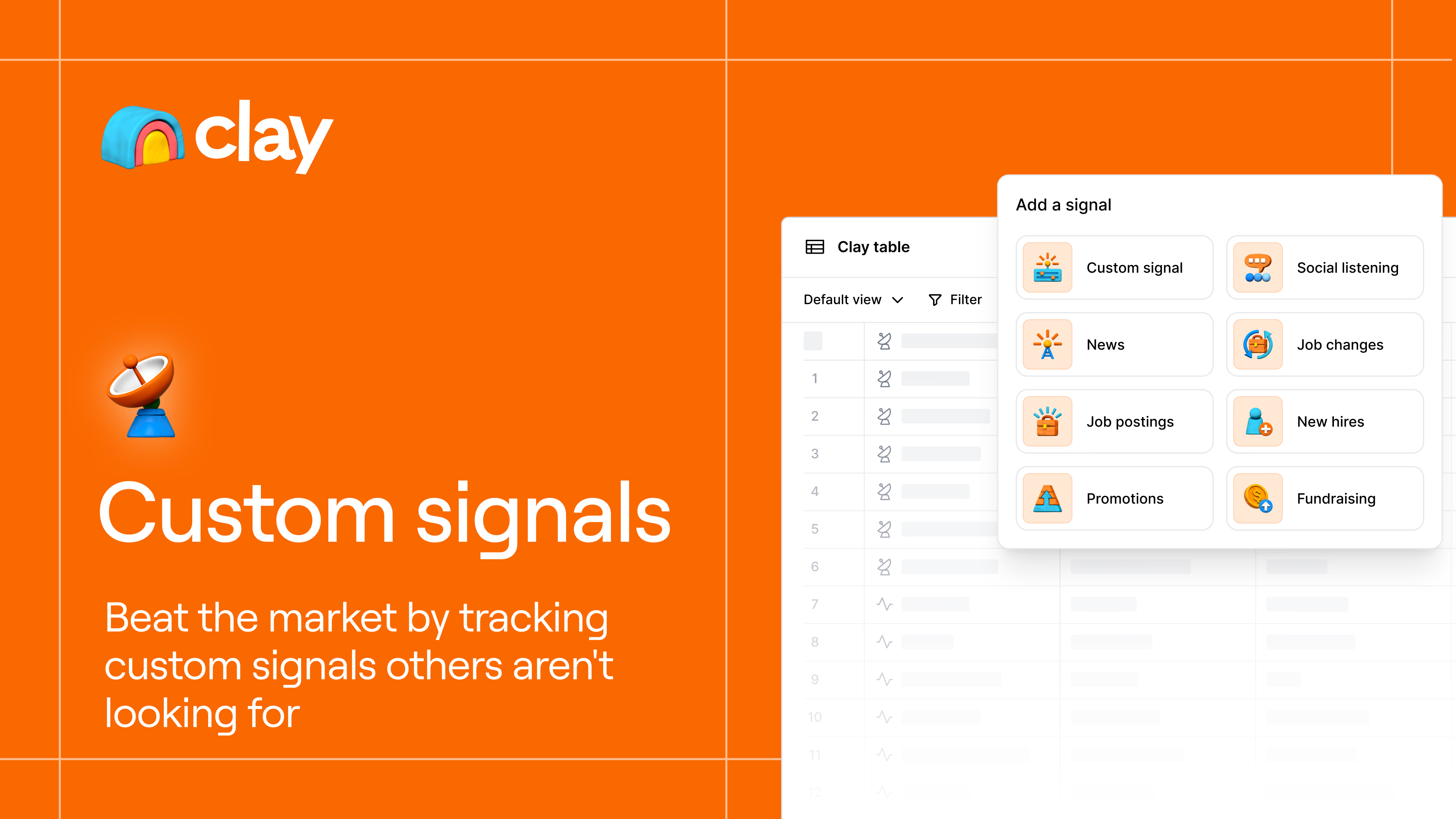
AI is one more provider. Claygent can browse a website and write an answer into a cell, billed in Data Credits like any other call. Signals, such as job changes, funding or new hires, are a separate kind of column that watches for events rather than looking up a fixed field.
How to enrich a list in Clay, step by step
The sequence is the same for 50 rows or 5,000, and the filtering in step 1 saves the most money.
- Filter and clean first. Import a CSV, sync a CRM or start from a Clay search, then remove duplicates and rows outside your target. Make sure each row has a LinkedIn URL or a clean company domain. A wrong domain makes every person lookup on that row fail.
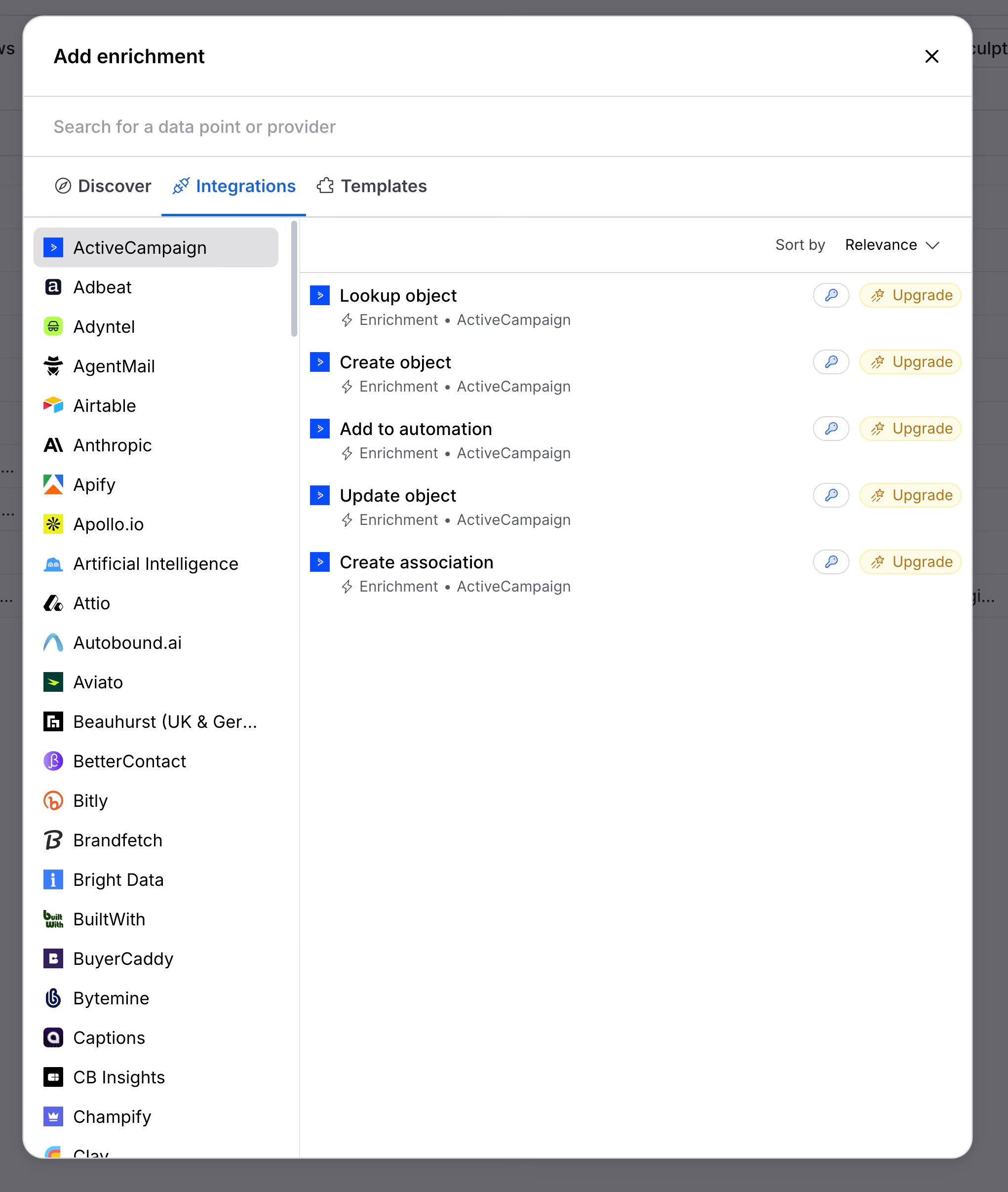
- Click “Add enrichment”. The panel has a search box (“Search for a data point or provider”) and tabs for Discover, Integrations and Templates. Search for what you need, for example “Work Email”.
- Pick a provider or a waterfall. A single provider is simpler. A waterfall tries several providers in order and is usually better for emails and phones. Clay pre-arranges the order, and you can reorder, add or remove providers.
- Map the input columns. The panel shows which inputs are required. For a work email that is typically a full name plus the company domain, or a LinkedIn URL. Point each input at the right column.
- Set run conditions. In the column settings, add an “Only run if” formula so the column runs on qualified rows only, for example companies above a certain size. Switch auto-run off unless you want every new row enriched automatically.
- Test on 10 rows, then run. Run the first ten rows, check the results and the credit cost the panel shows, then run the rest of the column.
A useful habit is to qualify at company level before you enrich people. Add one cheap company step, filter on size or industry, and only then look up emails and phones for the rows that passed. The same contact enriched twice is paid for twice, so deduplicate before you run, and use a lookup column to reuse data already in another table or your CRM.
Waterfalls in Clay
A waterfall is one column that calls providers in sequence until one returns a usable result. Clay ships pre-built ones for work email and phone, which you find by searching the enrichment panel. The waterfall enrichment guide explains the concept and compares tools.
In Clay you control the order, so put the cheapest or best-matching provider first and toggle any provider off without deleting it. Clay University says that if a provider returns nothing, the Data Credits are refunded automatically, so you end up paying the provider that found the email. You can also add a validator to check found emails. Clay’s docs say select validators cost no credits, so check the price of the one you pick.
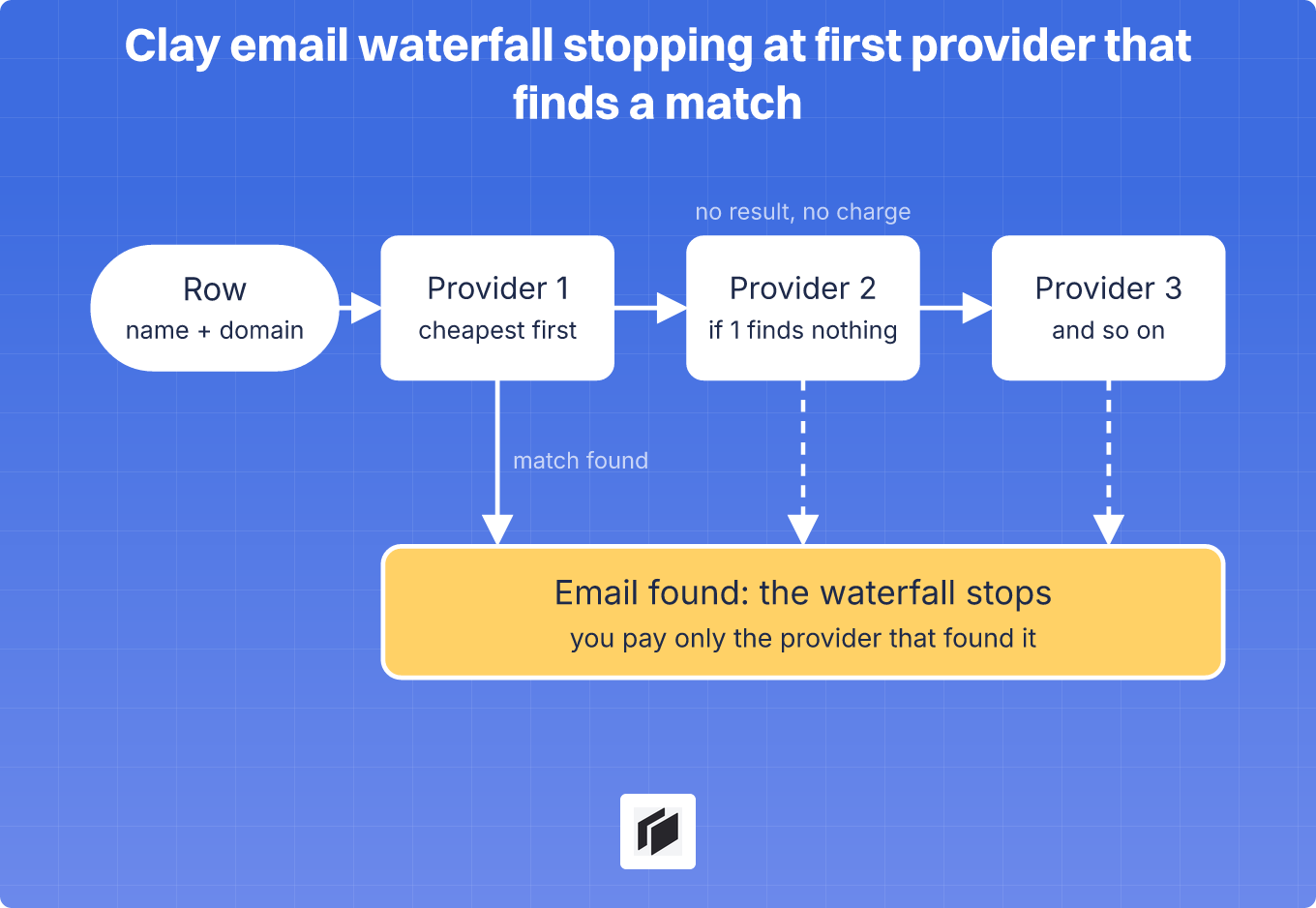
Waterfalls raise the find rate and also the bill, which is why the next section matters.
What Clay enrichment costs per 1,000 leads
Clay uses two meters. An Action pays for the orchestration and costs 1 per enrichment per row, whatever the provider, at a few tenths of a cent each. Data Credits pay for the data itself, and the price per lookup depends on the data type. Clay says credits start at $0.05 each and get cheaper at volume. The Clay pricing guide covers the plans and meters in detail.
The table combines Clay’s docs with the $0.05 starting rate. It assumes every row finds a result, except in the profile row, so treat each line as a ceiling:
| Job, per 1,000 leads | Data Credits | Cost at $0.05 each |
|---|---|---|
| Work email, 0.5 credits per lookup | up to 500 | up to $25 |
| LinkedIn profile, email and validation (docs example, 90% of emails found) | about 950 | about $48 |
| Fully enriched record (email, phone, company data) | 6,000 to 20,000 | $300 to $1,000 |
Actions come on top, about $4 per 1,000 rows for each column you run. Clay’s docs say emails are cheap and phone numbers are expensive, and that waterfalls with several providers raise the cost. The enrichment panel shows the exact number before you run.
For scale, take a founder who enriches 1,000 leads with a profile, an email and validation. That needs about 950 Data Credits, which fits inside the 2,500 that Launch includes (from $185 a month billed monthly). Full records change the picture: at 6 to 20 credits each, Launch covers roughly 125 to 416 of them.
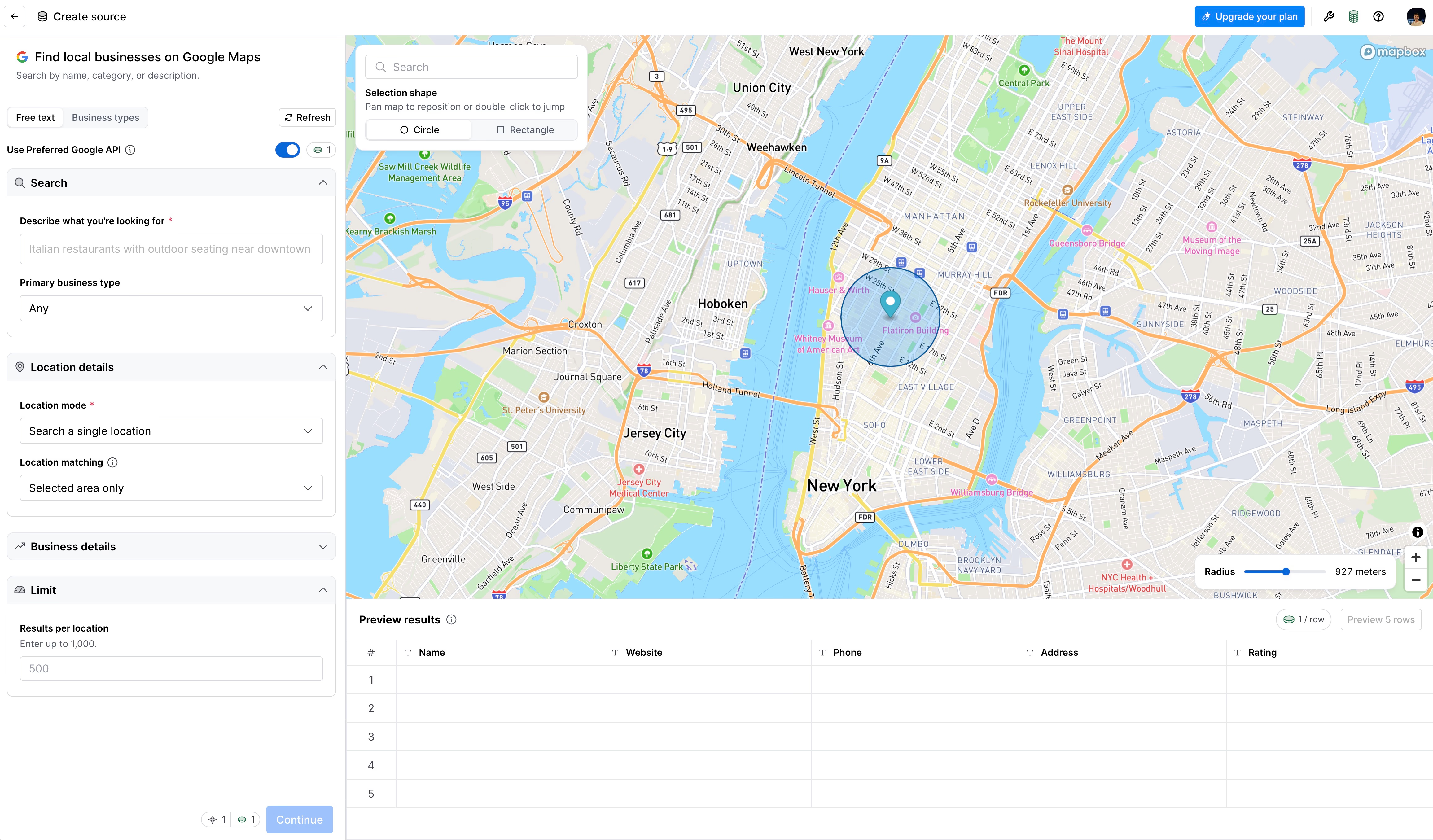
Sourcing rows can use credits too. Clay’s Google Maps source, for example, shows a per-row credit counter in its preview.
Use your own API keys to cut credits
You can connect your own account for a provider, such as an email finder, Apollo, OpenAI or Anthropic. This is called bring your own key. The call then uses no Data Credits, but it still uses 1 Action, and you pay the provider directly. Clay’s docs say this can save 50 to 80% of Data Credits. It pays off most for a team that runs one provider heavily and already has an account with it.
Raise find rates and avoid wasted credits
Failed lookups do not cost Data Credits, so a low find rate costs you leads more than money. What costs money is paying for data that turns out wrong, or enriching rows you never contact. A LinkedIn URL or a clean domain usually gives providers more to match on than a name alone, and a second provider helps only while the extra finds are worth their price. Record which provider found each result on a sample and drop the ones that rarely win. Requests already sent are billed even if you stop a run, so test on ten rows before the full one.
When a lighter tool is enough
Clay is the right pick when you need its 150+ providers, signals and agents, and someone on the team to build and maintain tables. If the job is an email, a phone and some company data on a list, a lighter tool can do it for less. The Clay review covers where Clay is strongest, and the Clay vs Apollo and FullEnrich vs Clay comparisons cover two common alternatives for this job.
Cockpit is a spreadsheet built for that smaller job. You import leads from LinkedIn, Google Maps, a CSV or your CRM, run 27 enrichments (waterfalls included, with providers such as Apollo and FullEnrich), add AI columns, then send sequences or export to Lemlist, Instantly, Smartlead or your CRM. Plans are $29 a month for 3,000 credits, $79 for 10,000 and $199 for 30,000, with a 14-day trial. You only spend credits on successful calls, and saved provider keys come with Growth and Scale, at 1 credit per successful call on top of what the provider charges.
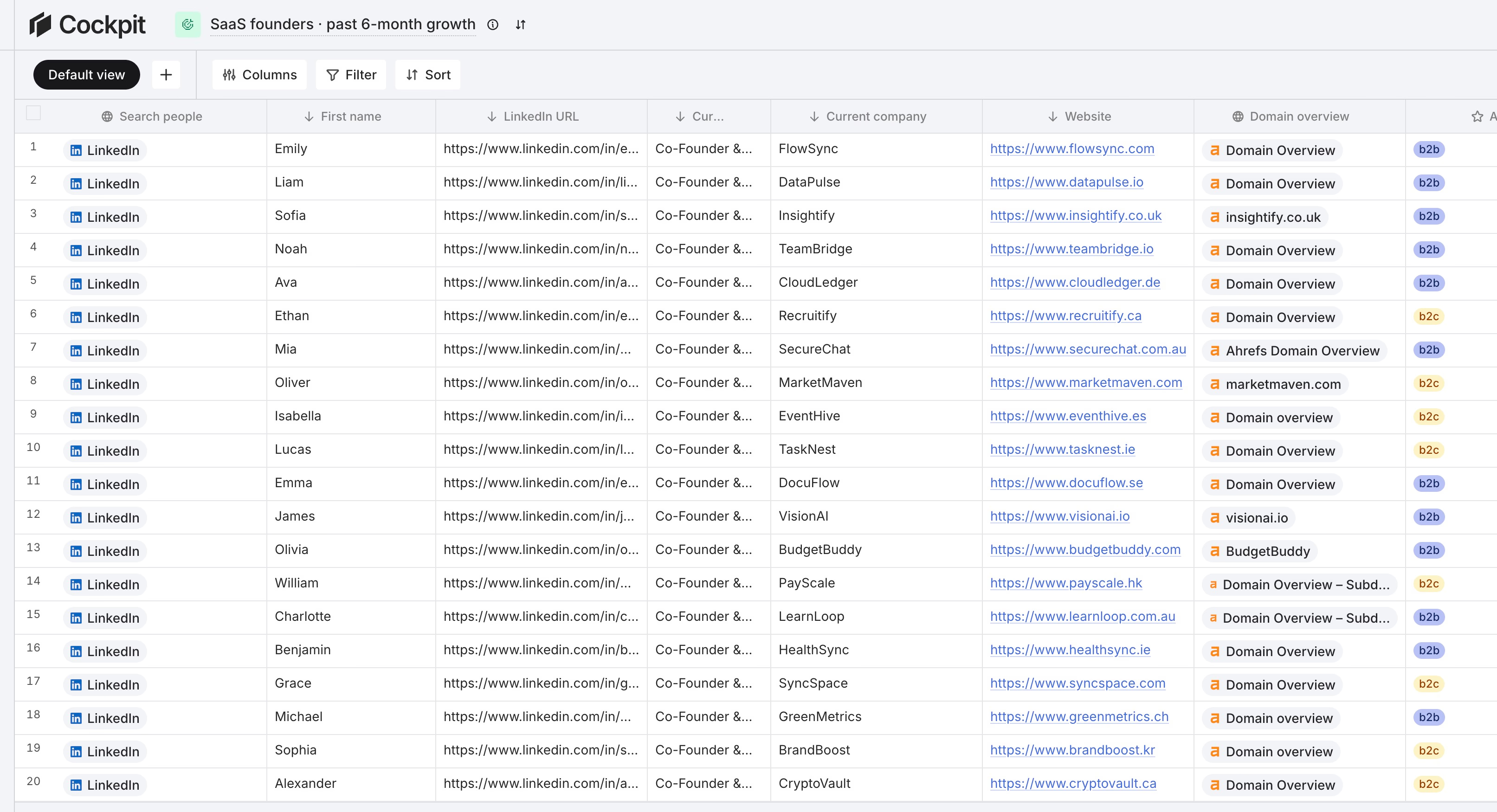
Cockpit has 27 enrichments where Clay has 150+ providers, and Clay goes much further on custom research and signals. For lists of one to a few thousand leads and a team of one to three, we think the lighter tool is enough. The two plans use different meters, so the fairest comparison is to run your own list on both. The Clay vs Cockpit comparison goes through the details, and cheaper alternatives to Clay widens the list.
FAQ
What is Clay enrichment?
It is the process of adding data to your leads with columns in a Clay table. Each column calls a provider or an AI agent and writes the result into the row. Emails, phones, company data and web research are all enrichments.
How do I enrich a list in Clay?
Import your list, click “Add enrichment”, pick a provider or waterfall, map the input columns, set an “Only run if” condition, test on 10 rows, then run the column.
How much does Clay enrichment cost per lead?
Clay’s docs put a fully enriched record at 6 to 20 Data Credits. At the $0.05 starting rate that is $0.30 to $1.00 per lead, plus Actions. A single email lookup costs about 0.5 credits in Clay’s own example.
Do I pay if Clay finds nothing?
Not for the data. A lookup that returns nothing does not cost Data Credits. A validation step is billed separately, so check its cost.
Can I use my own API keys in Clay?
Yes. Connect your account for a provider and the call uses no Data Credits, though it still uses 1 Action. You pay the provider directly.