
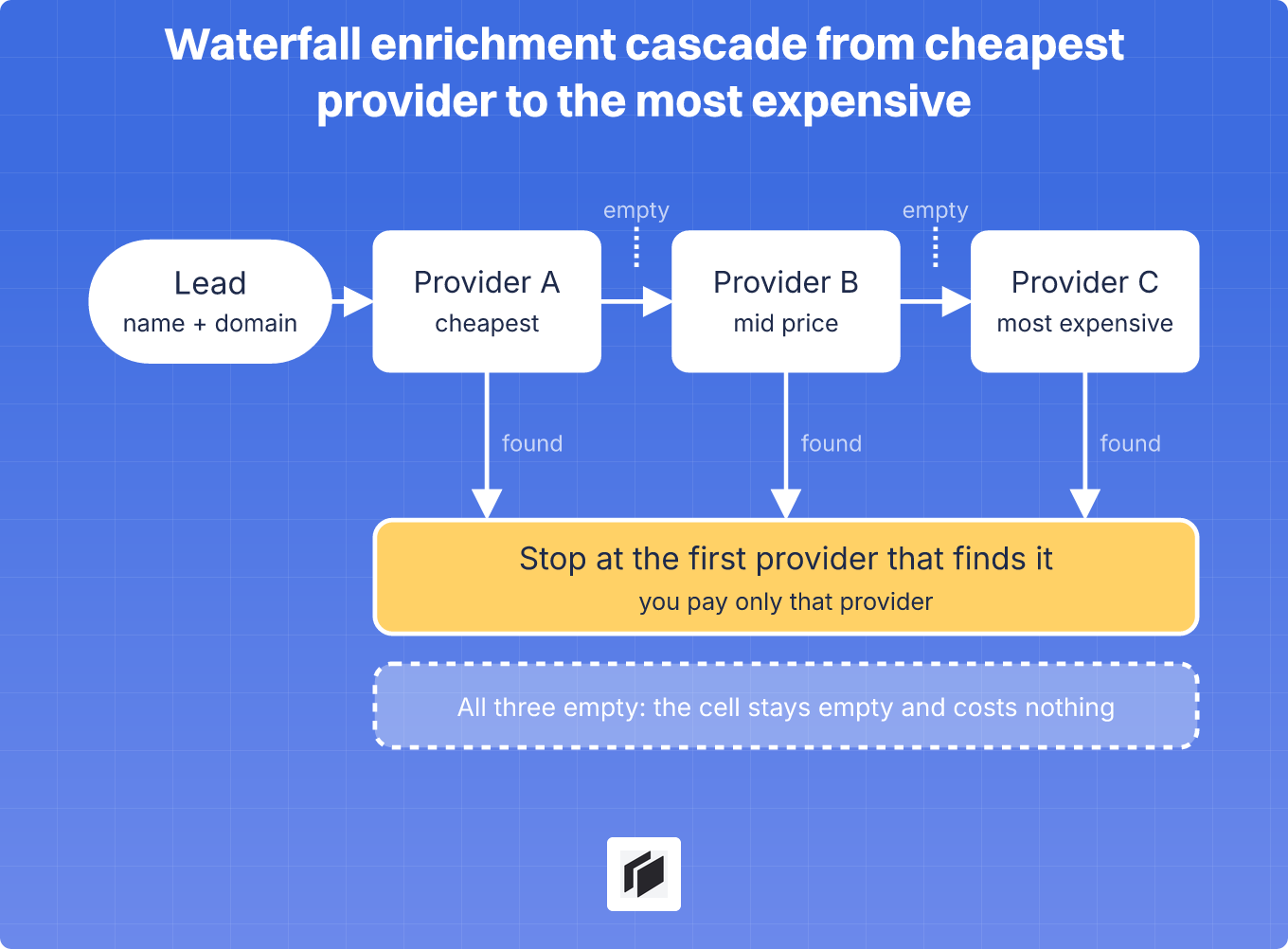
Waterfall enrichment looks up a missing lead field, such as a work email or a phone number, by calling several data providers in order and stopping at the first usable answer. It exists because no provider covers everyone, so the second and third providers recover leads the first one missed.
The price of that extra coverage depends mostly on the order you call the providers in. Cheap and accurate providers go first, expensive ones last, so the premium price is only paid for the leads nobody else found.
How waterfall enrichment works
For each lead, the waterfall takes the identifiers you already have, usually a name and a company domain or a LinkedIn URL, and sends them to the first provider. If that provider returns an email, the waterfall stops. If it returns nothing or fails, the lead moves to the next provider, which only sees the leads the previous ones left empty.
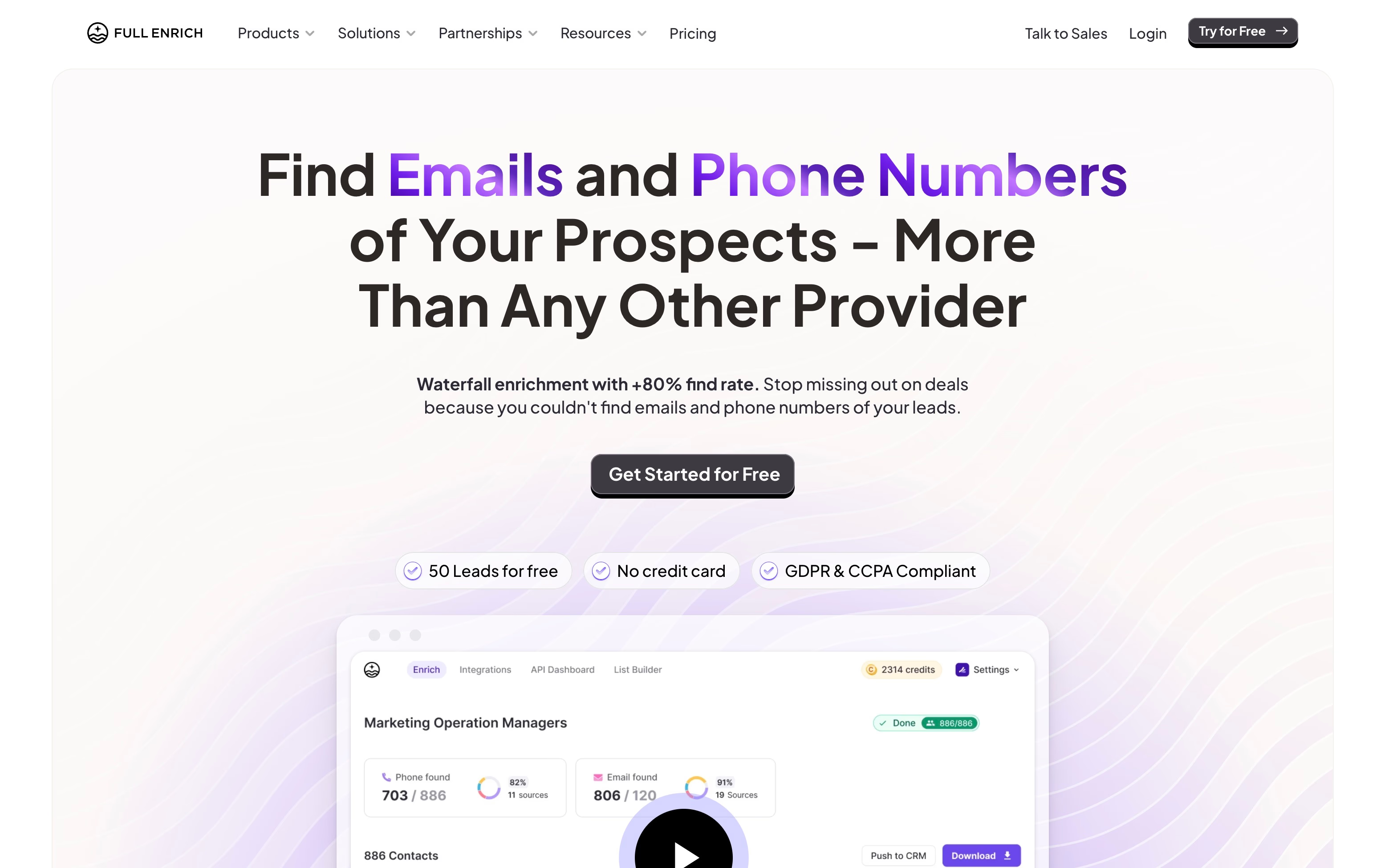
Every provider builds its own dataset from its own sources, so each is stronger in some countries, industries and seniority levels. That is why a waterfall finds more than any single source. FullEnrich, for example, advertises a find rate of 80% or more on its homepage, while third-party reviews cited in our FullEnrich vs Clay comparison put it at 70% to 85% for US enterprise contacts and 50% to 60% in APAC and LATAM. Read any coverage figure as a vendor claim and test it on your own list.
In practice the first fallback tends to recover the most leads and each one after it fewer. Tools that record which provider answered let you see which ones earn their place.
When the waterfall stops: first result or first verified result
Tools differ on what counts as an answer, and the difference shows up as bounces. FullEnrich and BetterContact verify inside the waterfall and charge only for data that passes. Clay stops at the first valid match and lets you set a validation provider on top, which can cost credits. Where verification is a separate step, a bad email can still be paid for before it is caught.
So add a verification step before you send anything. It is cheap next to a premium provider’s price and protects your sender reputation.
How to order providers
Order decides both the bill and the quality. Three things to weigh:
- Cost per found contact. What the provider charges when it finds something, not its monthly price. A miss at a pay-on-success provider costs nothing, so the cheap one can go first and the expensive one only runs on the leftovers.
- Coverage for your list. A regional specialist belongs first for the leads in its region. If your list mixes regions, run one order on one region and another order on the rest.
- Accuracy. Drop a provider whose emails you keep correcting, however cheap it is. Wrong emails cost more in bounces than they save.
Emails and phone numbers need separate waterfalls
Phone numbers are harder to source and verify, and the two services below price them at ten times an email. FullEnrich and BetterContact both charge 1 credit for a work email and 10 for a mobile number, and FullEnrich does not charge when it finds a landline instead of a mobile. Run the phone waterfall after the email is found, and only on the leads that fit your ICP, so you pay the mobile price for people you will actually call.
What a waterfall costs
Most waterfall tools bill per result, so the useful number is the cost per found email, not the plan price. From the published plans and our own comparisons (checked November 2026), a found work email costs roughly:
| Tool | Cost per found work email | Source |
|---|---|---|
| FullEnrich | About $0.05 to $0.058 | $29/mo for 500 credits, lower at higher volume |
| BetterContact | About $0.05 to $0.075 | $15/mo for 200 credits, cheaper per credit from the $49 plan |
| Airscale | About $0.015 to $0.025 for a verified email | $49/mo for 4,000 credits, cheaper on higher plans |
That is $15 to $75 per 1,000 found emails, depending on the tool. In Clay, each provider that runs adds its own Data Credits, so a waterfall costs more per found email than a single lookup. Our Clay enrichment guide has the credit figures.
Why the order changes the price
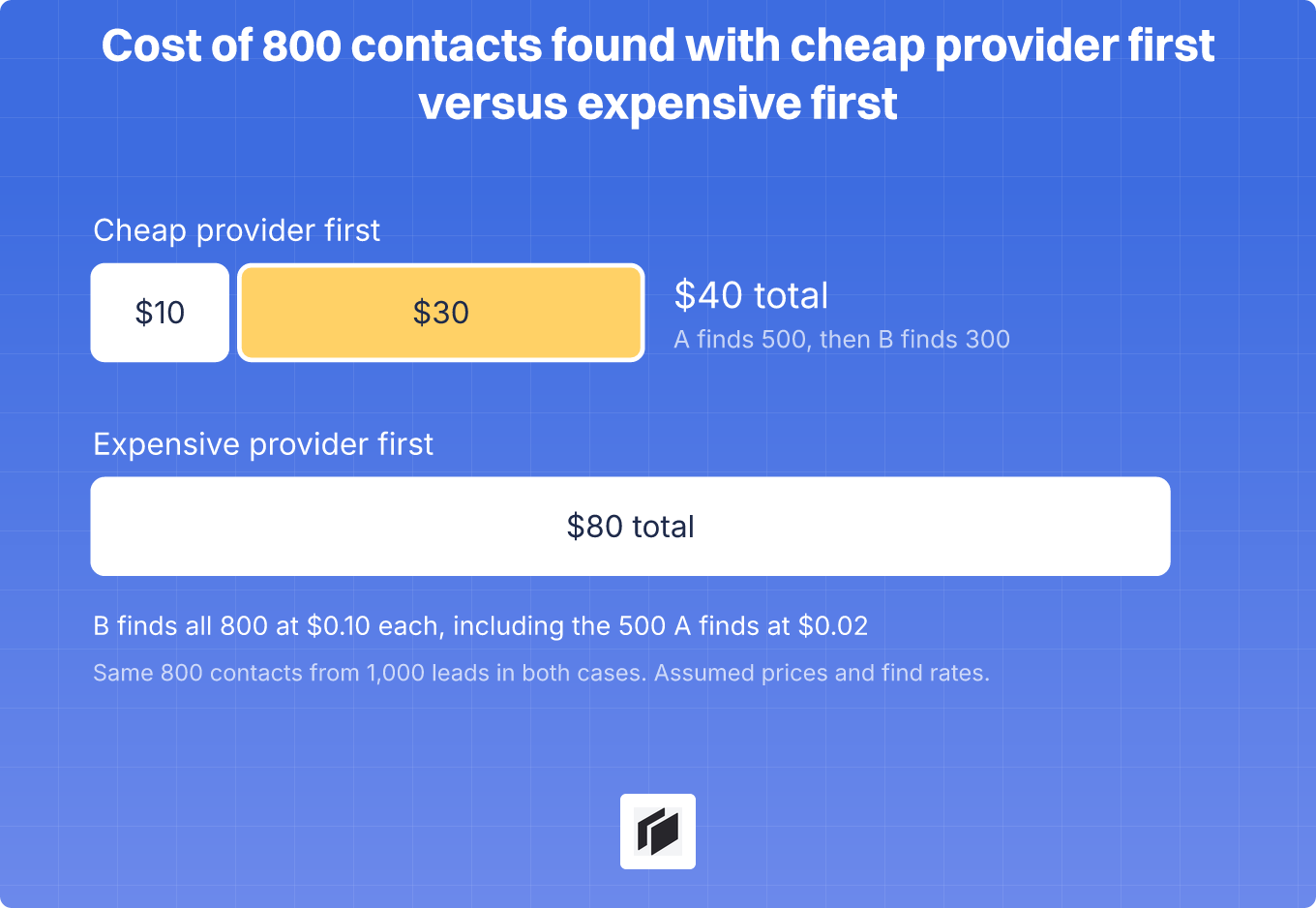
Here is a deliberately simple example with made-up numbers. You enrich 1,000 leads with two providers. Provider A charges $0.02 per found email and finds 500 of them. Provider B charges $0.10 and, on its own, would find 800, including those same 500.
Run A first and the waterfall pays A $10 for 500 emails, then B $30 for the 300 that are left. That is 800 contacts for $40. Run B first and it finds all 800 at $0.10, so you pay $80 for the same contacts.
The same arithmetic applies to every provider you add: it only earns its place if a found contact is worth more to you than its price.
Waterfall enrichment tools
Two kinds of tools offer waterfalls, and the difference is who controls the order. Services such as FullEnrich and BetterContact are built around the waterfall: you send a lead, get back a verified result, and the provider order is not yours to set. Workbenches such as Clay, Airscale and Cockpit let you pick the providers and the order inside a spreadsheet.
| Tool | Type | Providers | Entry price | Pay per result |
|---|---|---|---|---|
| FullEnrich | Service | 20+ vendors | $29/mo, 500 credits | Yes, only for found and verified data |
| BetterContact | Service | 20+ providers | $15/mo, 200 credits | Yes, only for valid data |
| Clay | Workbench | 150+ providers in its marketplace | $185/mo | Provider credits only for the provider that matches |
| Airscale | Workbench | 30+ providers | $49/mo, 4,000 credits | Yes, nothing if no email is found |
| Cockpit | Workbench | 27 enrichments, including Apollo and FullEnrich as waterfall providers | $29/mo, 3,000 credits | Yes, successful calls only |
Prices come from vendor sites and our own comparisons (November 2026), and they change.
Waterfall services
FullEnrich checks 20+ vendors one after the other and positions itself around finding emails and phone numbers. Its homepage offers 50 free leads without a credit card, and plans start at $29 a month. Our FullEnrich vs Clay comparison goes through its prices and what it leaves out.
BetterContact sells the same idea with the lowest entry price of the waterfall tools, $15 a month. Its homepage shows the cascade itself, with each provider listed as found or not found, and says every email and mobile number goes through a 4-layer validation before you are charged.

A service is the fastest start, because there is nothing to build. The trade-off is that you do not choose the order, so you cannot put your own cheap finder first.
Waterfall workbenches
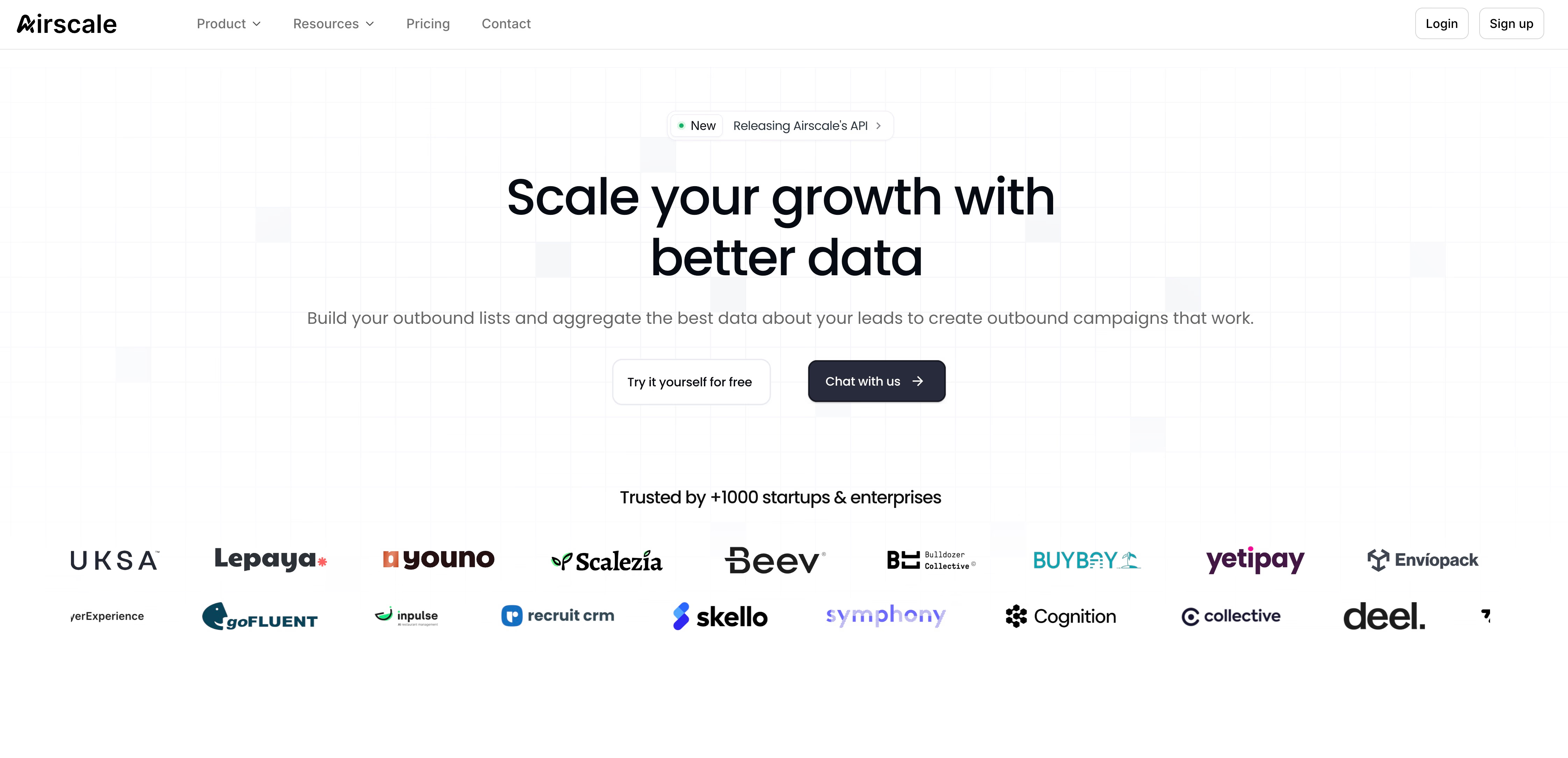
Workbenches give you the order. Clay has the widest catalog and the highest entry price, and its waterfalls can be reordered, toggled and combined with conditional runs. Airscale is the cheaper, narrower option, and our Airscale vs Clay review compares the two.
Cockpit sits in the same group at a lower price point. Its waterfall is one column with providers in your order, and you only pay for successful calls. For more options, see the affordable contact enrichment tools , or the B2B data enrichment tools comparison for tools without waterfalls.
How to set up a waterfall
These steps work in any workbench. The click-by-click version for Cockpit is the waterfall email enrichment use case .
- Prepare the leads. Import the list, remove duplicates, and make sure each lead has a domain or a LinkedIn URL. Skip leads that already have a valid email.
- Pick two providers. One cheap and accurate, one with different coverage. Check that both charge only when they find something.
- Run a sample of 100 leads. Count how many each provider won and how many stayed empty. A provider that wins almost nothing comes out.
- Verify and flag catch-alls. Keep the winning provider and the verification status in the export, so the sequencer or CRM receives valid emails only, and send catch-all addresses as a separate small batch.
- Run the rest. Add a third provider only if the sample shows a gap the second did not close.
Watch for three traps. Providers that bill every lookup, found or not, break the cheap-first logic. Duplicate rows get paid twice. And thin inputs can return the right company’s email for the wrong person, so glance at weak matches before they go downstream.
For 50 hand-picked accounts, a manual check is faster. A waterfall pays off once a single provider leaves a gap you care about.
FAQ
What is waterfall enrichment?
It is a lookup that goes through several data providers in order and stops when one returns the value you need. It is used mostly for work emails and phone numbers.
What is the difference between waterfall enrichment and data enrichment?
Data enrichment is the broad job of adding missing fields to a record. Waterfall enrichment is one method for doing it, used for contact fields where one provider rarely has everything.
How many providers should a waterfall have?
Start with two and add a third only if a sample run shows a gap. Each extra provider finds fewer leads at a higher price, so stop when the sample shows no gap.
Is a waterfall different from a single email finder?
Yes. A single finder checks one dataset. A waterfall checks several in order and calls the later ones only for the leads the earlier ones missed.
Do you pay for leads where nothing is found?
Not with the tools above. FullEnrich, BetterContact, Airscale and Cockpit charge only for results, and Clay charges provider credits only when a provider matches. A provider you add yourself may bill every lookup, so check its billing rule first.